- 34 -
2-4 View Network Statistics and Link Status
The configuration utility provides information about network statistics and link status. If you want to know how
your wireless network card works, you can use these functions to get detailed information about the wireless
connection you’re using.
2-4-1 Network Statistics
Please follow the following instructions to check network statistics:
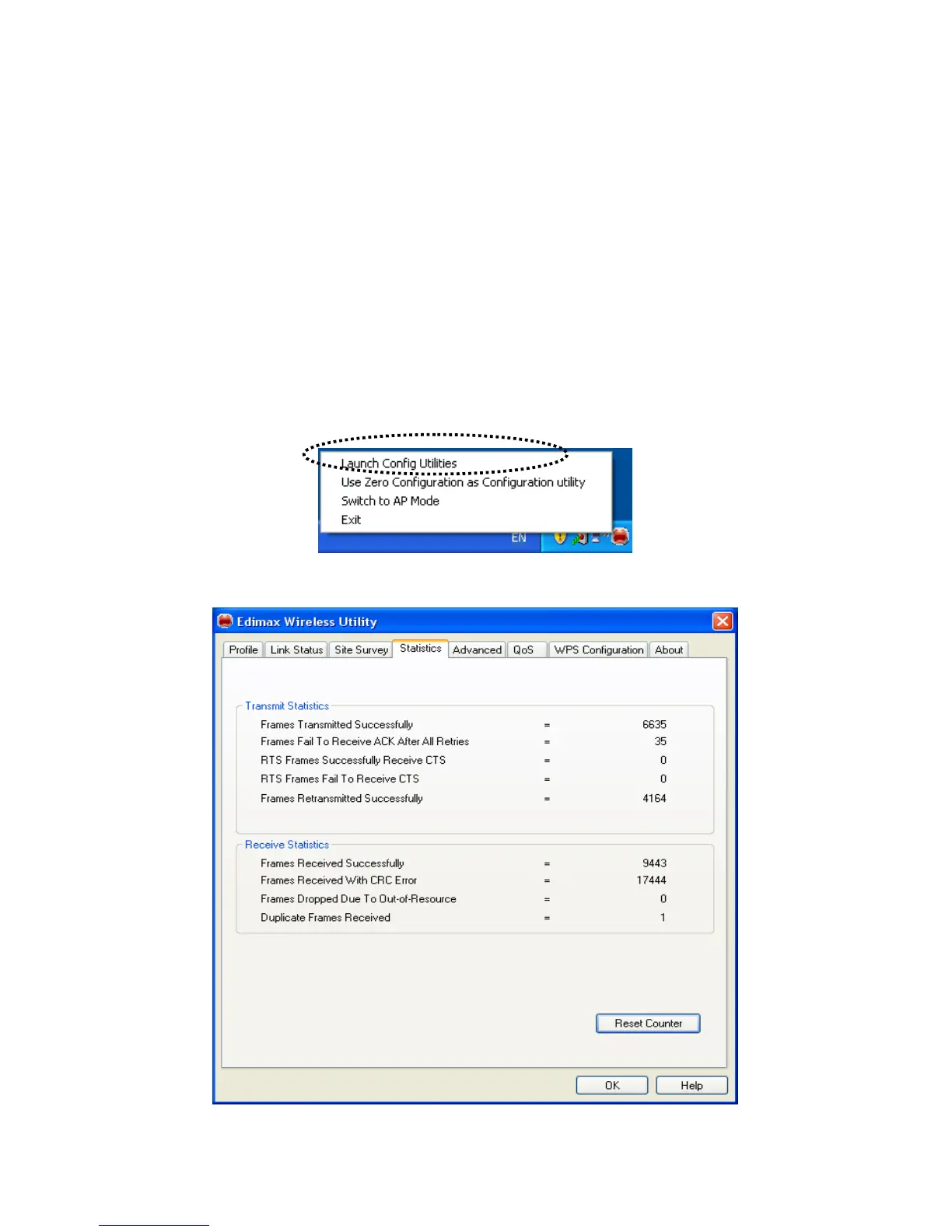
1. Right-click the Edimax configuration utility icon located at lower-right corner of computer desktop, then
click ‘Launch Config Utilities’.
2.
Click ‘Statistics’ tab, and the statistics of wireless connection will be displayed:



 To Next Page