- 32 -
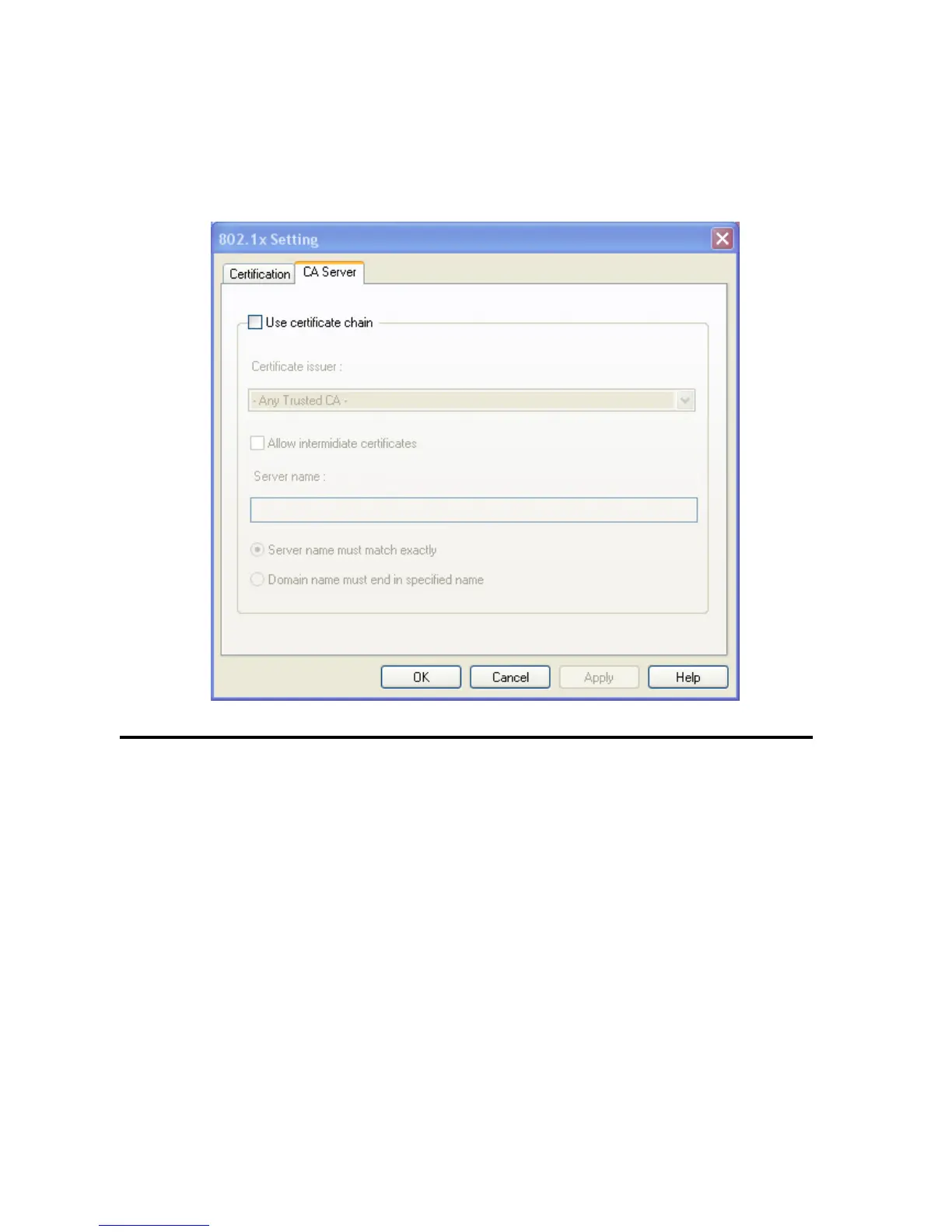
2-3-3 Using 802.1x - CA Server
If you want to use CA server, please click ‘CA Server’ tab. And the following message will be displayed:
Here are descriptions of every setup items:
Use certificate Check this box to enable the use of certificate chain.
chain
Certificate Please select the issuer of certificate from this dropdown menu.
Issuer
Allow Check this box if you wish to allow intermediate certificates.
intermediate
certificates
Server name Input the server name of CA server here.
Server name Check this box and the wireless configuration utility will check if the server name
must match of CA server



 To Next Page