- 40 -
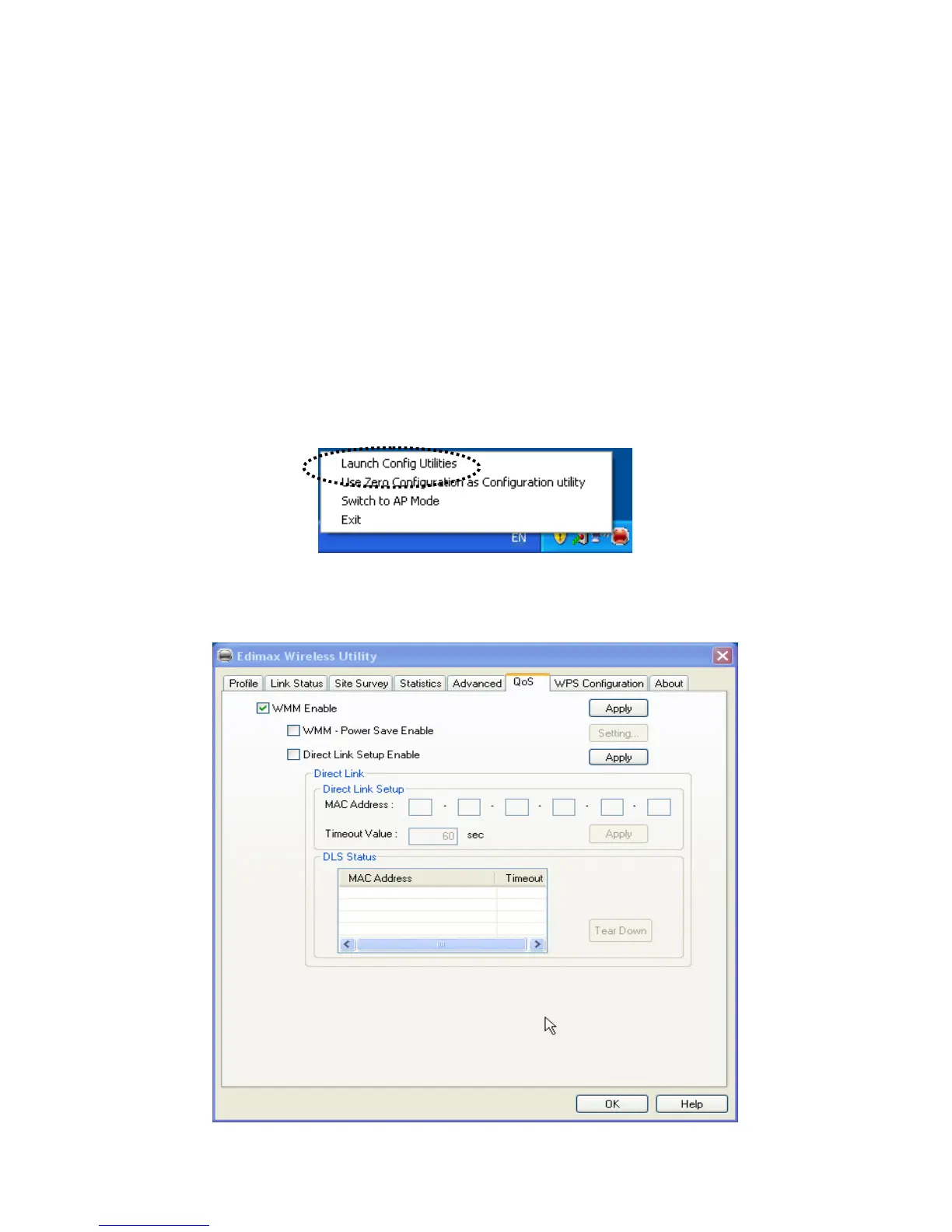
2-6 QoS Setting
This wireless network card provides QoS (Quality of Service) function, which can improve the performance of
certain network applications, like audio / video streaming, network telephony (VoIP), and others. When you
enable WMM (Wi-Fi MultiMedia) function of this network card, you can define the priority of different kinds of
data, to give higher priority to applications which require instant responding. Therefore you can improve the
performance of such network applications.
Please follow the following instructions to set advanced wireless settings:
Right-click the Edimax configuration utility icon located at lower-right corner of computer desktop, then click
‘Launch Config Utilities’.
Click ‘QoS’ tab, and the following settings will appear:



 To Next Page