- 25 -
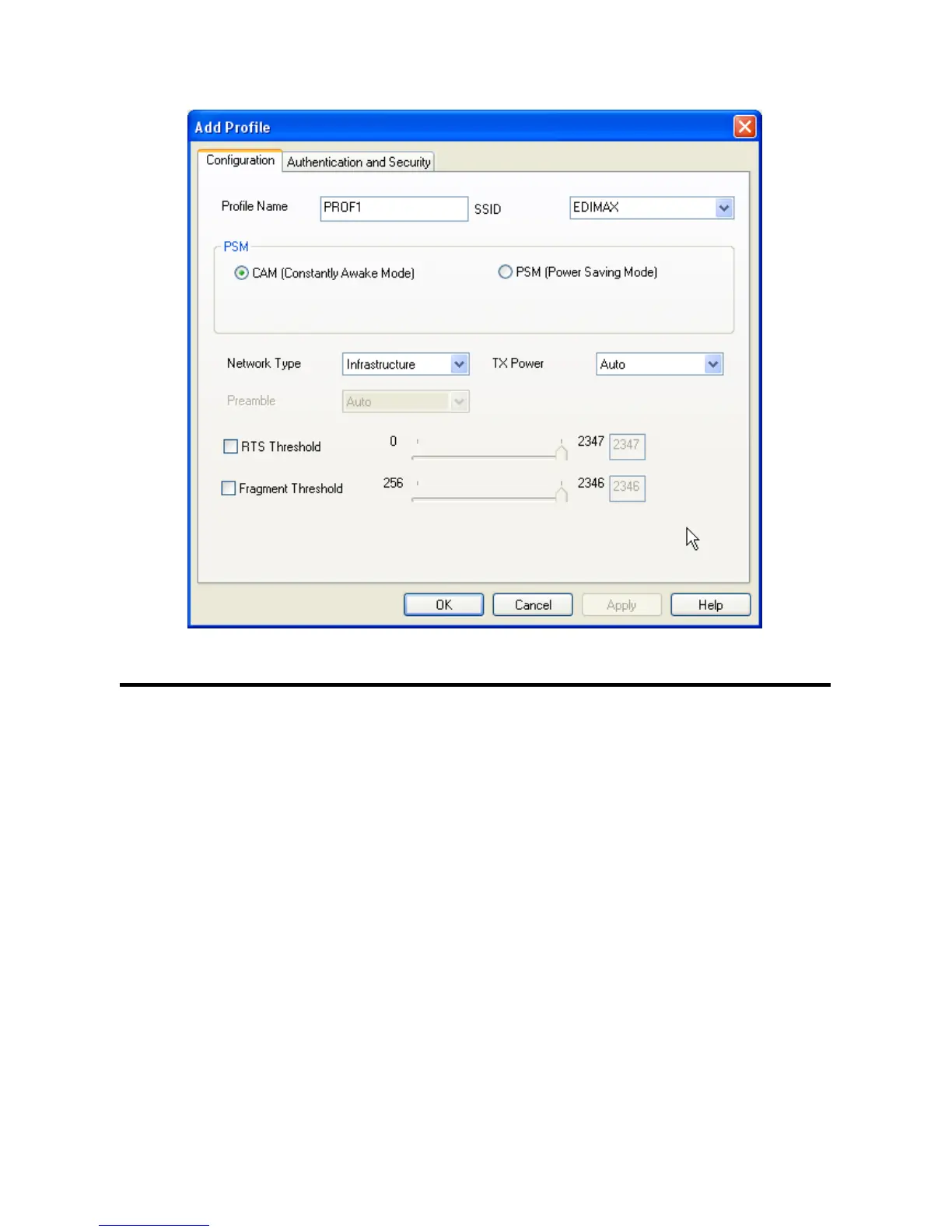
Here are descriptions of every setup items:
Profile Name Please give this profile a name, up to 32 alphanumerical characters and symbols
are allowed, but space is not allowed.
SSID The SSID of the wireless access point or wireless device you selected will be
displayed here. But if the SSID of access point or wireless device is not available,
you have to input it here manually.
PSM: Please select CAM (constantly awake mode, keep
(Power Saving the wireless radio activity when not transferring
Mode) data), or PSM (Power saving mode, switches radio off when not transferring data).
It’s recommended to choose ‘PSM’ if you’re using this network card with
notebook computer to help the battery live longer.
Network Type Select network type (‘Ad Hoc’ or ‘Infrastructure’). If you’re adding a profile from an
existing access point or wireless device, it’s automatically selected and you don’t
have to change it.



 To Next Page