- 27 -
Here are descriptions of every setup items:
Authentication Select the authentication type of the wireless access
Type point or wireless device you wish to connect. If you’re adding a profile from an
existing access point or wireless device, the value will be selected automatically,
and please do not modify it.
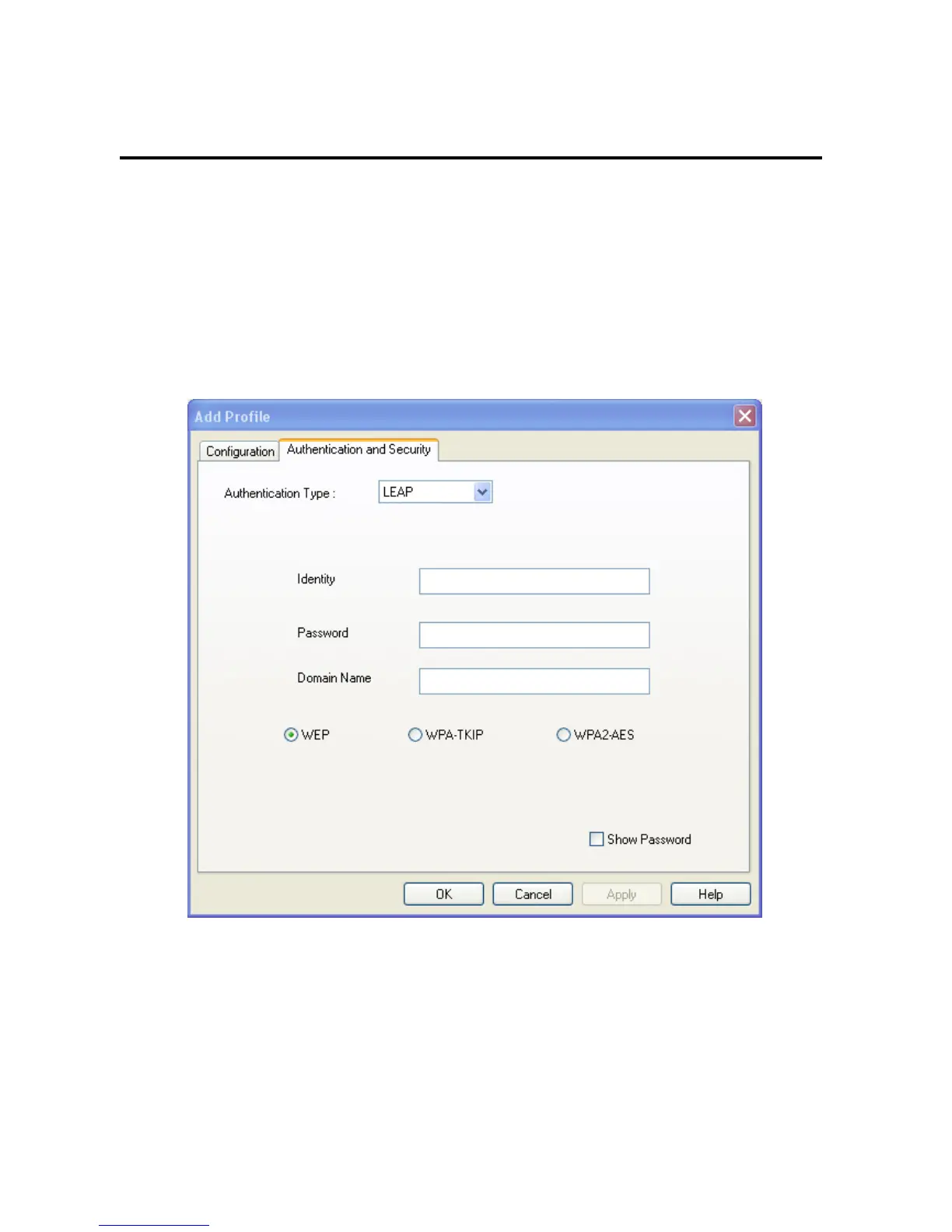
If you select ‘LEAP’, the following message will be displayed. Please input LEAP
identity, password, domain name, and select encryption type. You can check ‘Show
Password’ box so the password you inputted will be displayed as you type, but not
replace by asterisk.
Encryption: Select the encryption type of the wireless access point or wireless device you wish
to connect. If you’re adding a profile from an existing access point or wireless
device, the value will be selected automatically, and please do not modify it.
WPA Input WPA preshared key here. If encryption is not
Preshared Key enabled, or you select ‘WEP’ as encryption type, this field will be disabled and



 To Next Page