Basic Operation
(continued)
30
Here’s how to exchange the contents of the currently selected memory number with a different memory number.
1
Turn the [MEMORY] knob to select the desired exchange-source memory number 2–8.
fig.memory-dialset.eps
* Memory number 1 contains the factory preset settings (p. 28). They cannot
be exchanged with the settings of another memory number.
2
Press the [MENU] button to access the menu, and choose “Memory Edit.”
fig.menu-memory.eps_18
Press the [MENU] button to access the menu.
Use the [ ] [ ] buttons to select “Memory Edit.”
Press the [ENTER] button to confirm your selection.
3
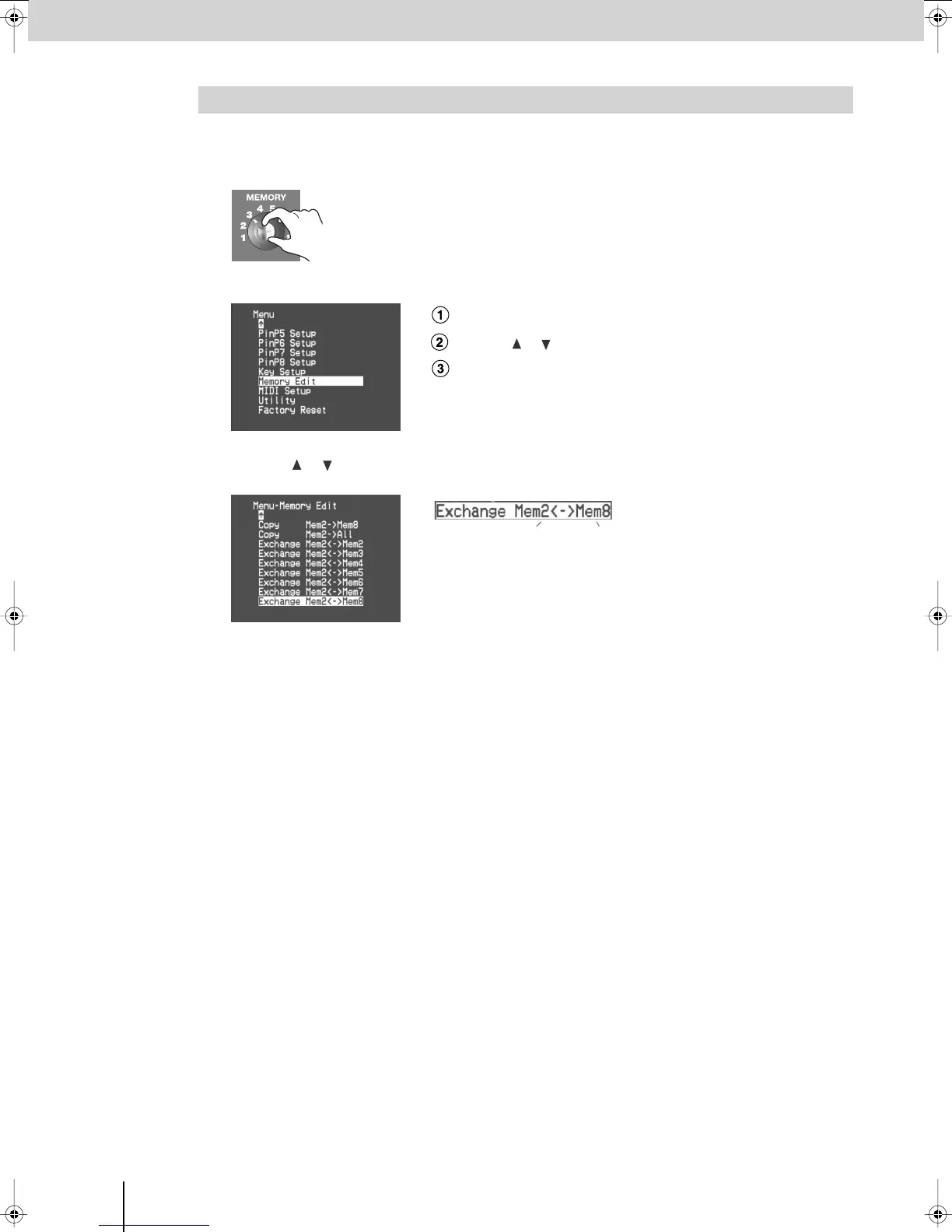
Use the [ ] [ ] buttons to select the desired exchange-destination memory number, and
press the [ENTER] button.
fig.menu-memory-e.eps_18
fig.memory-exchange-e.eps
To exchange the contents of memory, choose an item that shows “Exchange”
at the left side. In the screen example shown here, the settings of memory
number 2 will be exchanged with the settings of memory number 8.
You can change the exchange-source memory number at this time by turning
the [MEMORY] knob.
4
Make sure that the display indicates “Push [ENTER],” and press [ENTER].
(If you decide to cancel, press the [MENU] button.)
The contents of the two memories will be exchanged.
5
Press the [MENU] button several times to close the menu.
Exchanging the Contents of Memories
Exchange-source memory number Exchange-destination memory number
V-8_e.book 30 ページ 2008年5月15日 木曜日 午後1時11分



 To Next Page