77
Adjusting the Video Fader
(continued)
Input/output
settings
Introduction Connections Basic operation Switching images Effects BPM sync External devices Video fader Appendices
Because of extended use or transportation, you may find that 100% of the image is not output even though you’ve moved
the video fader all the way toward bus A or bus B. If this occurs, proceed as follows to calibrate the video fader.
* You must be sure to perform the video fader calibration after installing the V-4CF crossfader (sold separately).
1
Set the video fader to the bus A position.
First, you should perform the calibration for the bus A position.
2
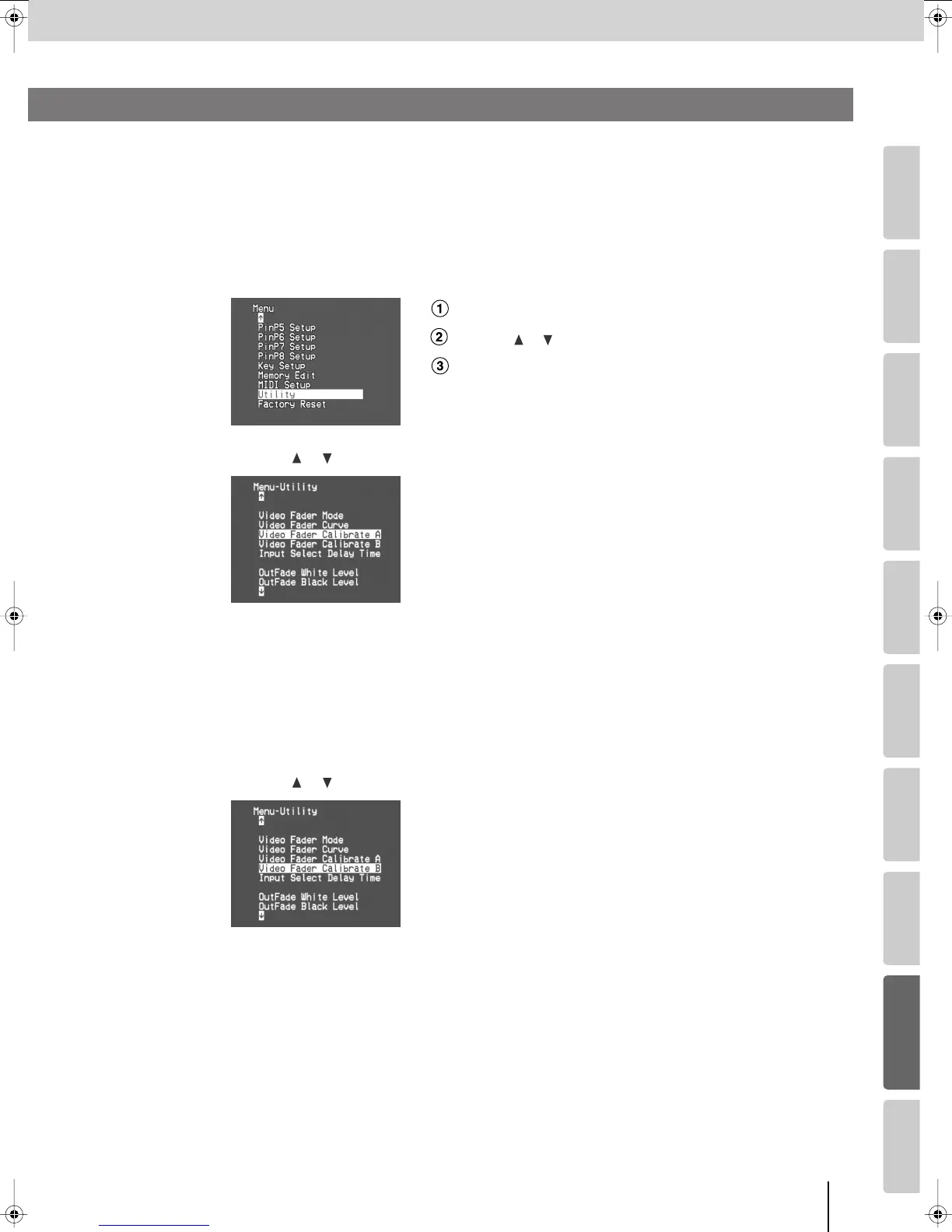
Press the [MENU] button to access the menu, and choose “Utility.”
Press the [MENU] button to access the menu.
Use the [ ] [ ] buttons to select “Utility.”
Press the [ENTER] button to confirm your selection.
3
Use the [ ] [ ] buttons to select “Video Fader Calibrate A,” and press the [ENTER] button.
4
Make sure that the display indicates “V Fader [A] Set [ENTER] SW,” and press the [ENTER]
button.
Calibration will be automatically performed for the bus A position, and you will return to the previous screen.
5
Move the video fader to the bus B position.
Next, you need to perform the calibration for the bus B position.
6
Use the [ ] [ ] buttons to select “Video Fader Calibrate B,” and press the [ENTER] button.
7
Make sure that the display indicates “V Fader [B] Set [ENTER] SW,” and press the [ENTER]
button.
Calibration will be automatically performed for the bus B position, and you will return to the previous screen.
8
Press the [MENU] button several times to close the menu.
Calibrating the Video Fader
V-8_e.book 77 ページ 2008年5月15日 木曜日 午後1時11分



 To Next Page