Basic Operation
(continued)
34
You can perform a factory reset on just the items of the individual sub-menu you specify: “PC Input Setup,” “PinP Setup,”
“Key Setup,” “MIDI Setup,” or “Utility.” Refer to the following table, and choose “** Reset” from the sub-menu.
The example here describes how to perform a factory reset on the “Utility” sub-menu.
1
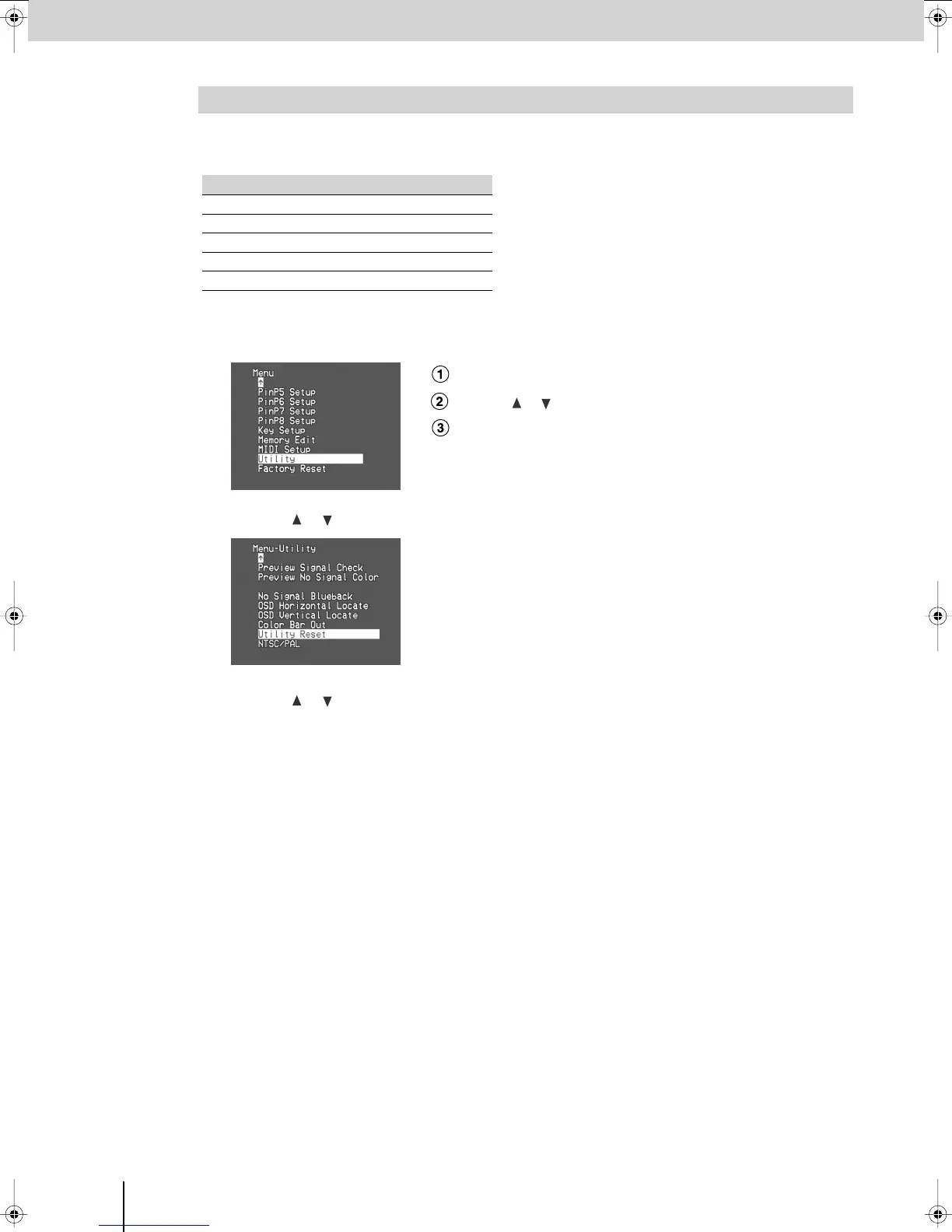
Press the [MENU] button to access the menu, and choose “Utility.”
fig.menu-utility.eps_18
Press the [MENU] button to access the menu.
Use the [ ] [ ] buttons to select “Utility.”
Press the [ENTER] button to confirm your selection.
2
Use the [ ] [ ] buttons to choose “Utility Reset,” and press the [ENTER] button.
fig.menu-utl-reset.eps_18
3
Use the [ ] [ ] buttons to choose “Yes [ENTER] Sw,” and press the [ENTER] button.
(If you decide to cancel, press the [MENU] button or choose “No” and press the [ENTER] button.)
A factory reset will be executed for the “Utility” sub-menu.
4
Press the [MENU] button several times to close the menu.
Returning the Settings of a Specific Sub-Menu to the Factory-Set State
Main menu Sub-menu
PC Input Setup
PC Reset
PinP Setup PinP-Reset
Key Setup Key Reset
MIDI Setup MIDI Reset
Utility Utility Reset
V-8_e.book 34 ページ 2008年5月15日 木曜日 午後1時11分



 To Next Page