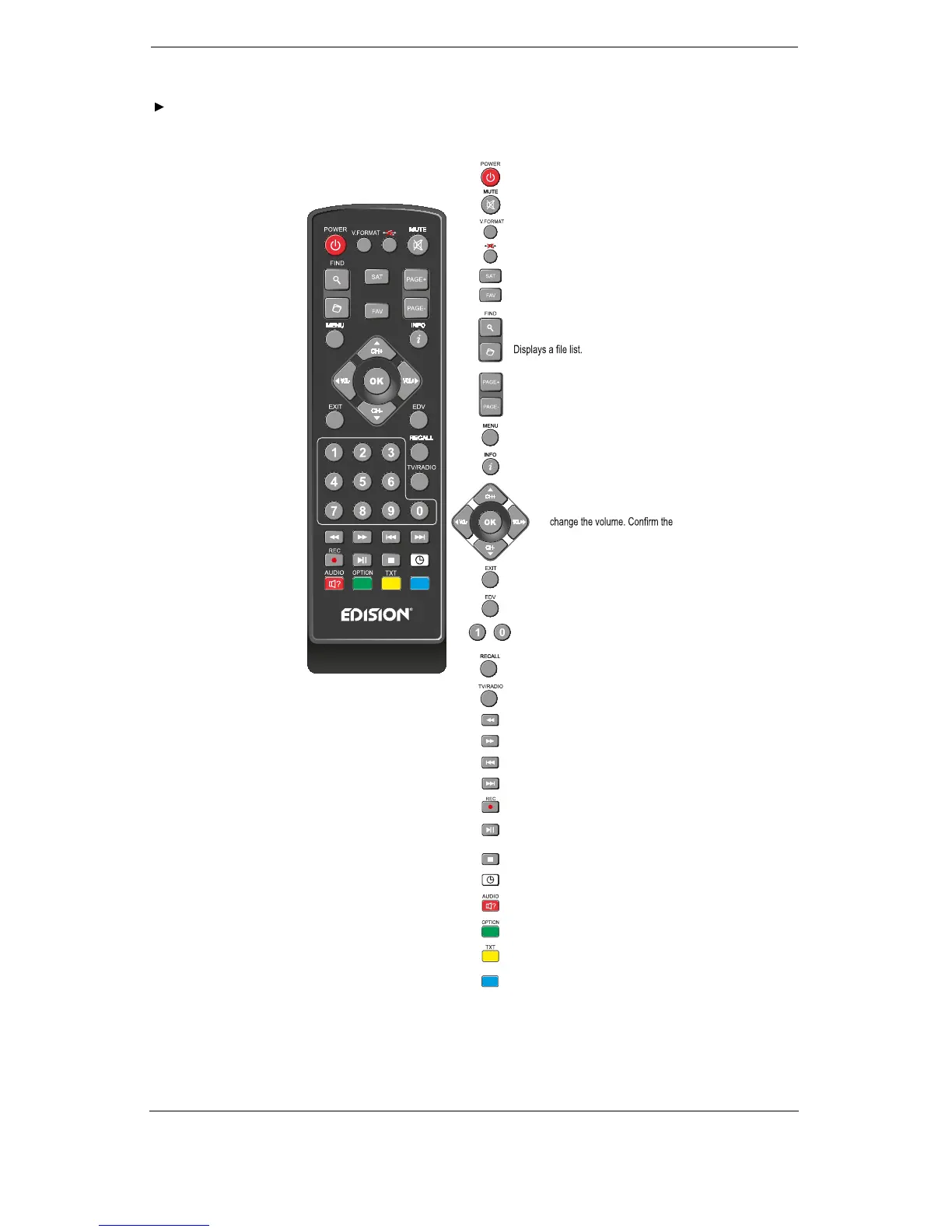
Remote control
WebTV
...
WebTV
On/Off button.
Mute On/Off.
Changes the screen TV standard.
Safe USB Removal
Displays the satellite lists.
Displays the favourite lists.
To search for programs in lists.
Scrolls up (+) or down (-) in
lists of channel lists.
Displays the main menu.
Displays the information bar.
Use the arrow buttons to scroll up
in lists. Below, scroll left or right or
menu inputs with the OK button
or call up the channel list.
Exits a Menu/Dialogue window
Selection of the electronic program
guide EDIVISION.
Selection of TV/Radio program.
Input of numbers or letters in
the menus.
Returns to the previous program.
Toggles between TV and Radio mode.
Allows fast backward.
Allows fast forward.
Skips to the beginning or previous
Recording/Image.
Skips to the beginning or previous
Recording/Image.
Starts recording manually.
Starts Playback/Pauses playback.
Finishes TimeShift, a recording
or a playback.
Allows you to set the time at which the Receiver
autom. switches to standby mode.
Calls up the Audio menu.
Option button.
Calls up the Subtitle/Teletext menu.
Web TV button.















 To Next Page