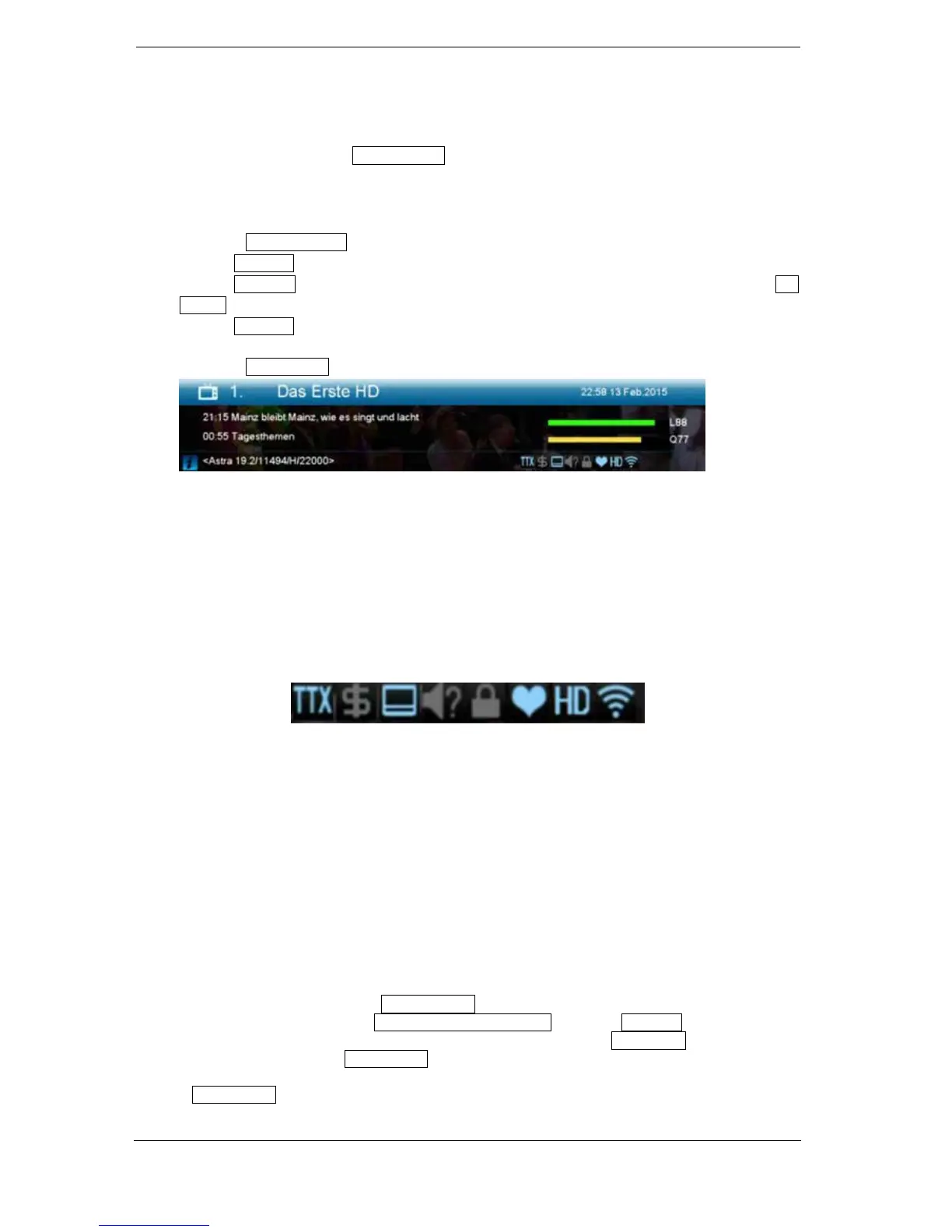
► Information bar (InfoBar)
When in the TV/Radio mode, the 'INFO' button displays an information bar (InfoBar) at the lower edge
of the screen. This bar is faded-in up to 10 seconds.
How to change the duration of fading of the information bar:
1. Press the 'MENU' button to open the main menu.
2. Use the left/right arrow buttons to navigate to the 'System' item.
3. Use the up/down arrow buttons to navigate to the 'Other settings' menu item and press the OK
button.
4. Use the left/right arrow buttons to select the value in seconds you want to set (max. 10s) in the
'OSD time exceeded' item.
5. Press the EXIT button to exit the menu.
The InfoBar in TV or Radio mode shows the following information about the current program and
selected station:
- the place in the program list
- the name of the station
- the current program (as far as information is available) including start time
- the following program (as far as information is available) including start time
- the name of the favourite list
- the time
- indicates the availability of Teletext for the current program
- indicates if the transmitted program is encrypted
- indicates if subtitles are available
- indicates if the sound broadcasted is in stereo or mono format, left or right balance
- indicates if the program is blocked (child protection)
- indicates that the station is present in a favourite list
- indicates if the program is transmitted in HD
- indicates if Wi-Fi network connection exists
Functions and settings:
If the InfoBar is displayed, detailed information about the current program can be displayed (if
available) by (repeated) pressing the 'INFO' button. If multiple information pages are available, scroll
through these pages by using the 'PAGE+'/'PAGE-' buttons. Use the left/right arrow buttons to
switch between the information of the current and next program. Use the red button to display further
(technical) information. Use the EXIT button to exit the menu with the detailed information.
Use the EXIT button again to switch off the InfoBar.















 To Next Page