Deleting User Codes/Radio User Codes
Only the Master Code holder can delete other system user codes.
How To Delete A User Code
1. Enter your Master Code followed by 1 and the # button (eg. 2580 + 1 + #).
Three beeps will be heard and the STAY and AWAY indicators will begin to flash.
2. Enter the user code number (User Code 1 – 8/Radio User Code 9 - 16) that you wish
to delete followed by the # button (eg. 2# = User 2 / 16# = User 16 etc). Two beeps
will be heard and the user number that you just selected will now display on the
codepad indicators.
3. Press the * button to delete the user code that you have selected.
Two beeps will be heard and the STAY and AWAY indicators will extinguish. If you
wish to delete any further user codes, repeat this procedure as many times as required.
Radio Transmitter Operations
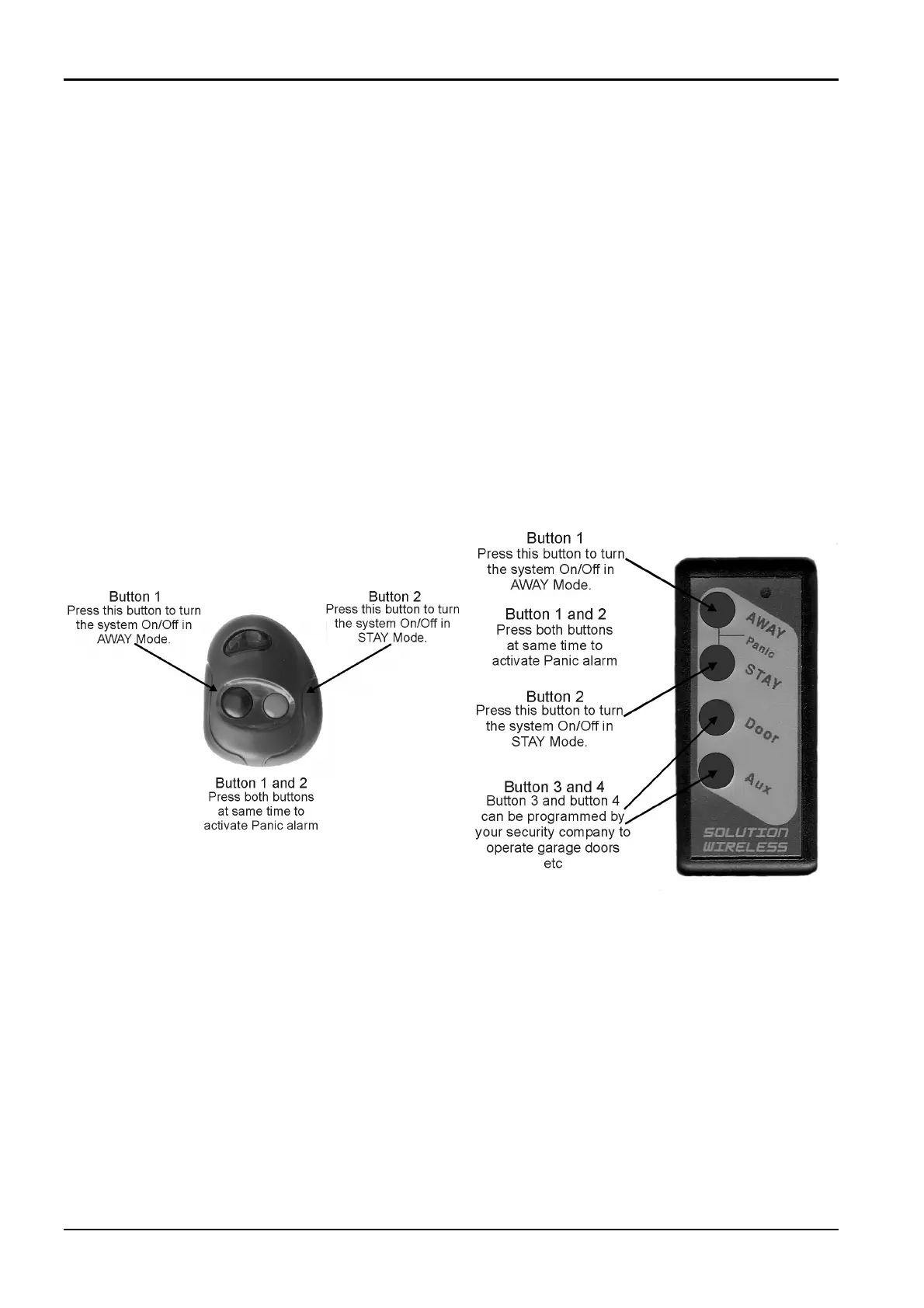
Figure 3: RE012 – 2 Channel Keyfob Transmitter Figure 4: RE013 – 4 Channel Keyfob Transmitter
When using hand held keyfob transmitters to operate the system, audible/visual
indications can be programmed by your security company to sound the horn speaker
or operate the blue strobe light. This will allow you to operate the system from
outside the premises with confidence.
Audible Horn Speaker Beeps
1 Beep = System Disarmed
2 Beeps = System Armed In AWAY Mode
Two-Tone Beep = System Armed In STAY Mode
Visual Strobe Indication
3 Seconds Duration = System Disarmed
6 Seconds Duration = System Armed In AWAY Mode or STAY Mode
14
Solution 862 Operators Manual
ISSUE110 Electronics Design and Manufacturing Pty Limited



 To Next Page