MaxLoader User’s Guide
101
5. Click a button with serial number or the “START ALL” button and a
programming steam will be executed.
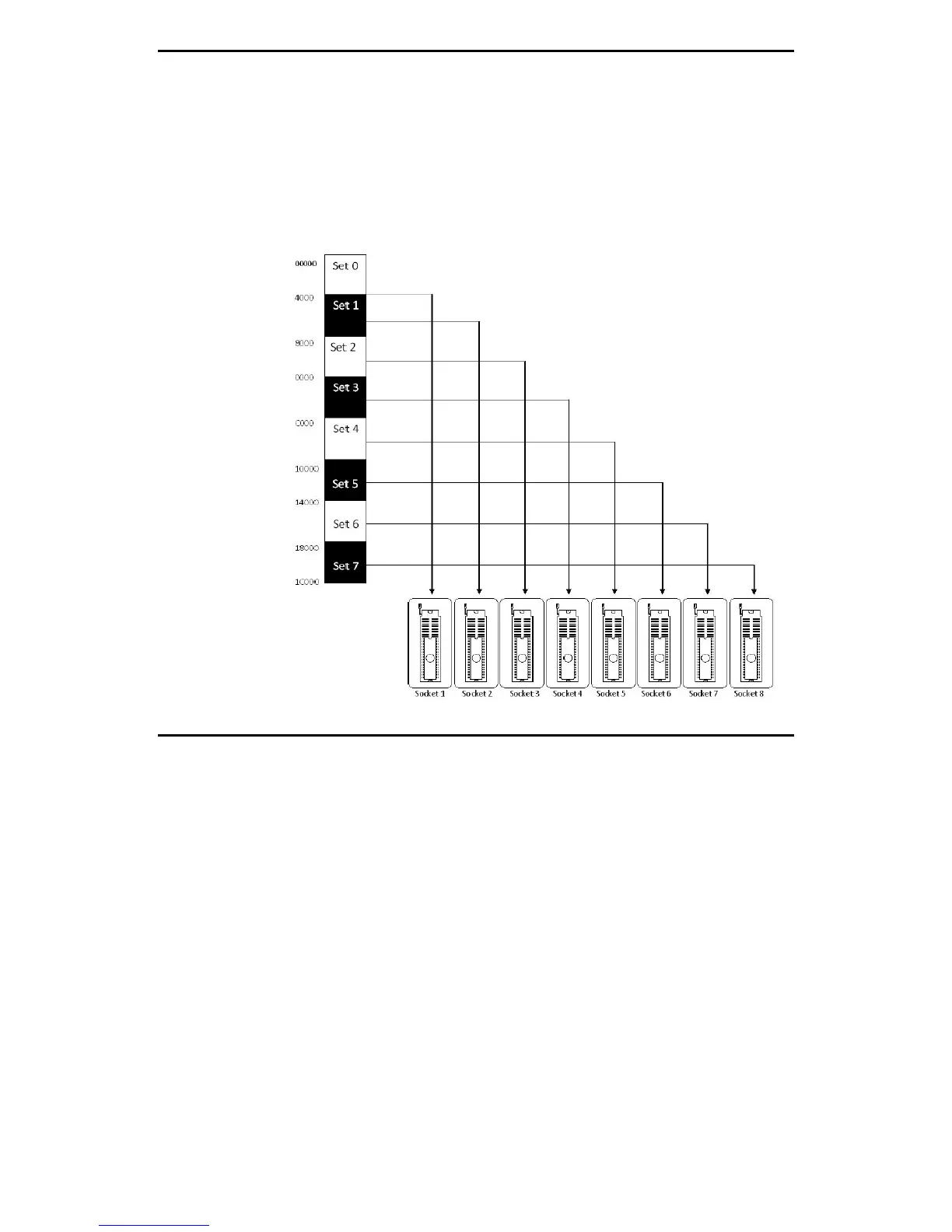
As illustrated in the diagram, data is routed to sockets in sequential order(the
first block of data goes to the first socket, the second block to the second, etc.).
If a device in a group failed during programming, the remaining devices will be
programmed; then, a replacement device must be placed in the same socket as
the failed device


 To Next Page