MaxLoader User’s Guide
91
-File Offset is subtracted from addresses from the file downloaded to the
programmer. For example, if you set File Offset to 1000h, then the downloaded
data minus 1000h would be placed into the buffer at the address specified by the
Buffer Start Address.
-Buffer Start Address is the address in the buffer where you want your
downloaded data to start. For example, if you set Buffer Start Address to 800h,
then the downloaded data only appears in the buffer beginning at address 800h.
File Save
These addresses will be applied for programming the buffer data.
-Buffer Start: Starting address for data to be saved.
-Buffer End: Ending address for data to be saved.
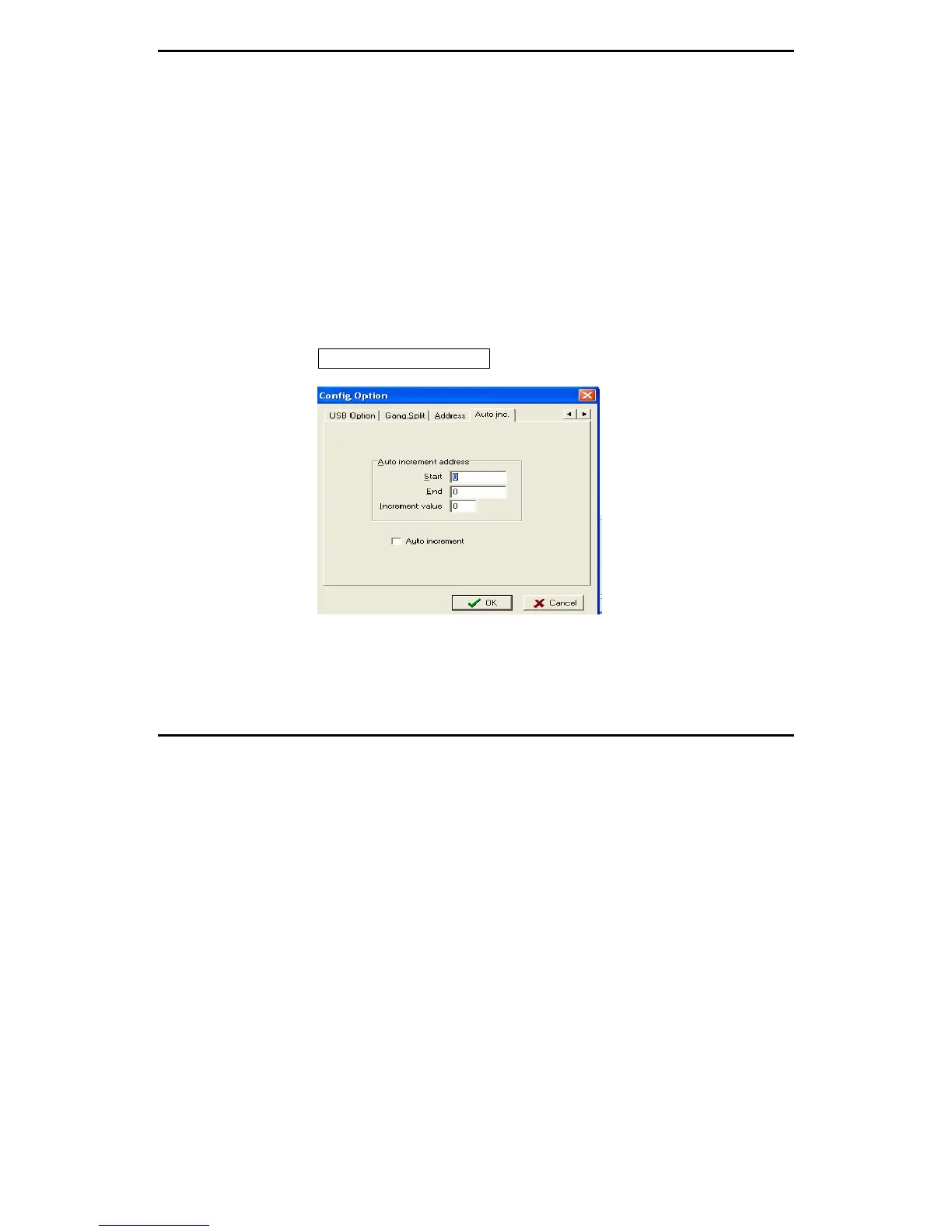
Config Option / Auto Inc
The feature allows users to program a certain area that might contain a serial
number in the memory device with serialized number by a certain value.
Start: Start address of memory that contains serialized data
End: End address of memory


 To Next Page