MaxLoader User’s Guide
28
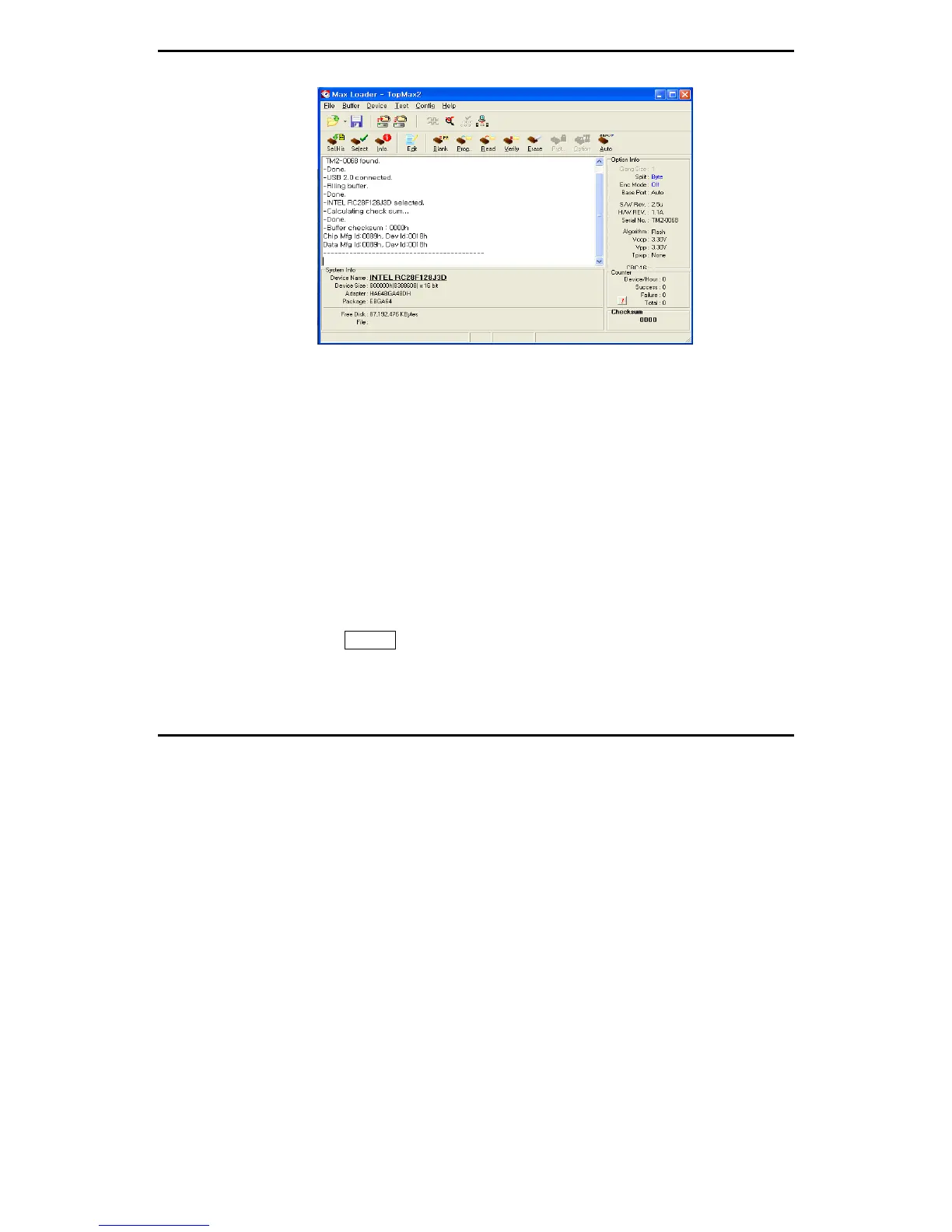
In the software menu, Chip (in socket) MFG (manufacturer) ID and DATA (in
software) ID must be identical if your target device is valid .
If it does not, check the socket with your device if you use NON-Standard (DIP)
device or use test other devices in case the first device may be defective. This
ID check must be passed before further operation on your device.
4. TERMS AND SYMBOLS USED IN THE GUIDE
Safety Note Conventions
NOTE assists the user in performing a task. It makes the job more easily
understood.
CAUTION alerts the user that unexpected results or damages to a device
may occur if an instruction is not followed.
Other terms and definitions are as follows
Toolbar : Clicking on a toolbar button manipulates operations or
commands for MaxLoader programmer software.
Bold/Italics : actions items/software functions, i.e. Edit Button, IC Test,
or Change Algorithm.


 To Next Page