MaxLoader User’s Guide
49
Buffer / Edit Buffer
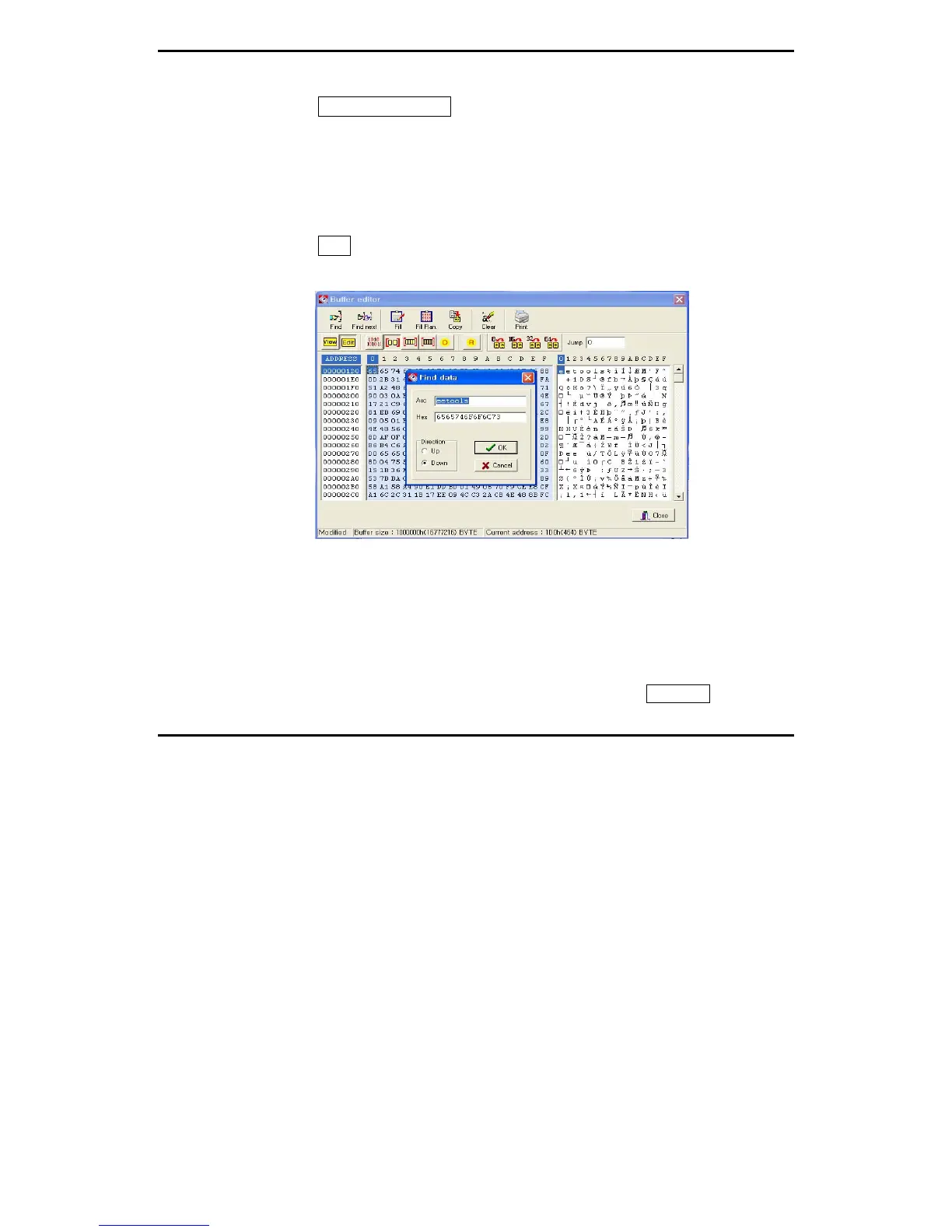
This command allows the user to examine and modify the contents of the
memory buffer. This section applies to a non-JEDEC file (PROM, EPROM,
EEPROM, and Microcontroller) or to a memory chip. If a PLD is being loaded,
see the (vector pattern edit) section. The data is presented in HEX and ASCII
formats.
Find
This feature allows you to search the data (ASCII and HEX) in the current
Asc : The data looking for ASCII value.
HEX : The data looking for HEX value.
Direction / UP : The data searching from previous address than the current
location.
Direction / DOWN: The data searching from higher address than the current
location.
If you would like to see more & same data, click on the Find Next button.


 To Next Page