MaxLoader User’s Guide
79
Make sure that you select a right model and turn on the switch (TopMax /,
TopMaxII, ProMax-4/8G) or connect the AC cord (UniMax,
ChipMax/ChipMax2)
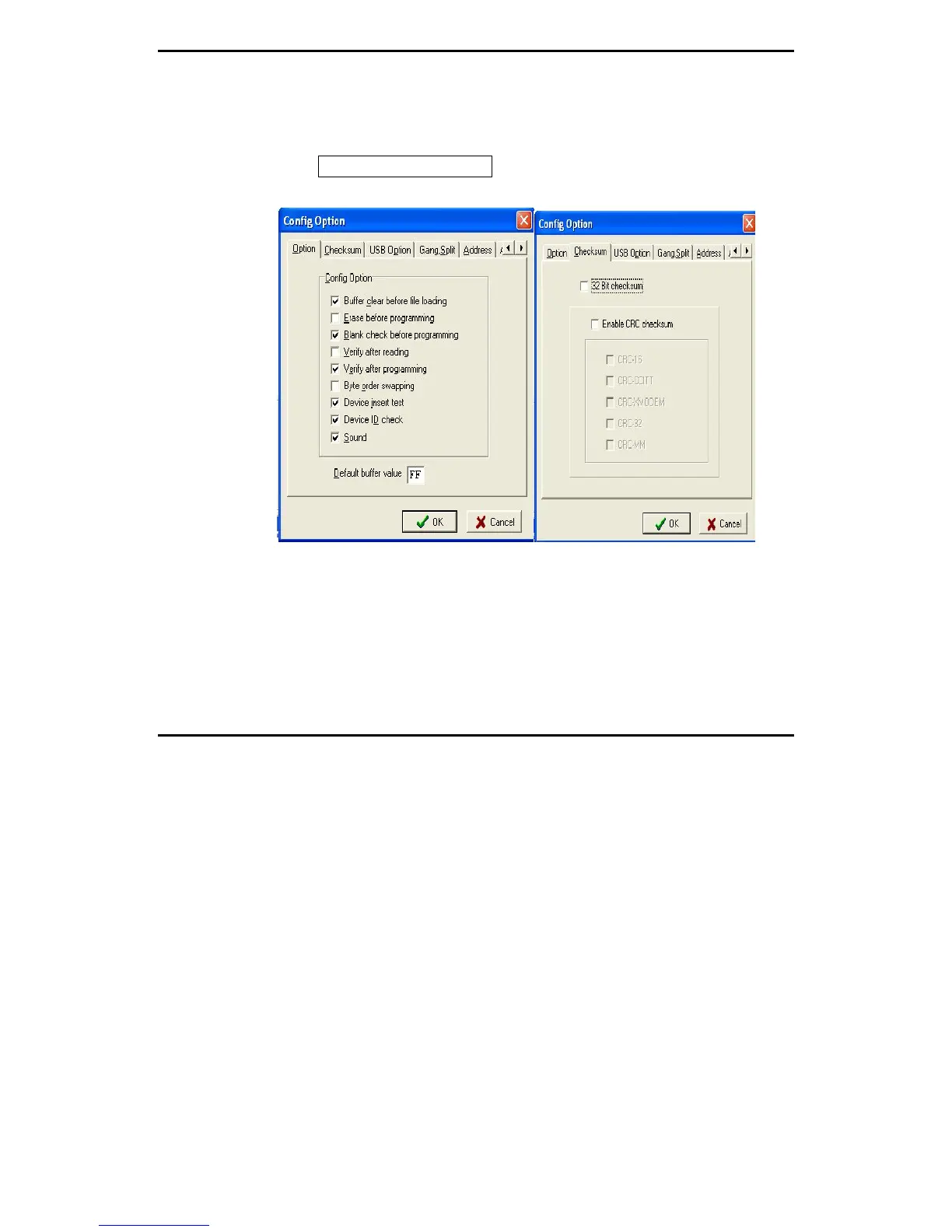
Config / Config Option
Config Option / Buffer Clear Before File Loading
When loading a file into the buffer, executing the ENABLE option fills the
buffer with the data that is defined in Default Buffer Value before the file is
loaded into the buffer. When you load a file that is smaller than the current
buffer size, the unfilled buffer will contain the Default Buffer Value so that you
may examine the buffer data more conveniently. DISABLE option keeps the
same data for the unfilled buffer area after Buffer Load command is executed.


 To Next Page