MaxLoader User’s Guide
103
With the Supervisor Mode, the user has full access to all options and functions
of the MaxLoader software. In this mode the user can pre-set all projects and
configure details for production lines.
Useful function keys are enabled for user friendly navigation. Such as: Select
History, Select, Info, Edit, Blank Check, Program, Read, Verify, Erase, and
Auto.
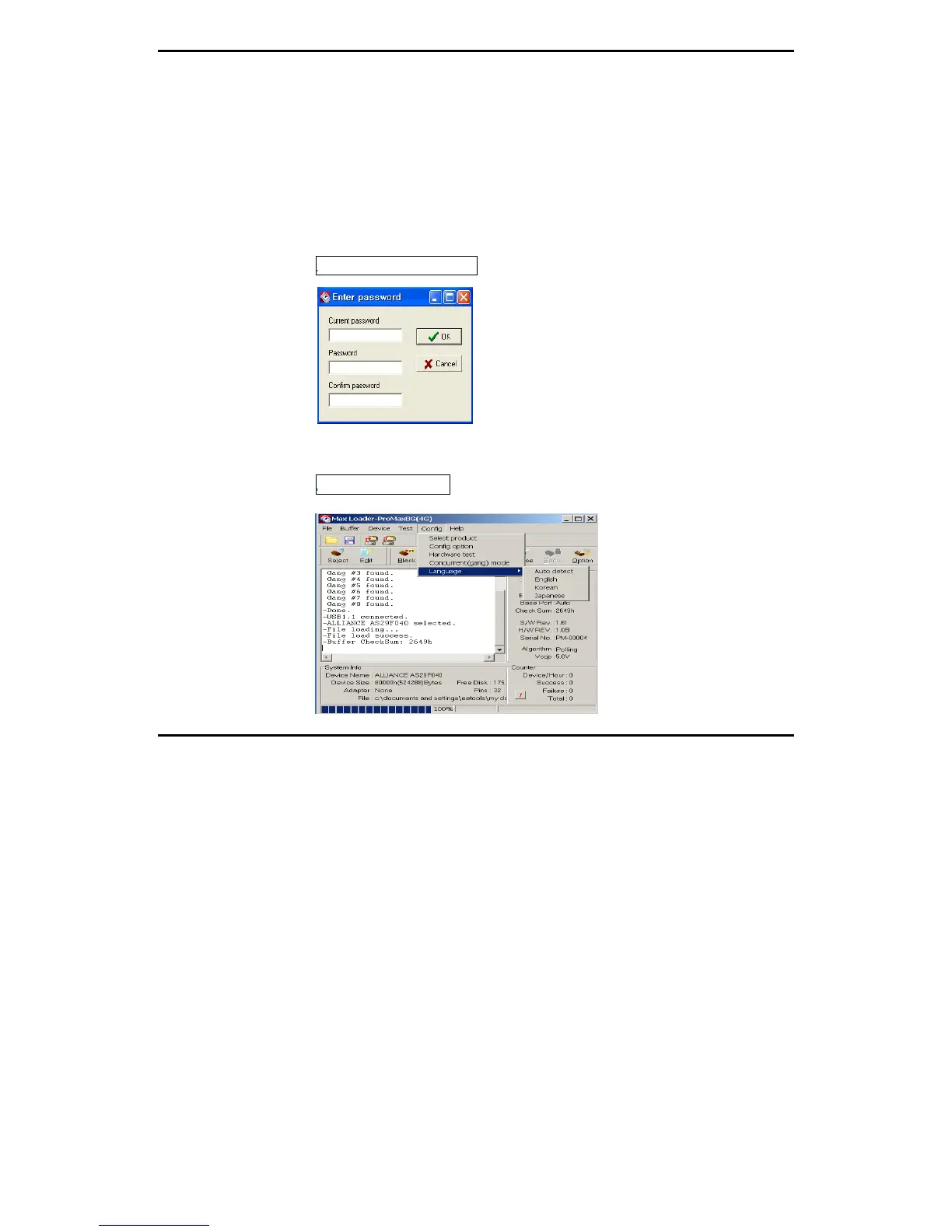
NOTE: Upon entering this mode, a password prompt will pop up (which will be
explained in “Config / Set Password”).
Config / Set Password
Setting a password will provide security for alternating between Supervisor and
Production Mode.
Config / Language


 To Next Page