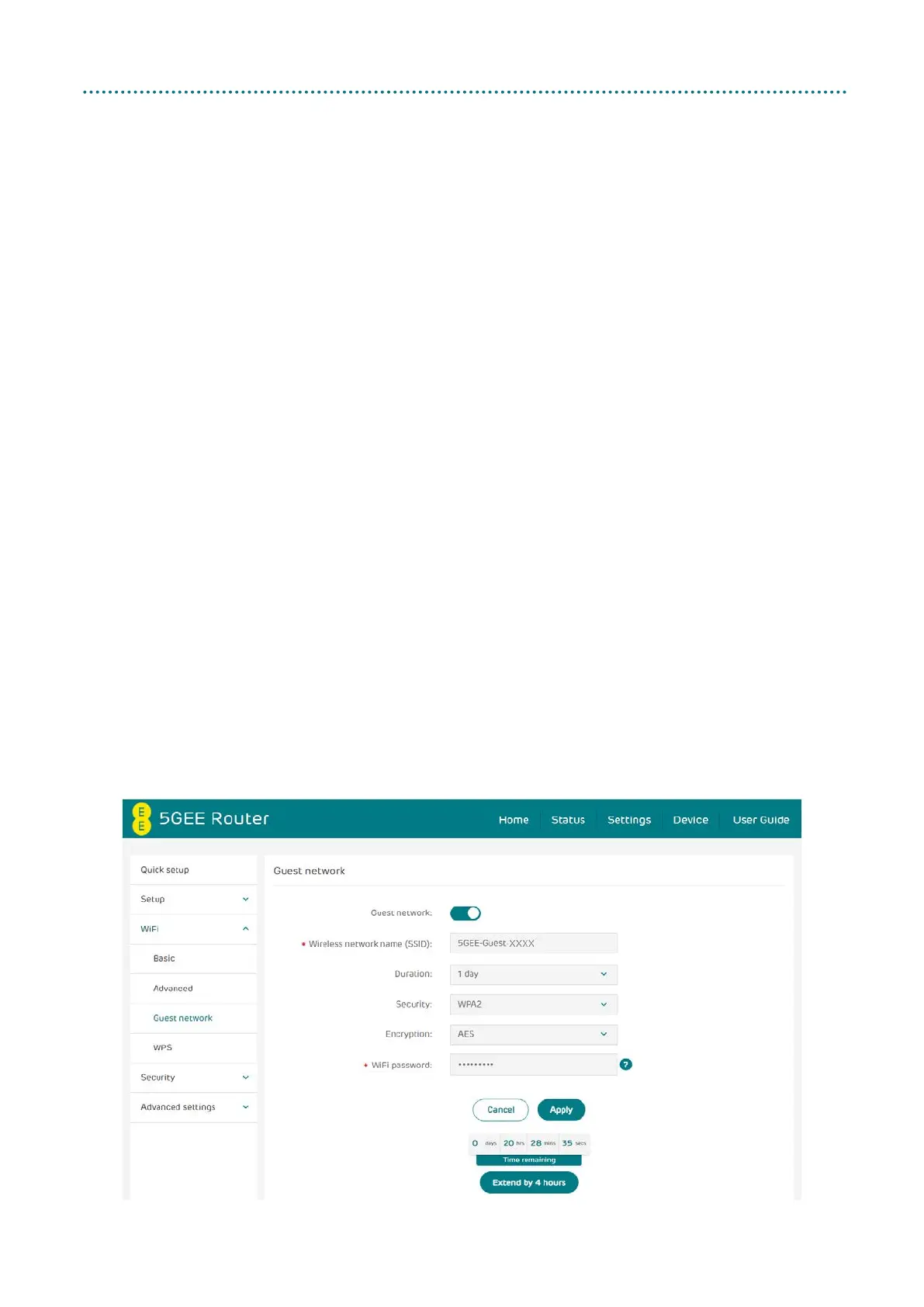
Guest network
The guest network is a temporary wireless network for guest users. You
can set a duration you want the network to transmit. Devices connected
to the guest network will not be able to communicate with each other,
but will have full access to the Internet.
• Guest network: You can enable or disable the guest wireless network.
• Wireless network name (SSID): This is the name of the guest WiFi
network and is used to identify your guest WiFi network. The SSID can
be between 1 and 32 characters long.
• Duration: Set the time period the Guest network will transmit. The
default value is 1 day.
• Security: You can choose the security mode. Available options are
Disabled, WPA2, WPA/WPA2, WPA3 or WPA2/WPA3.
• Encryption: This is set to AES by default. Available options are TKIP,
AES, or Auto.
• WiFi password: Should be at least 12 characters long (A-Z, a-z, and 0-9
only), in a combination of numbers, uppercase and lowercase but non-
repeating characters.
• Time remaining: This is the time remaining for your guest network to
transmit. Click Extend for 4 hours to add time to the guest network.



 To Next Page