18
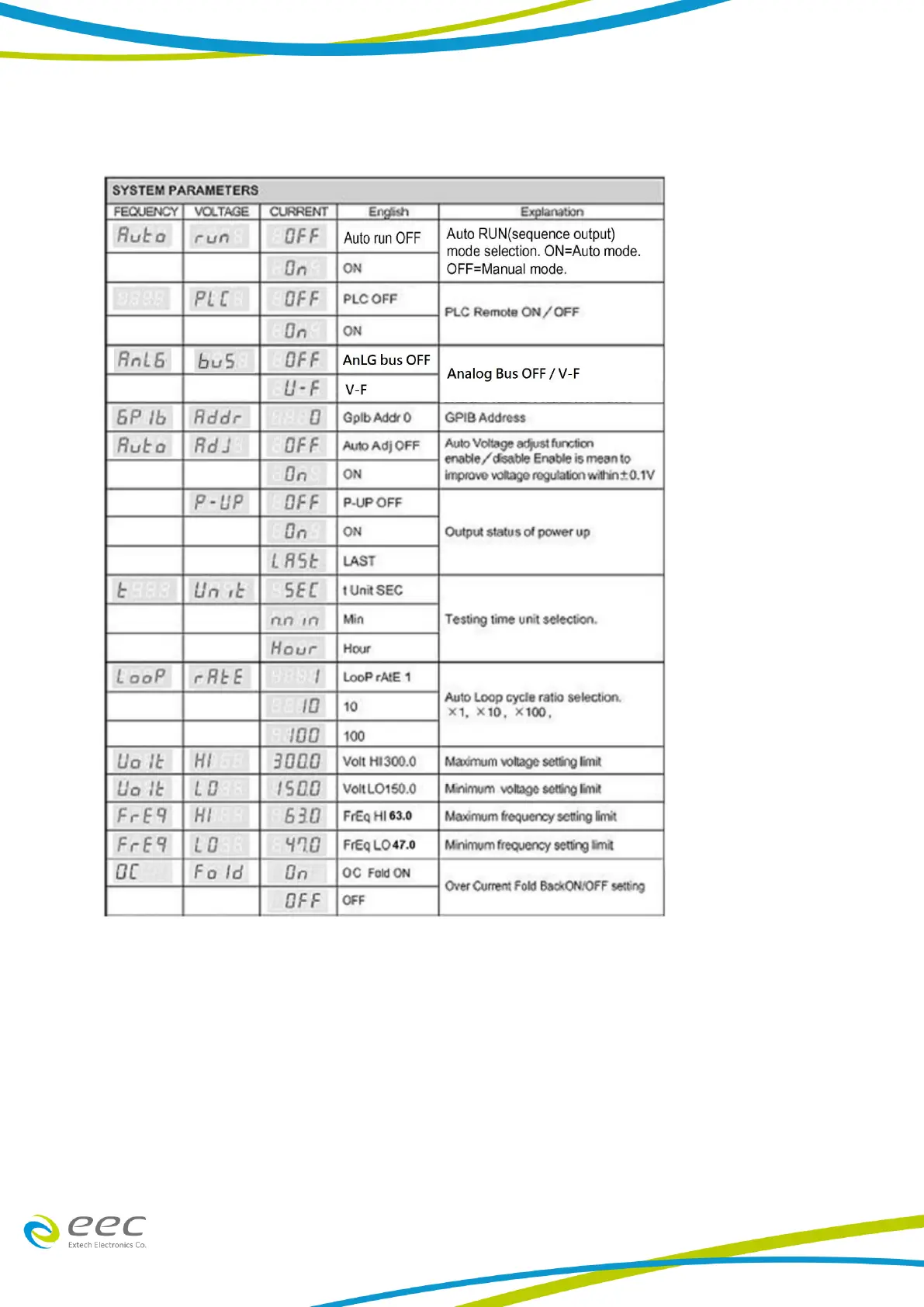
SYSTEM PARAMETER MENU
1. Auto Run Mode Selection
The Frequency display will indicate “Auto” and the Voltage display shows “run”. Press the “︿” or
“﹀” key from the Current display to select OFF (Manual Mode) or ON (Auto Mode). Upon
selecting the Auto run mode, the settings for this Auto mode will further be shown.
2. PLC Remote
The Voltage display will indicate “PLC” and by pressing the “︿” or “﹀” key from the Current
display to select ON/OFF for the PLC Remote. As the PLC Remote setting is OFF, the control of
operation is via the front panel. Meanwhile, when the setting is ON, then the operation will be



 To Next Page