Parameterization
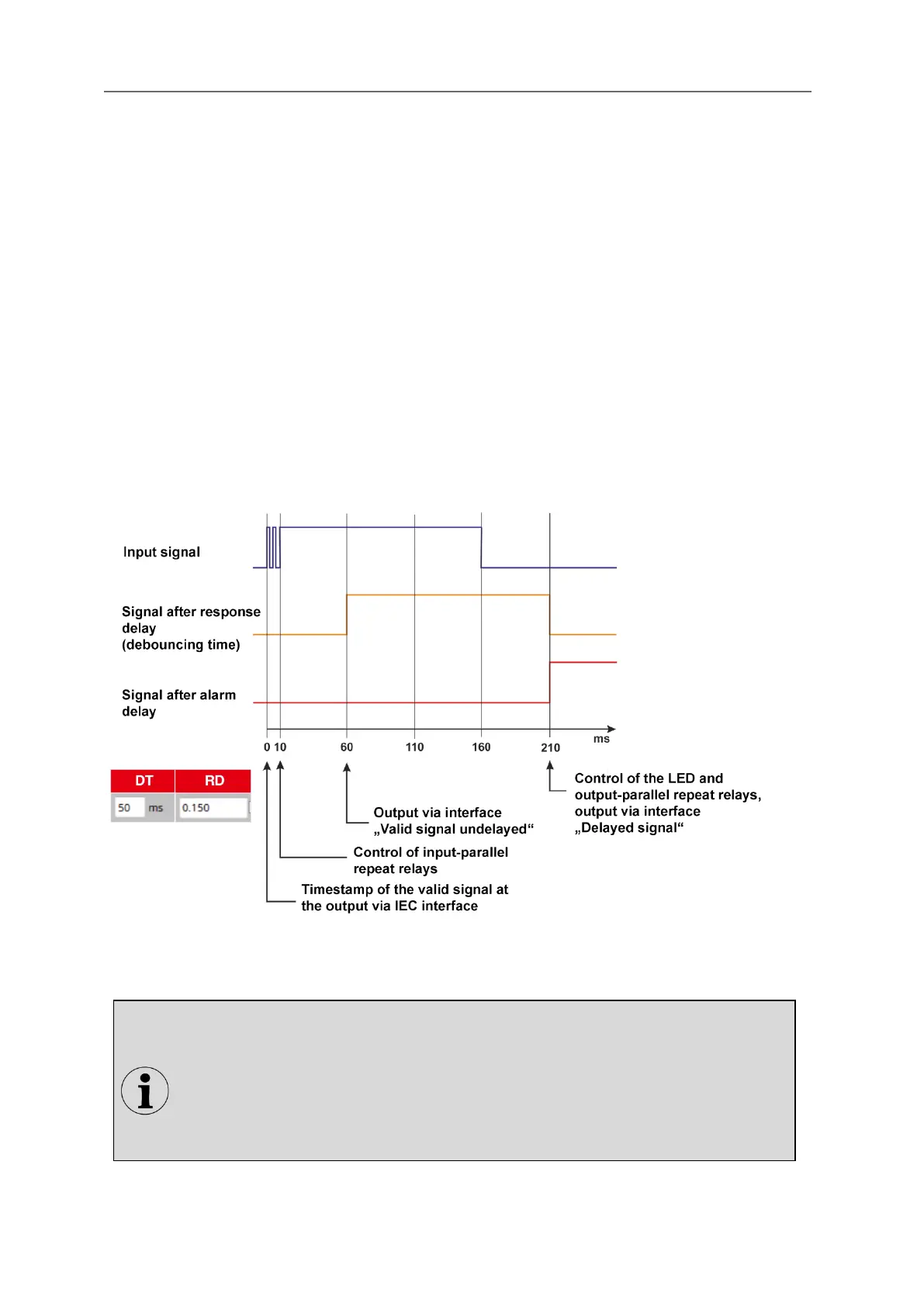
Response delay (debounce time)
Closing a contact may cause several edge changes before the contact is permanently closed. Due to
the short response time when detecting alarms, several alarms could therefore be generated during
the closing of the contact. To prevent this, the response delay (debounce time) can be set in 1 ms
steps up to a time of 1000 ms. The signal is not recognized as valid until it is permanently present
beyond this time period. However, the time stamp is still set with the first edge of the signal and not
only at the time of the validity of the signal.
Alarm delay
The alarm delay delays a permanently pending alarm (debounced and monitored for flutter) before it is
displayed, forwarded or deleted. This is to suppress error alarms that would occur, for example, if a
value is only briefly exceeded or underrun.
Example:
The monitoring contact of a thermostat triggers briefly before the corresponding temperature is
reached by the conditional control loop time. Because this short overtemperature should not be
reported as a malfunction, the alarm can be suppressed with the alarm delay. Only alarms that are
present for longer than the alarm delay are processed in the alarm sequence or output at the output-
parallel repeat relays.
Fig. 5.15: Time diagram with a response delay of 50 ms and a alarm delay of 150 ms
To use the settings in one line for one or all other lines, line contents can be copied
to the desired line(s). By right-click on the marked line a context menu with the
following options opens:
Copy
Paste
Paste to all
The latter option fills all lines with the respective contents.


 To Next Page