AX M2 Series 3-5 kW | Solar inverter
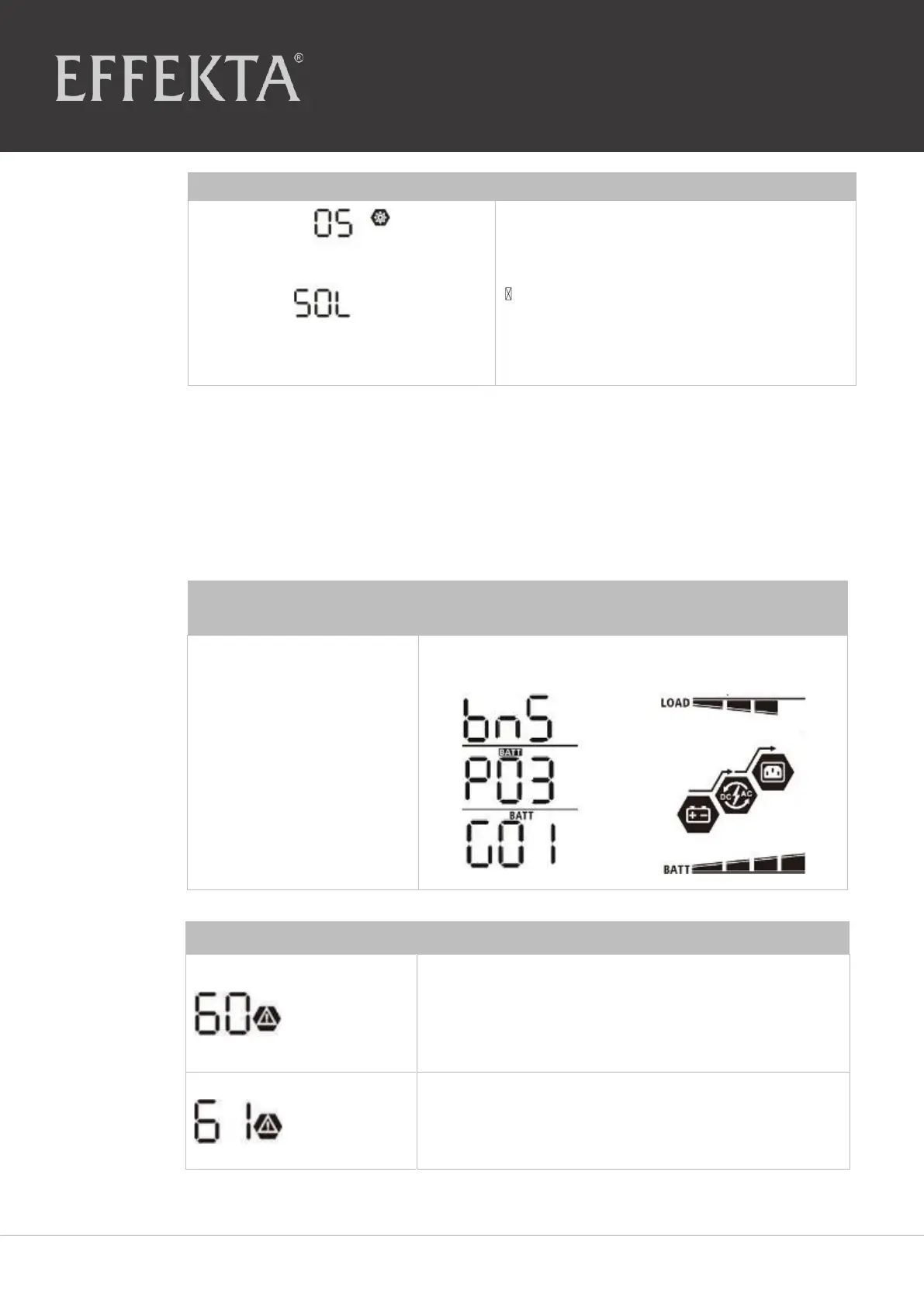
Select the SOL battery type (see Program 5,
Chapter
5.2
).
Wait ca. 60 seconds.
If the communication between the
inverter and the battery is successful,
the battery symbol blinks in the LCD
display.
9.8.4 LCD display information
Press on the UP or DOWN button to switch the LCD display information. The battery
pack number and the battery group number will be displayed by the main CPU version
test as shown
below
.
Battery pack number and
battery group number
Battery pack number = 3,
Battery group number = 1
If the battery status cannot be charged and
discharged through successful communication
between the inverter and the battery, the code 60 is
displayed to stop the charging and discharging of the
battery
.
Communication is interrupted (only available if the
battery type is set to "Pylontech battery").
Once the battery is connected, the communication
signal is not recognized for 3 minutes.


 To Next Page