Printer Operations
Document ID: OMM-00174 Rev. D Pro 30f Operations Guide 45
This chapter covers the process for printing on the EFI Pro 30f, including the steps for standard print jobs and recovering
from errors.
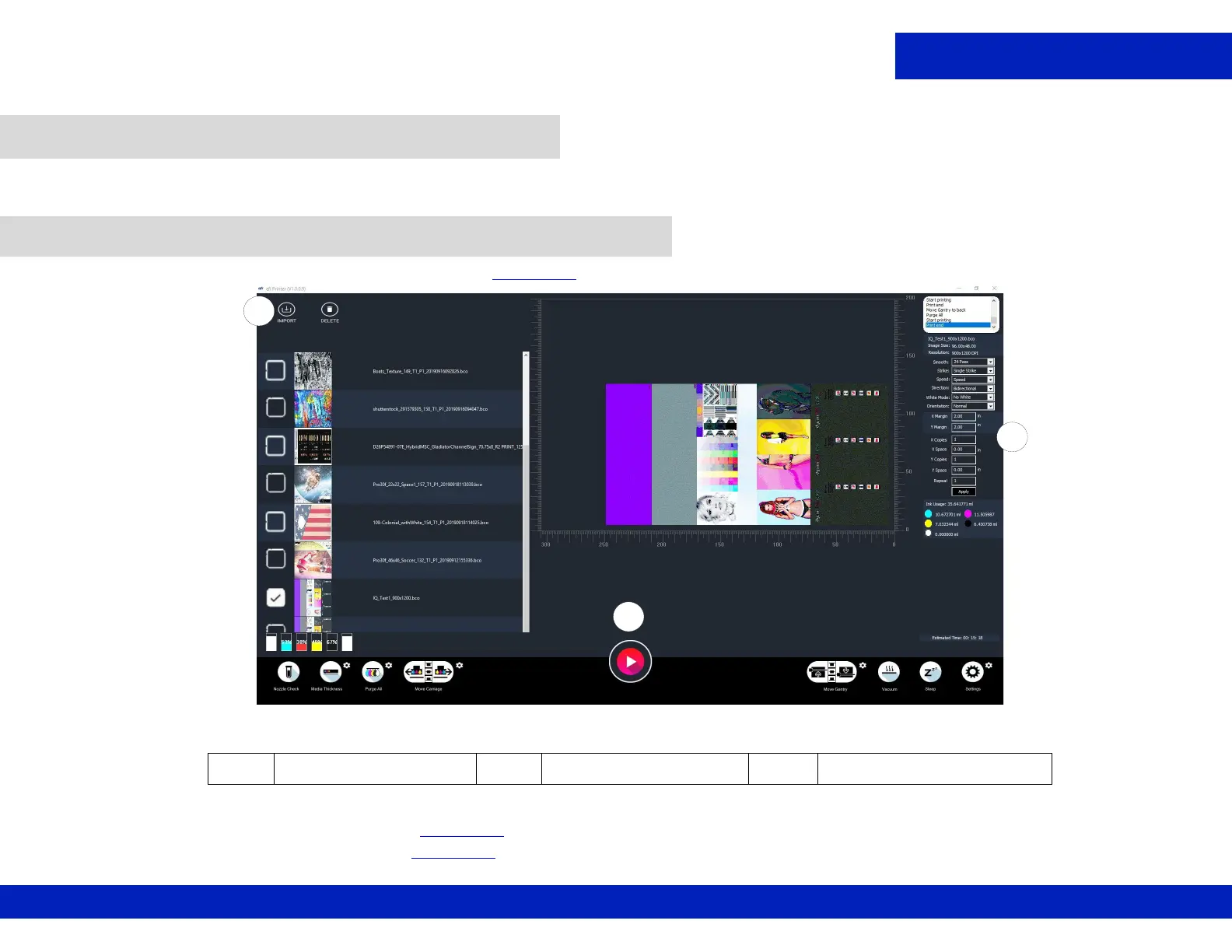
1. Click Import to load the file to print. (See Figure 6-1, item A.)
2. Browse to and select the *.BCO file to be printed, then click OK.
3. Enter the number of copies. (See Figure 6-1, item B.)
4. Click Print button to print. (See Figure 6-1, item C.)
6.0 Printer Operations
6.1 Print File from Pro 30f Main Interface
Figure 6-1 Print File from EFI Main Interface
A Import Button B Number of Copies C Print Button
C
A
B



 To Next Page