13
Basic Settings
a. Maps: Choose from Satellite map, 3D map and 2D map.
b. Units: Choose from Km/h, m/s, mph.
c. Gimbal Pitch Control: Choose “Slider” to control the gimbal pitch by the slider on the screen; choose “VR
Goggles” to control the gimbal pitch by moving the VR Goggles up and down.
d. Lights: Choose from All on, Front off and All off.
Speed and Height Settings
e. Return Height: The drone will ascend/descend to the return height when returning to home. Please select
wisely according to your flying environment.
f. Speed under GPS Mode: Drone performs stable flights with the assistance of good GPS signals. You can
choose from Slow, Moderate, Fast and Very Fast. Speed under manual mode: As no GPS assistance is
involved, you need to control the speed and attitude of the drone by constantly adjust your wrist. Wind
may adversely affect the performance of the drone. You can choose from Slow and Fast. Please only
switch to Fast Mode after you get familiar with Slow Mode.
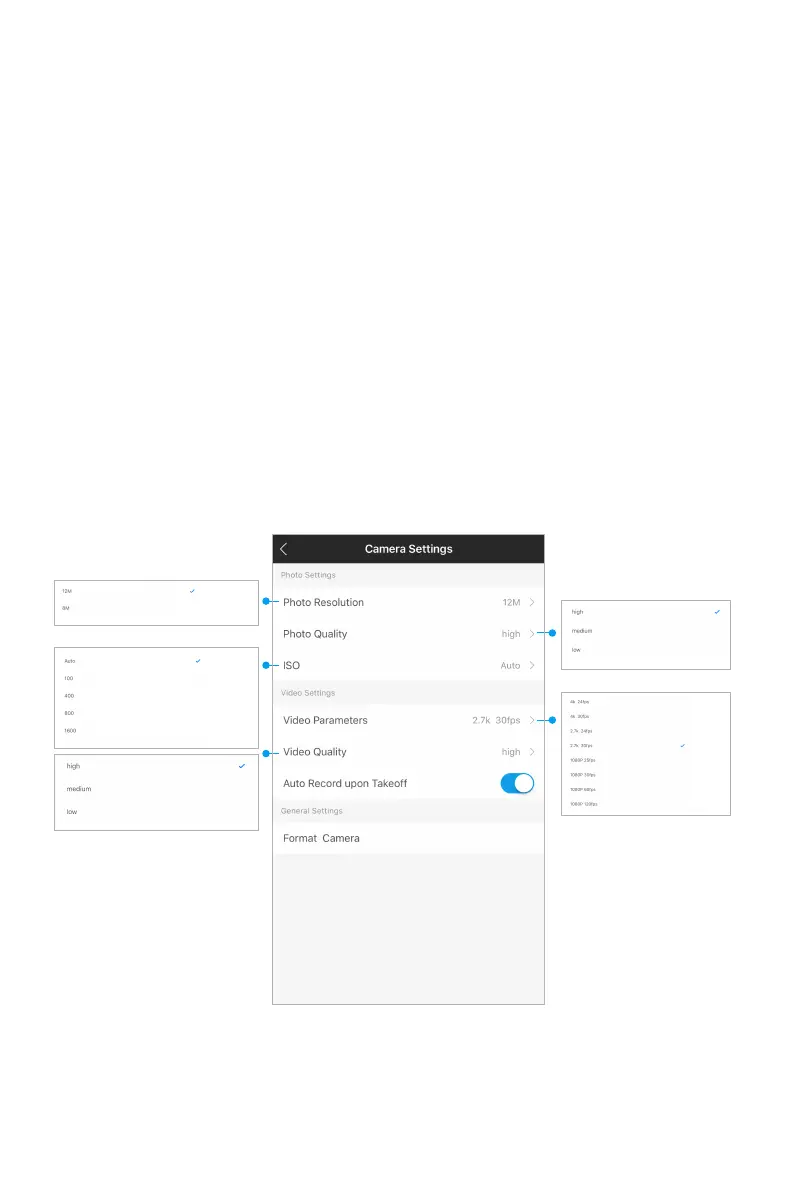
2. Camera Settings



 To Next Page