Connect to GHOSTDRONE
06
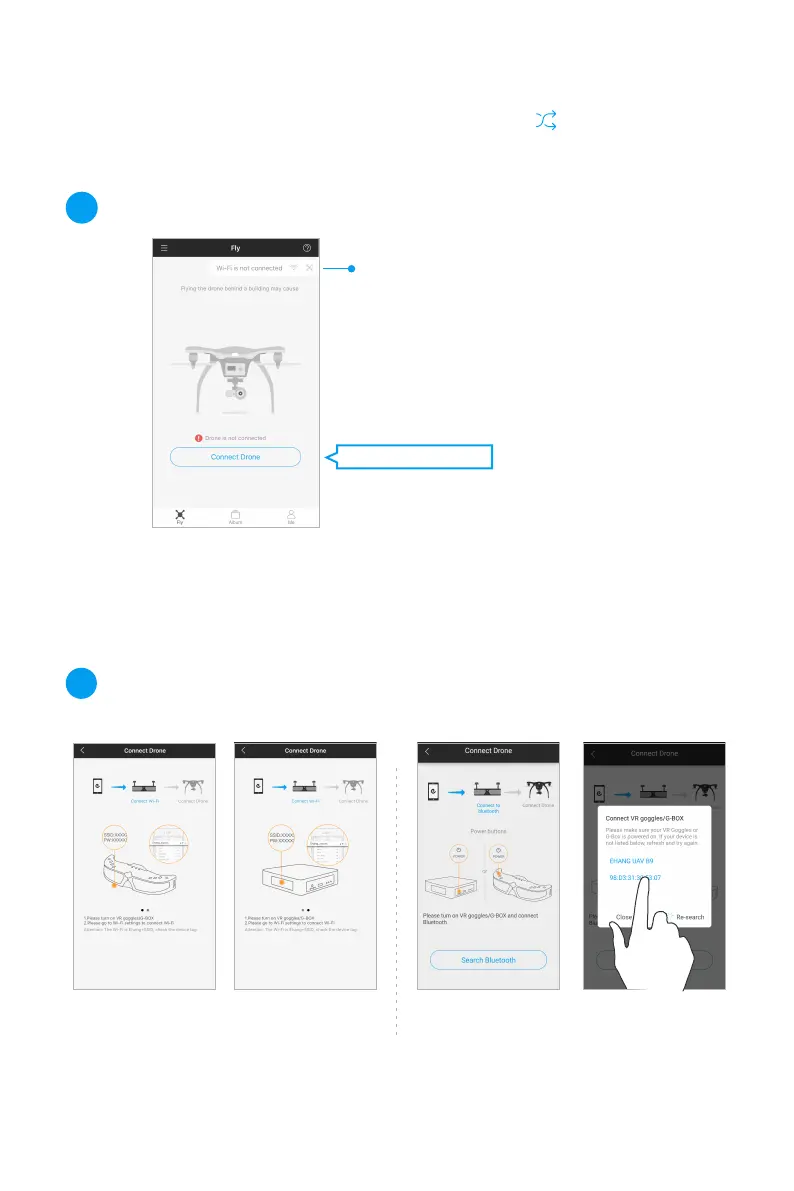
Connection Status: Grey means disconnected;
blue means connected.
1
Power on the VR goggles/ G-BOX. Tap “Wi-Fi connection
settings” and search for the Wi-Fi starting with “Ehang” .
The Wi-Fi password can be located at the bottom of the
VR goggles or the sides of the G-BOX.
iOS: Connect to Wi-Fi
2
Click “Connect Drone” .
Power on the VR goggles/ G-BOX. Search for the
Bluetooth and connect by tapping on its name.
Android: Connect to Bluetooth



 To Next Page