07
3
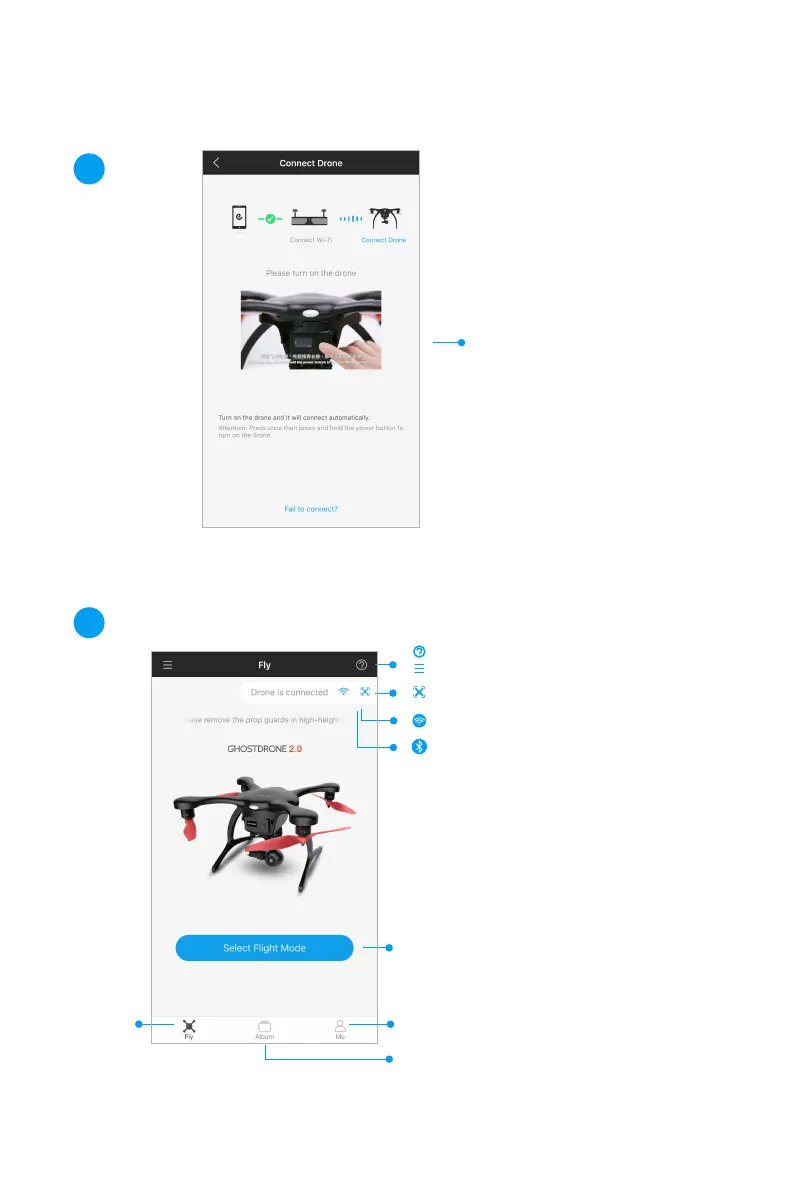
Once Wi-Fi/ Bluetooth is
connected. Turn on the
GHOSTDRONE: Click once
and then click and hold the
power button to turn on the
battery, until the indicator
light is on.
4
Press and select flight mode. Please use Touch-to-Go
Mode for your first flight. To ensure a safe flight, Avatar
Mode will only be unlocked after you have flown in
Waypoint Mode for 3 times.
Access
differed flight
modes
“Me” : This is where you can check your flight records
and change your profile settings.
Album
Drone connected.
Wi-Fi connected (iOS).
Bluetooth connected (Android).
Please watch Video Tutorials and Manuals under Wi-Fi.
Sidebar Menu.



 To Next Page