08:36
02:41
09
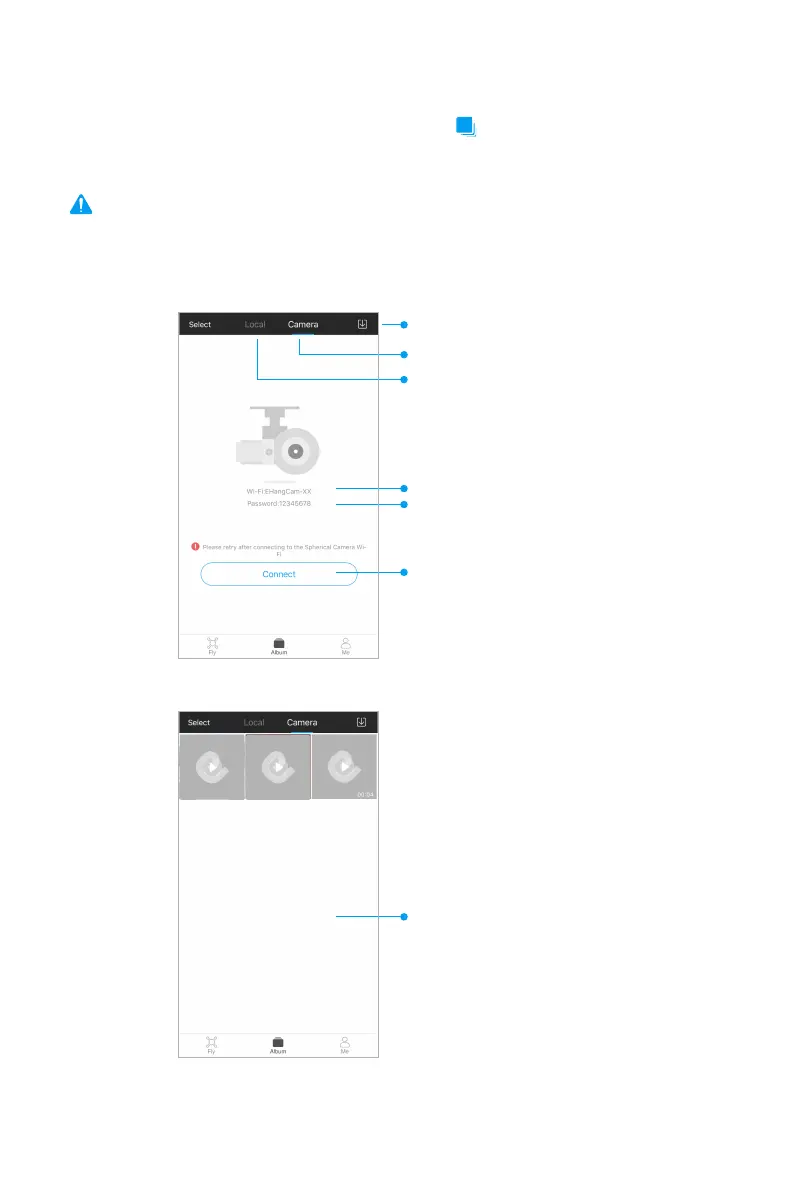
To view the videos and photos, go to “Album” page and tap the “Camera” tab on the top of the
page. Click the “Connect” button below. The Wi-Fi SSID of the camera will start with “EHangCam”
and the password is 12345678. After connecting to the Wi-Fi, you can view all the videos and
photos you took with the spherical camera.
View Album
Local Album
Drone Album
Download List
Wi-Fi SSID of the spherical camera
Wi-Fi password
Click to connect to spherical camera
Note: Please keep the drone on to power the camera.
Camera connected successfully



 To Next Page