24
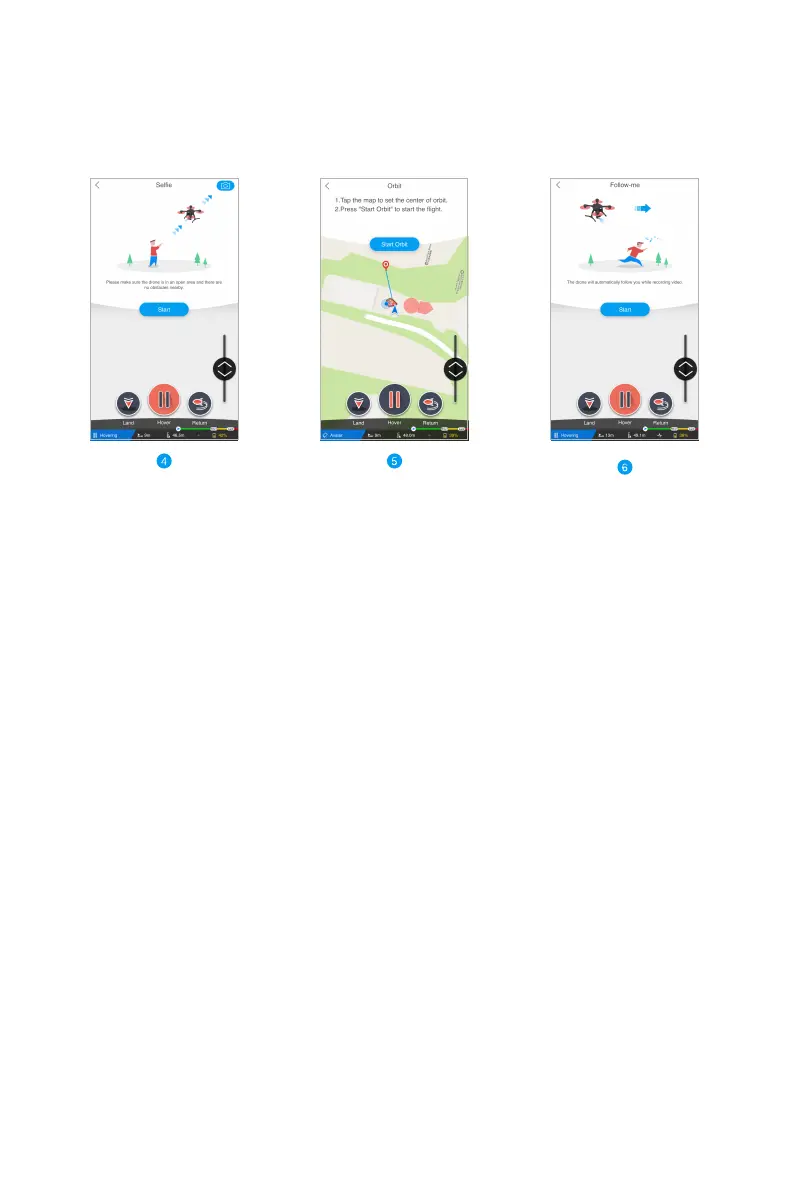
Drone ascends following an
oblique line. Please keep an eye
on the surrounding environment,
and do not hesitate to tap the
Hover button when the drone
reaches an appropriate height.
Tap on the map to set a point of
interest (drag the icon to your
target point for more precise
setting). Then tap Start Orbit,
the drone will start orbitting
the preset point.
Drone follows behind a targeted
moving subject. Since the drone
is not able to automatically avoid
obstacles yet, please always keep
an eye on the surrounding
environment.
Note: It is highly recommended to select an open area when flying the Smart Shoot Mode. In case of
emergency, tap the Hover button immediately and secure your personal safety.



 To Next Page