Element size: Select the size of interface icons to adapt to different screen
resolutions.
Mode color: Select the color when displaying the 3D model in monochrome.
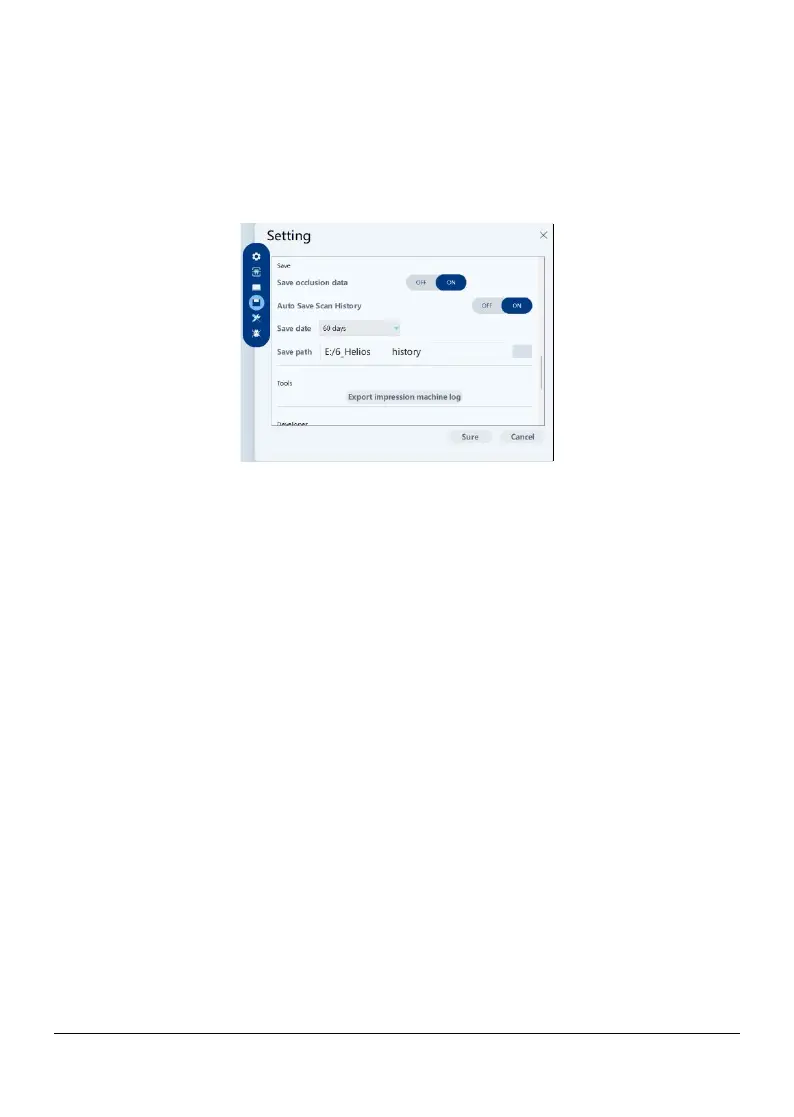
4) Save
Save occlusal data: When selected, the occlusal registration relationship is
saved
Auto save scan history: When selected, scan history files are automatically
saved when the scan is completed. When this option is enabled, users can
customize the number of days and path for saving the scan history.
Save date:
After auto save scan history is enabled, you can define the number
of days for auto save scan history
Save path:
After auto save scan history is enabled, you can define the path
for auto save scan history
5) Tools
Export impression machine log: You can export scan logs
6) Developer
Page 20 / 51


 To Next Page