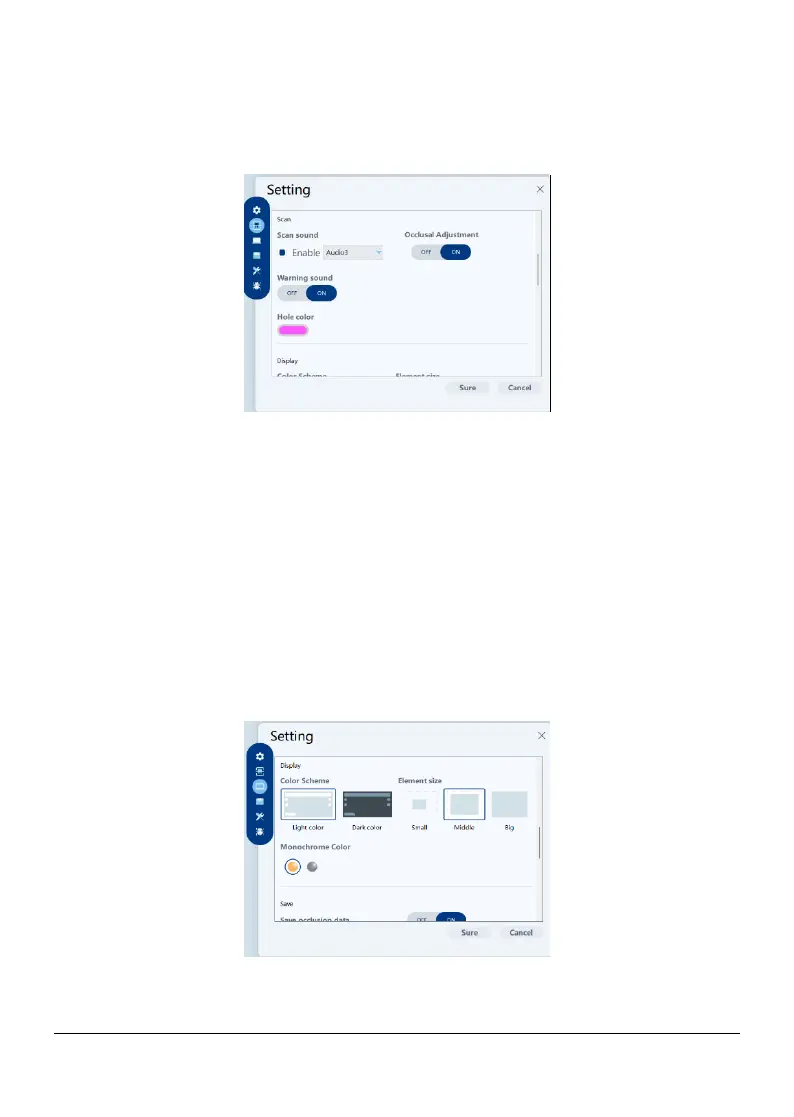
Display patient information dialog on start: When selected, the patient
information dialog will pop up when Helios opens.
2) Scan
Scan sound: When selected, a sound will be continuously played when you
are scanning (if your workstation does not have speakers, this option will not
take effect).
Occlusal adjustment:When selected, the software will automatically correct
over- occlusal after refinement.
Warning sound: When selected, a warning sound will be played if the scanning
duration exceeds the recommended thresholds, a strong light is detected, or
the scanning performance is declined (if your workstation does not have
speakers, this option will not take effect).
3) Display
Color scheme: Select the color scheme of the user interface.
Page 19 / 51


 To Next Page