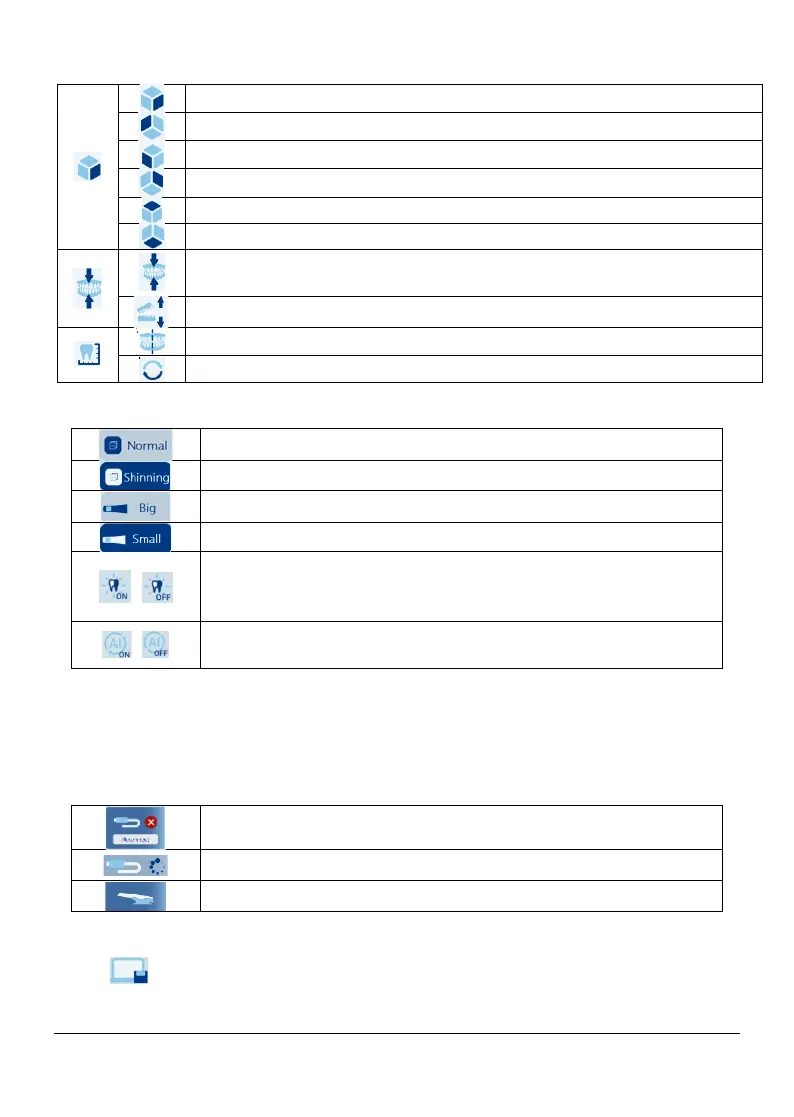
5.2.7 Scanning assistant
5.2.8 3D model display area
Displays the 3D model created by the scanner
5.2.9 Video preview area
Displays live video when scanning, or the scanner status when not scanning.
5.2.10 Report saving
Click , Save scan data locally in STL/PLY format
Show occlusion analysis: Check the bite surface penetration
results
Switch view: Unfold the bite surface penetration results
:
:
Non-highlight surface scanning
Highlight surface scanning
Selecet it when connecting reusable tip size L
Selecet it when connecting reusable tip size S
Auto exposure: When turned on, the scanner adjusts the
scanner light
intensity according to the ambient light
automatically
AI: When turned on, soft tissue is removed during the
scanning automatically
Scanner is not connected
Scanner is connectting
Page 23 / 51


 To Next Page