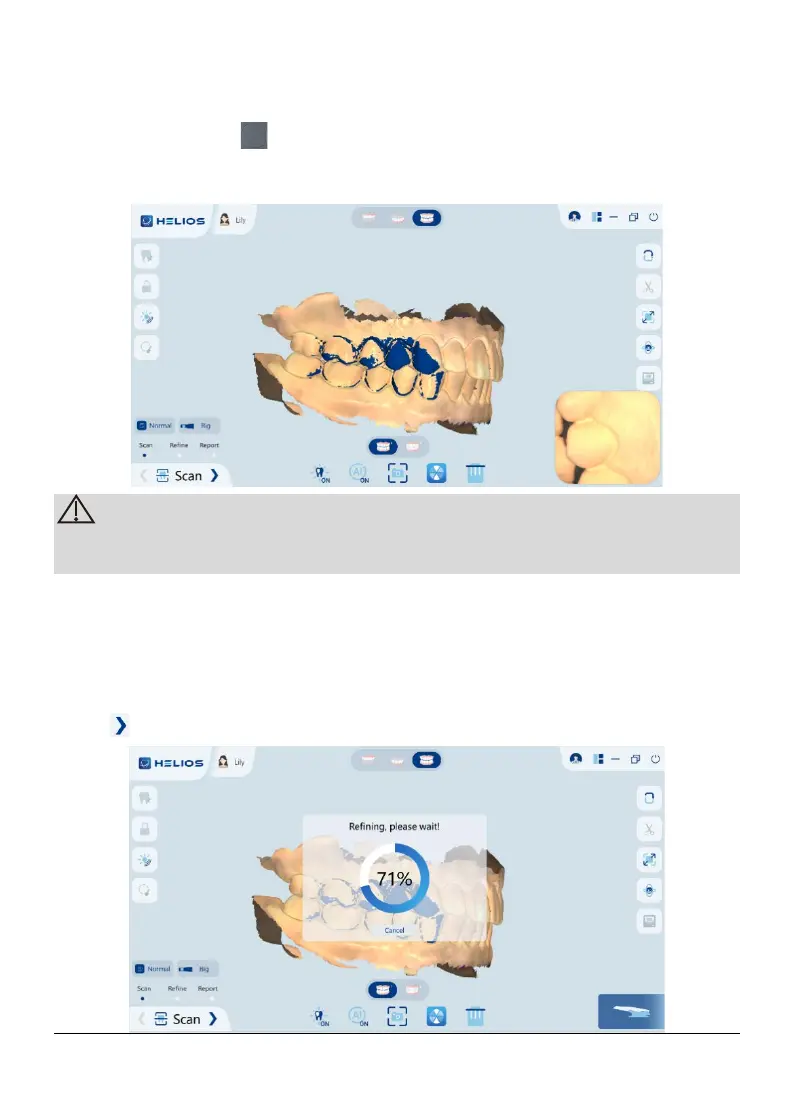
the bite position is correct.
3) Press the button the scanner, slowly move the scanner tip in mesial
direction with equal coverage of upper and lower teeth. The example below
shows a bites.
You can scan one or two bites. It is recommended to scan one on the left
side and one on the right side of the patient’s mouth
4) After scanning the bites, rotate the model and zoom the view to ensure that
the bite is accurate and that there are no areas where the bite is mismatched.
If necessary, you can delete the scanned occlusion and rescan.
6.1.6 Refine the 3D Model
Click to enter the refine interface,after refinement,
Page 28 / 51


 To Next Page