Sapphire Infusion Pump User Manual135
• Prior to administration, verify the identity of the patient by using at least two
identifiers, as well as the parenteral nutrition container label.
• The Air in Line detector working range when delivering fatty acids is 2%-20%
lipids.
Starting a TPN Infusion
The following procedure explains how to program the pump to start a new TPN
infusion.
> To begin a new TPN infusion:
1. From the Indicators Bar, verify that the pump is in TPN mode.
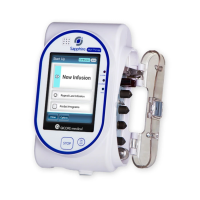
2. From the Start Up screen, select New Infusion.
3. Using the keypad, enter the VTBI value OK.
4. Specify whether you want to use tapers: Select Yes or No.
If you select No, proceed to Step 6.
5. Specify tapers:
a. On the Taper Up screen, use the keypad to enter the
Taper Up time OK. The Taper Up time can be set to 0.
b. On the Taper Down screen, use the keypad to enter the Taper Down time
OK. The Taper Down time can be set to 0.
6. Using the keypad, enter the infusion period OK.
If relevant, you may skip programming by using the Repeat Last
Infusion or PreSet programs procedures to begin the infusion. For
more information, refer to Starting New Infusions: Shortcuts on
page 188.
For more information about changing delivery modes, refer to
Selecting Delivery Mode on page 76.



 To Next Page