Using the Delivery Modes 142
> To begin a new Intermittent infusion without Drug Library:
1. From the Indicators Bar, verify that the pump is in Intermittent mode.
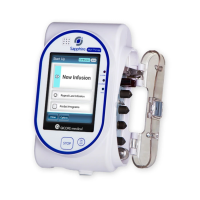
2. From the Start Up screen, select New Infusion.
3. If Dosing method screen appears, select the appropriate option:
• mL: Continue to Step 7.
• Dose calculation: Continue to Step 4.
Weight based units are available for both Dosing methods
Otherwise, continue to Step 10.
4. From the Concentration units screen, select the appropriate drug units.
5. According to pump configuration one of the following screens will appear:
• Concentration: From concentration screen, using the keypad, enter the
Concentration OK. Then, continue to Step 7.
• Drug amount: Using the keypad, enter the Drug Amount OK. Then, using
the keypad, enter the Diluent Volume OK. Then, continue to Step 6.
6. From the Attention screen, confirm the concentration and press OK.
If the selected drug unit is Million Units, continue to Step 9.
7. If the Patient Weight screen appears, specify whether the infusion is weight
based:
• Yes: Continue to Step 8.
• No: Continue to Step 9.
8. From the Patient Weight screen, using the keypad, enter the patient weight
OK.
For more information about changing delivery modes, refer to
Selecting Delivery Mode on page 76.
To display additional concentration units press Next.



 To Next Page