EasyManua.ls Logo

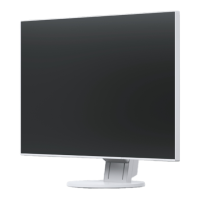
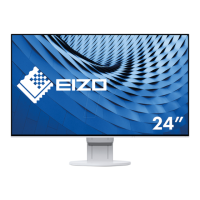
Eizo FlexScan EV2451 - User Manual

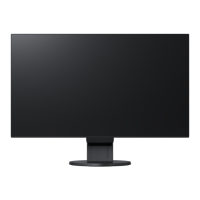
Eizo FlexScan EV2451
49 pages
Print Icon
To Next Page IconTo Next Page
Loading...
Important
Please read PRECAUTIONS, this User’s Manual, and the Setup Guide
(separate volume) carefully to familiarize yourself with safe and
effective usage.
Please refer to the Setup Guide for basic information ranging from
connection of the monitor to a PC to using the monitor.
For the latest product information including the User’s Manual, refer
to our web site :
www.eizoglobal.com
Color LCD Monitor
Users Manual

Table of Contents

Questions and Answers

  • R
    Roy PatrickAug 25, 2025
    What to do if my Eizo Monitor has no picture and the power indicator does not light up?
    • T
      tranadrianaAug 25, 2025
      If your Eizo monitor shows no picture and the power indicator is off, ensure the power cord is properly connected. Then, turn on the main power switch located on the rear of the monitor. If the issue persists, turn the main power switch off, wait a few minutes, and then turn it back on.
  • H
    Henry ThomasSep 1, 2025
    What to do if the message appears on my Eizo FlexScan EV2451 Monitor?
    • W
      waltersbrianSep 1, 2025
      If a message appears on your Eizo monitor, verify that your PC is powered on and that the signal cable is securely connected. Try switching the input signal. If the issue continues, turn off the main power switch on the rear of the monitor, and then turn it back on.
  • A
    Amanda WangSep 1, 2025
    What to do if my Eizo FlexScan EV2451 power indicator is lighting orange?
    • L
      Lisa FigueroaSep 1, 2025
      If the power indicator on your Eizo monitor is orange, try switching the input signal. Also, move the mouse or press any key on the keyboard. Check to make sure your PC is turned on. If none of these steps work, turn the main power switch on the rear of the monitor off and then on again.
  • J
    Jennifer AllenSep 2, 2025
    Why is text blurred on my Eizo Monitor?
    • J
      Jeffrey KeySep 2, 2025
      If the text on your Eizo monitor appears blurred, check that your PC is configured to meet the monitor's resolution and vertical scan frequency requirements. You can also try adjusting the “Sharpness” in the Setting menu.
  • J
    Jessica MccarthySep 2, 2025
    How to fix incorrect display position on my Eizo FlexScan EV2451?
    • A
      alyssa01Sep 2, 2025
      To correct an incorrect display position on your Eizo monitor, use the “Position” setting in the Setting menu to adjust the image position, specifically the “Hor. Position” and “Ver. Position”.
  • P
    Paul GarnerSep 3, 2025
    What to do if my Eizo FlexScan EV2451 Monitor power indicator is lighting white?
    • S
      Sarah BrownSep 3, 2025
      If the power indicator on your Eizo monitor is lighting white, increase the “Brightness”, “Contrast”, or “Gain” in the Setting menu.
  • W
    William MoyerSep 3, 2025
    How to fix afterimages appearing on my Eizo FlexScan EV2451 Monitor?
    • D
      Dr. Curtis ChapmanSep 4, 2025
      To address afterimages appearing on your Eizo monitor, avoid displaying the same image for extended periods. Utilize the screen saver or power saving function. To resolve existing afterimages, switch to a different image or power off the monitor for several hours.
  • D
    Daniel CooperSep 4, 2025
    What to do if vertical bars appear on the screen or a part of the image is flickering on my Eizo Monitor?
    • E
      Eric DawsonSep 4, 2025
      If vertical bars appear on the screen or part of the image is flickering on your Eizo monitor, use the “Clock” setting in the Setting menu to adjust it.
  • A
    Ana MaySep 5, 2025
    What to do if the whole screen is flickering or blurring on my Eizo FlexScan EV2451 Monitor?
    • R
      Rebecca MartinezSep 5, 2025
      If the entire screen of your Eizo monitor is flickering or blurring, use the “Phase” setting in the Setting menu to make adjustments.
  • C
    Connie GarciaSep 5, 2025
    What does it mean if my Eizo FlexScan EV2451 Monitor power indicator is flashing orange and white?
    • T
      Taylor MorrisSep 5, 2025
      If the power indicator on your Eizo monitor is flashing orange and white, this can happen when the PC is connected to the DisplayPort connector. Use a signal cable recommended for the connection. Turn the monitor off and on. Also, check the connection and condition of the USB devices connected to the monitor. You can also try turning off the main power switch on the rear side of the monitor, and then turning it on again.

Eizo FlexScan EV2451 Specifications

General IconGeneral
BrandEizo
ModelFlexScan EV2451
CategoryMonitor
LanguageEnglish

Related product manuals