35
Chapter 5 Reference
5-2 Folding the EZ-UP stand
Perform the following procedures to fold the stand when re-packing a monitor
with an EZ-UP stand.
1
Remove the cable holder.
2
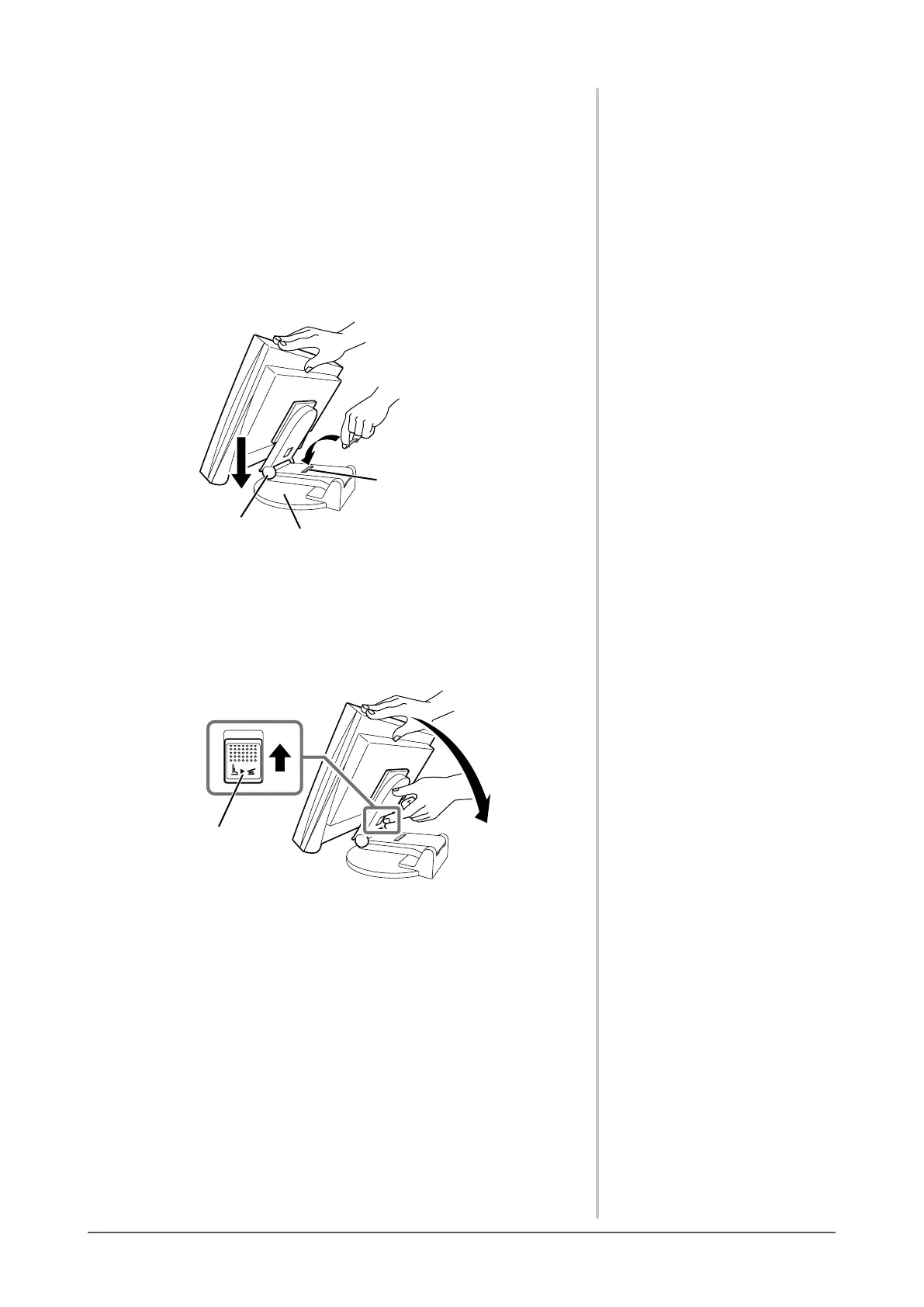
Lower the monitor screen position until the hinge of the stand
touchesthestandbase,andattachthelockmetaltting.
Adjust the monitor angle so as the monitor screen not to touch the stand
base.
Hinge
Stand Base
Lock metal fitting
3
Fall the monitor screen backward with keeping slide-up the
“Unlock” knob.
When maximally tilting (25º) the monitor screen backward, the “Unlock”
knob may be hard to be slid-up. Then, slightly tilt up the monitor to
vertical direction and slide-up the “Unlock” knob.
“Unlock”knob








 To Next Page