- 7 -
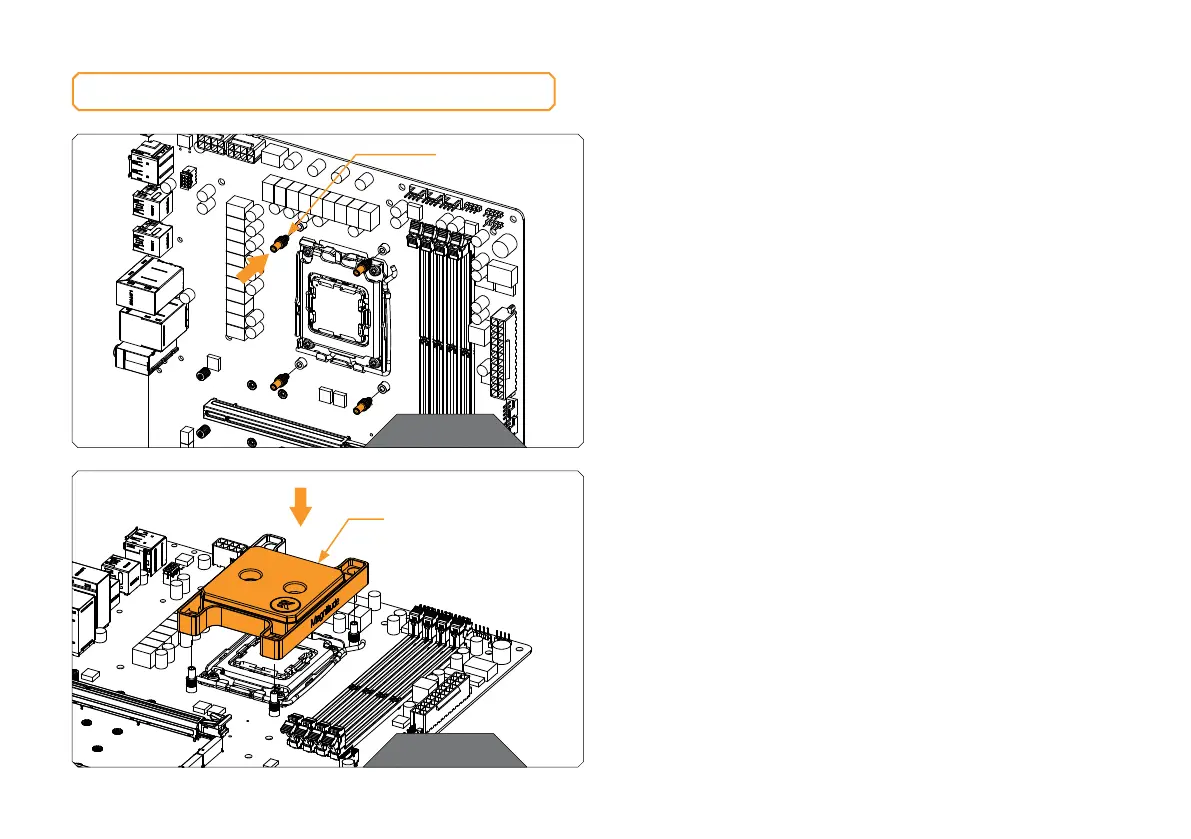
STEP 1
Loosely install all four (4) provided AM5 Mounting Standoffs before
proceeding to tighten them completely. Using pliers or similar tools
is not recommended.
STEP 1
INSTALLING THE WATER BLOCK
STEP 2
STEP 2
Position the AM4 CPU Water Block onto the AM5 Mounting
standoffs. Make sure to align the holes (as shown in the picture).
Make sure to double-check the layer of the Thermal Grease before
placing the water block onto the motherboard.
CPU WATER
BLOCK
AM5 MOUNTING
STAN DO FF






 To Next Page