- 10 -
STEP 3
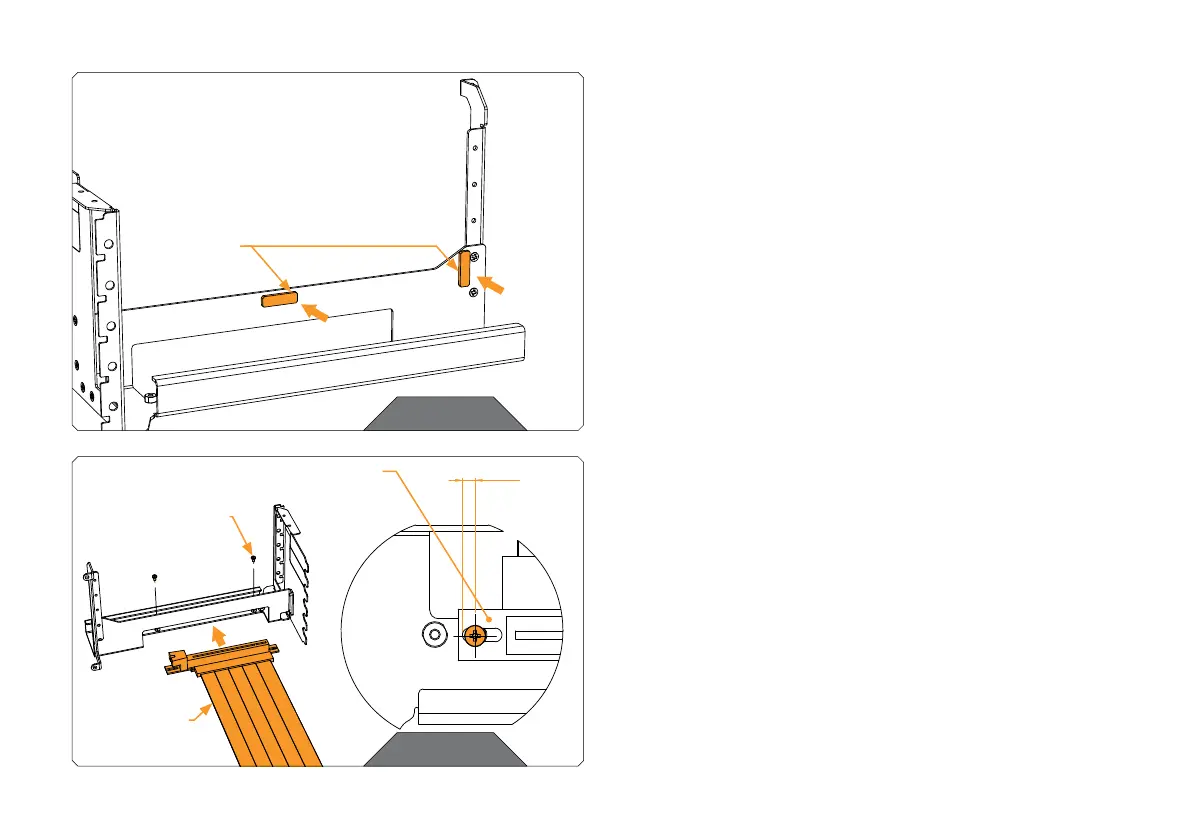
Before mounting the GPU on a holder, you may stick 1 or 2 protective
adhesive foams for the extra protection of your GPU during installation.
STEP 3
STEP 4
Attach the PCIe Riser Cable 4.0 on a holder with two M2.5x4 Phillips
pan head screws. Be sure that the cable is positioned on the holder
as is shown in the scheme.
STEP 4
M2.5x4 PHILLIPS
PAN HEAD
SCREW (2x)
POSITION OF
RISER CABLE 4.0
PROTECTIVE
FOAM
RISER
CABLE




 To Next Page