- 11 -
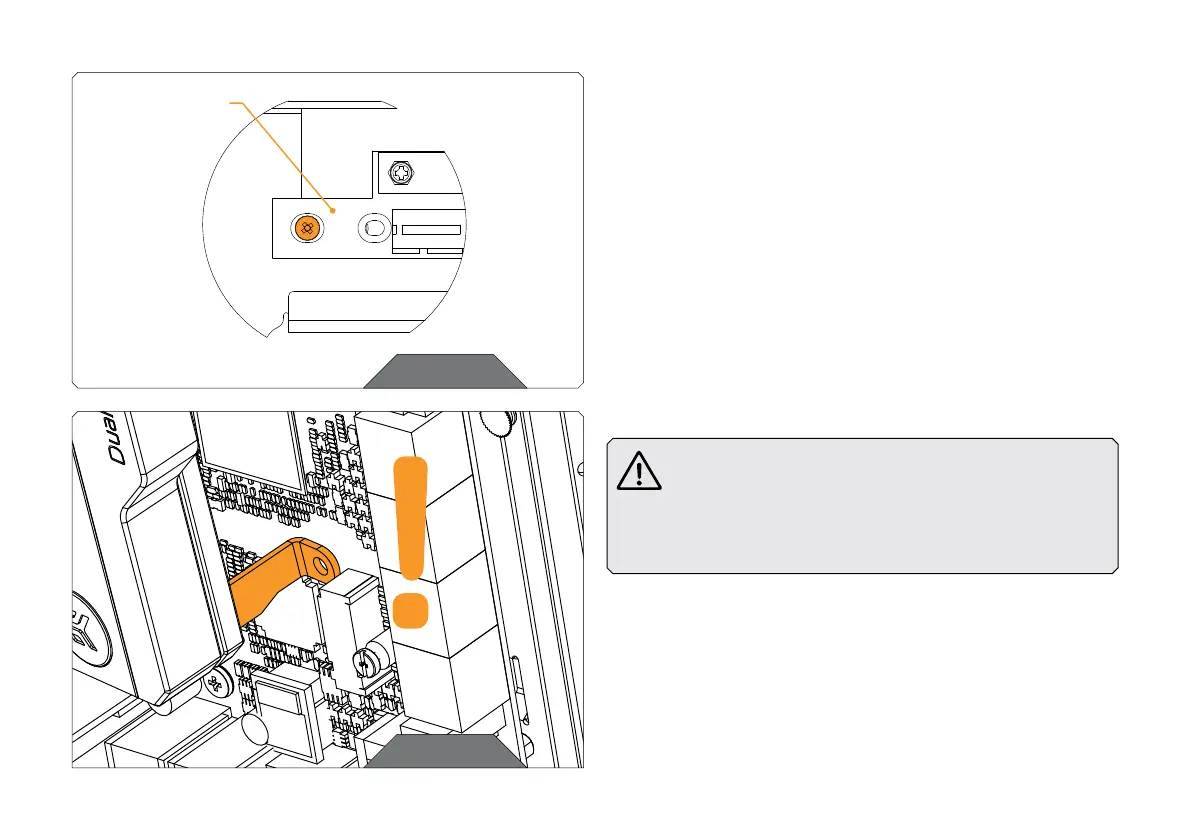
OPTIONAL STEP
This GPU Holder is also compatible with the previous 3.0 version of
the EK Riser cable. When mounting 3.0 cable position it differently, as
is shown in the scheme. Attach it with two M2.5x4 Phillips pan head
screws.
OPTIONAL
POSITION OF
RISER CABLE 3.0
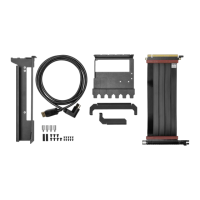
STEP 5
During the following Steps of the installation process, be
especially careful not to hit or scratch your motherboard
or any other PC component while you’re mounting the
GPU Holder to the motherboard. Pay special attention
that the »Bracket 3« of the GPU Holder (the right side)
doesn’t hit the motherboard.
STEP 5




 To Next Page