- 12 -
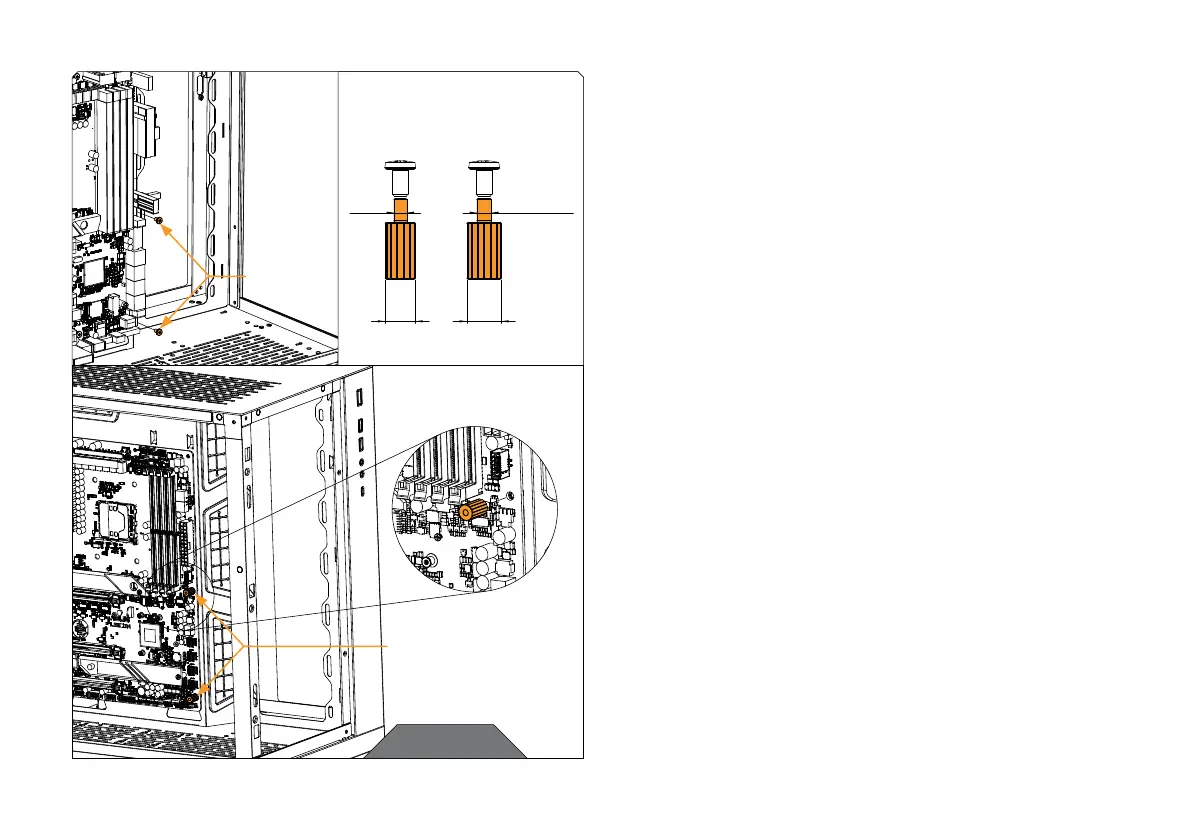
Ф 3 mm
(M3x20)
Ф 3.4 mm
(UNC 6-32 x 3/4”)
7 mm 8 mm
STEP 6
Remove the two screws from the bottom right side of the
motherboard (or just the one in the middle if you will use Bracket 4
instead of Bracket 3).
Compare one of the removed screws with both of the Standoff
spacers from the package to determine which has the same thread
(M3 or UNC 6-32).
Attach the correct Standoff spacer (or two spacers) through the
motherboard to the PC case.
MOTHERBOARD
SCREWS
CHECK FOR THREAD!
M3 OR UNC 6-32
STANDOFF SPACER
STEP 6




 To Next Page