- 14 -
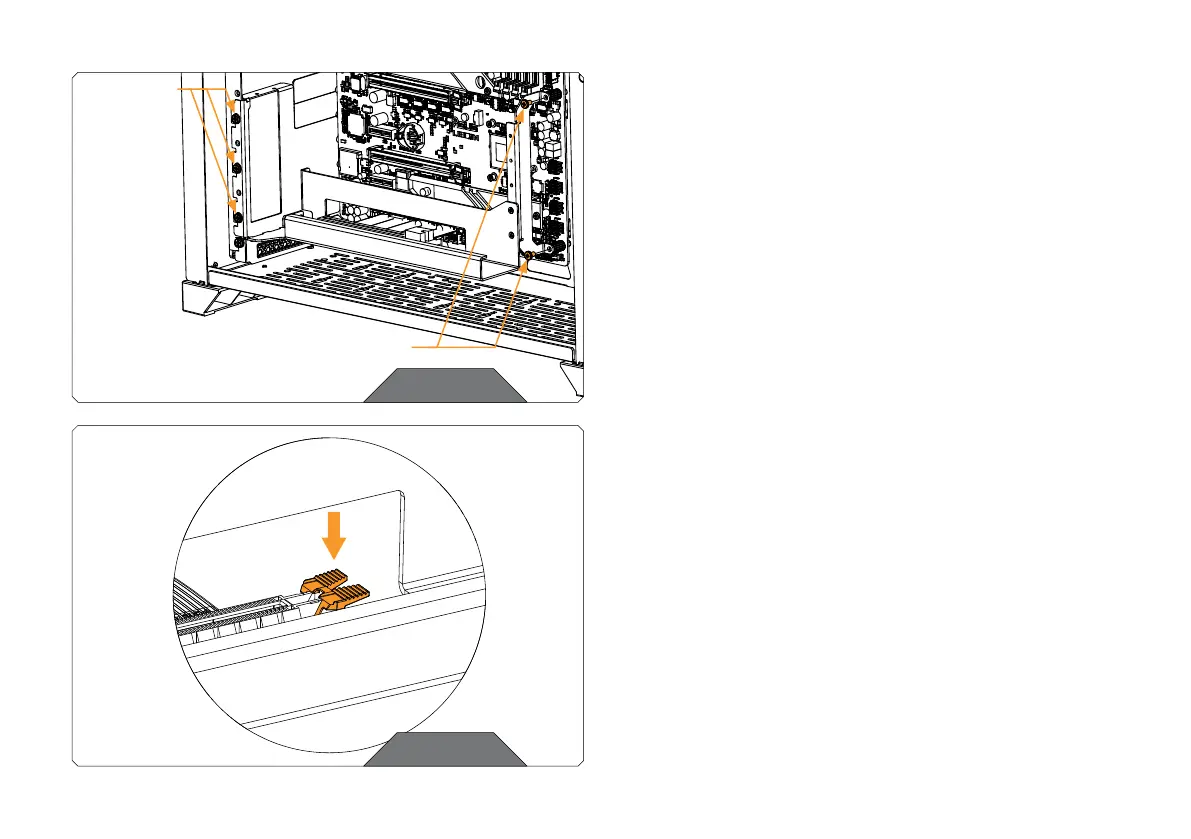
STEP 9
You may install the GPU to the GPU Holder before or after mounting the
GPU Holder onto the PC case (depending of your configuration).
Use at least five screws to attach the GPU Holder to the left and right
side of the PC case. Use the PCIE bracket screws that you saved earlier
or UNC 6-32x1/4 screws from the package.
STEP 9
STEP 10
Before you mount the GPU, make sure the PCIE latch on the Riser cable
is not closed – it must be pushed down.
STEP 10
UNC 6-32x1/4”
SCREW OR PC
CASE SCREWS
(3-5x)
UNC 6-32x1/4” SCREW OR PC CASE SCREWS (2x)




 To Next Page