- 10 -
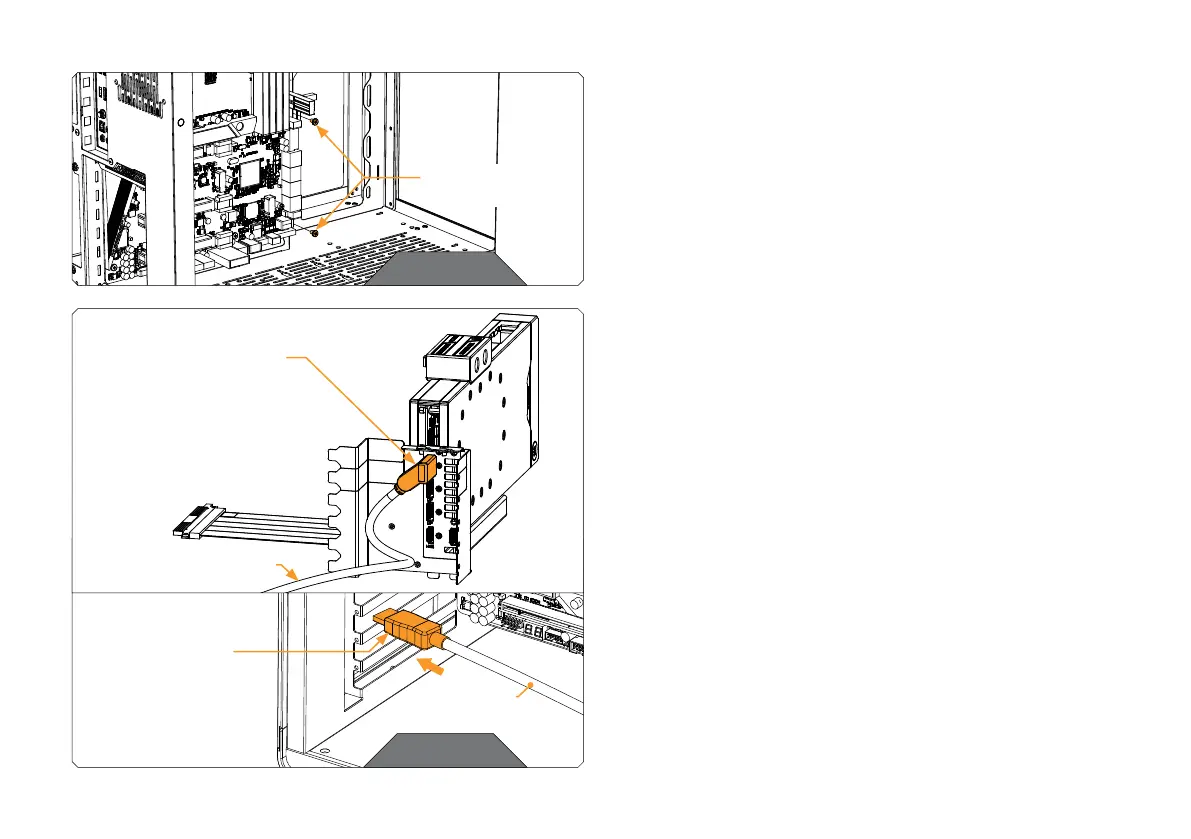
STEP 6
Remove the two screws at the bottom right side of the motherboard.
Save the screws for later use.
STEP 6
STEP 7
Before you mount the GPU Holder in your PC, connect the angled
connector of the enclosed DisplayPort cable to the GPU, then pull
the cable’s straight connector through the horizontal bars (where
you previously removed the PCIE brackets).
DP CABLE
ANGLED
CONNECTOR
DISPLAYPORT
CABLE
STEP 7
STRAIGHT
CONNECTOR
MOTHERBOARD
SCREWS




 To Next Page