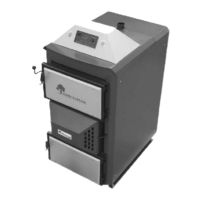
Boiler's temperature setting from 140 up
to 176F
The desired boiler temperature is set with a
knob (6). Current temperature is displayed on
the screen (2).
Boiler overheat indicator
The LED (4) indicates when the boiler
temperature exceeds 194F. This causes the
fan to switch on.
If the boiler temperature does not reach 140F
after 30 minutes the indicator (8) and the fan
will turn on.
If the boiler does not reach 140F during
burning (up to 2 hours) the indicator (8) will
light up and the fan will turn off.
A regulator modulates the fan speed slowing
the fan as the boiler approaches the target
temperature.
If a pump is connected to the regulator the
pump will remain off until the boiler
temperature reaches 149F. It will then run
until the temperature declines to 140F
degrees.
The controller can work together with a room
thermostat so that the boiler maintains the
temperature desired in the room. If there is a
room sensor or thermostat connected to the
controller, then the boiler will remain in
surveillance stage (maintaining a boiler
temperature between 140 and 149F).
The controller can be set to blow purge air
into the upper burning chamber to get rid of
accumulated wood gas when the boiler has
reached its set temperature and is in idle
mode. This keeps the fire from going out.
The purging time is five seconds. The timing
interval between “flushes” can be set
between 1 and 9 minutes.
Note : Flushing settings should be made by a
qualified technician.
Warning!
The main circulating pump on the system should be connected directly to the RK-
2001UA controller to assure proper operation and water circulation. This will help pre-
vent overheating and result in the best performance.


 To Next Page