EasyManua.ls Logo

Elan D1200 - User Manual

Elan D1200
25 pages
Print Icon
To Next Page IconTo Next Page
Loading...
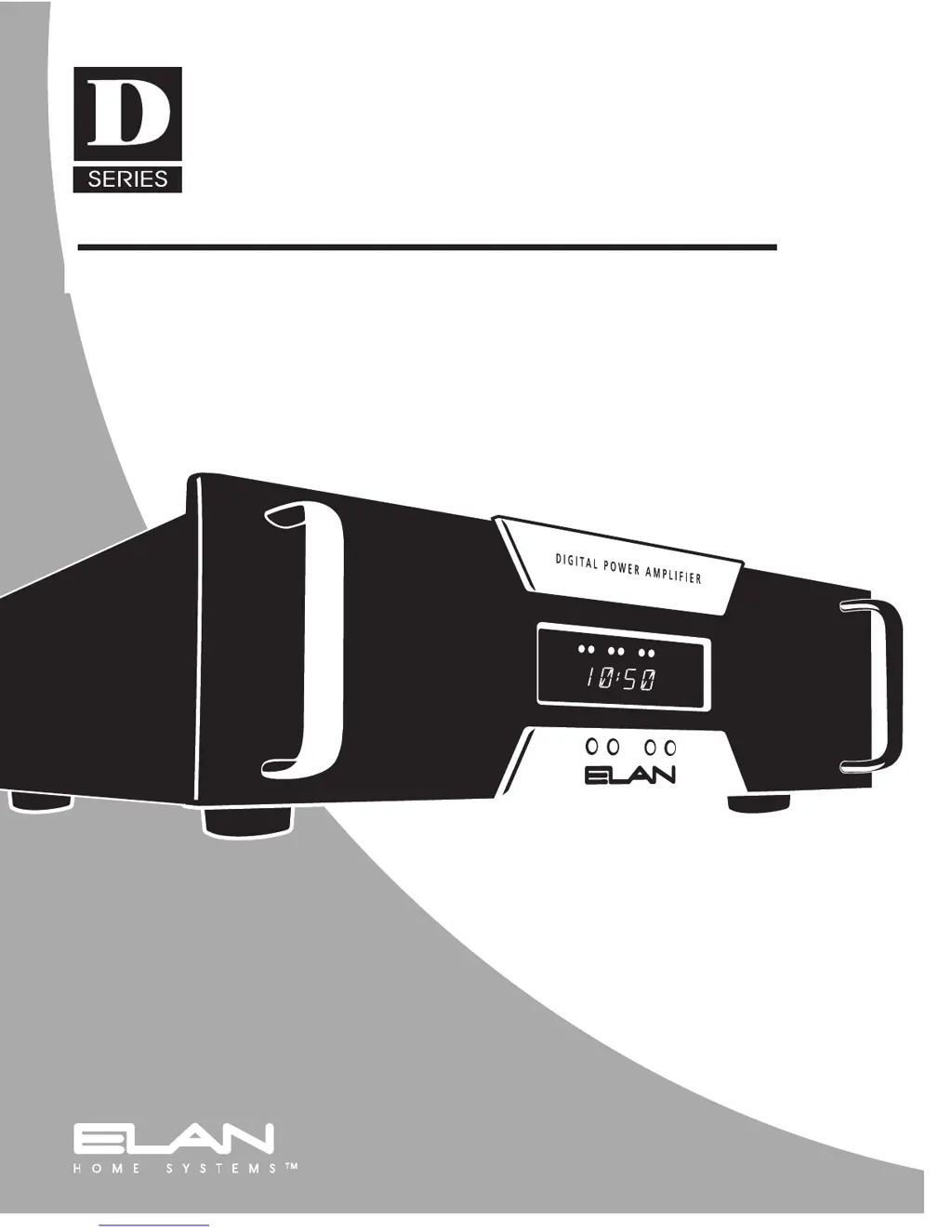
12 CHANNEL DIGITAL POWER AMPLIFIER
INSTALLATION MANUAL AND USER'S GUIDE
COMPACT, POWERFUL,
AND VERY COOL
D1200/D1201

Other manuals for Elan D1200

Questions and Answers

  • M
    Martin GarciaJul 30, 2025
    How to troubleshoot no audio from one or more channels on Elan Amplifier?
    • B
      Brian WalkerJul 30, 2025
      If you're not getting audio from one or more channels on your Elan Amplifier, start by checking the cable ends at the binding posts and speaker terminals to ensure they are not loose or damaged. Use a multimeter to check each speaker cable for shorts or breaks, and verify the wiring is properly connected. Try swapping the speaker with one that you know works to rule out a defective speaker. Also, try swapping the RCA patch cable. Make sure the source is powered on and playing audio, and check any tape monitor settings on your A/V receiver. Finally, ensure the appropriate dip switches are moved up, as having all dip switches down can cause this issue.
  • M
    matthewhartAug 3, 2025
    Why is there an audio hum coming from my Elan D1200?
    • S
      sethwhiteAug 4, 2025
      If you are experiencing an audio hum with your Elan Amplifier, it might be due to a ground loop. Try plugging all sources into the same AC outlet. Inspect the source equipment cables for any damage and ensure they are properly connected. Also, make sure any volume controls are not hooked up backward. Finally, check the wiring for any shorts.
  • M
    Matthew MoraAug 9, 2025
    What to do if my Elan Amplifier has distorted audio at normal volume levels?
    • D
      Diane BridgesAug 9, 2025
      If the audio from your Elan Amplifier is distorted at normal volume levels, the input gain might be too high. Try reducing the gain to the channel in question and make sure the red clipping LEDs are not pulsing or constantly on. Also, check the speaker for physical damage and ensure its power rating is compatible; do not use speakers rated for less than 100 Watts RMS.
  • B
    Barbara MorganAug 14, 2025
    What does the “Er” message mean on my Elan Amplifier?
    • J
      John ChristensenAug 14, 2025
      If you see an “Er” message on the front panel of your Elan Amplifier, it indicates that the amplifier is in protection mode. Look for a short or low-impedance condition. Correct any overheating or AC power issues. Once the problem is resolved, power cycle the D1200. This condition could be related to issues that cause no audio.
  • S
    Shane BrownAug 19, 2025
    Why is the audio unclear and bass response low on my Elan D1200 Amplifier?
    • D
      drushAug 19, 2025
      If the audio from your Elan Amplifier is unclear with low bass response, the speakers might be out of phase. Ensure that the positive (+) terminal of the amplifier is connected to the positive (+) terminal of the speaker, and the negative (–) terminal of the amplifier is connected to the negative (–) terminal of the speaker on all speaker leads.
  • W
    westianAug 25, 2025
    What does it mean when “NA” flashes on the display of my Elan D1200 Amplifier?
    • D
      Dana KelleyAug 25, 2025
      If “NA” flashes on the display of your Elan Amplifier, followed by the volume setting, it means the channel is in mute. Ensure the triggering device’s remote output is connected and producing voltage.

Summary

D1200;D1201 12 Channel Digital Power Amplifier Manual

Important Safety Information

Electrical Shock and Fire Prevention

Warnings and precautions to prevent electric shock, fire hazards, and damage from moisture or improper use.

Safe Operating Procedures

Guidelines for proper ventilation, power sources, grounding, water exposure, cord protection, volume limits, cleaning, and overload prevention.

Maintenance and Servicing Safety

Instructions on avoiding servicing by unqualified personnel, handling damage, and using correct replacement parts.

Environmental and Lightning Protection

Advice on placement, protection from environmental factors, and lightning surge prevention.

Product Layout and Components

Front Panel Overview

Detailed identification of front panel controls, displays, and indicators for the D1200/D1201 amplifier.

Rear Panel Overview

Identification of rear panel connectors, switches, and power inputs for the D1200/D1201 amplifier.

Introduction and Features

Key Features of the D1200;D1201

Highlights of the amplifier's design, including Class T, 12 channels, Universal Stereo Bus, and ACE™ technology.

Advanced Features and Technology

Class T Digital Technology Explained

Explanation of Class T technology benefits, including efficiency, fidelity, and comparison to other amplifier classes.

Front Panel Controls and Operation

Details on remote trigger inputs, front panel display, volume control, lockout, and amplifier protection mechanisms.

Front Panel Functions

Channel Selection and Volume Adjustment

How to select individual channels and adjust their volume levels using the front panel controls.

Signal and Clipping Indicators

Understanding the blue signal presence LEDs and red clipping indicators for monitoring audio status.

Front Panel Operations

Volume Adjustment and Lockout

Step-by-step guide for adjusting volume levels and enabling the front panel lockout feature.

Connections and System Setup

Safety and System Type Overview

Safety considerations for connections and an introduction to multi-zone versus stand-alone system types.

Speaker Connectivity Guidelines

Instructions for connecting speakers, including wire gauge, terminal types, and impedance considerations.

Speaker and Volume Control Usage

Speaker Load and Impedance Matching

Critical information on speaker load ratings, impedance matching volume controls, and compatibility.

Trigger Inputs and Outputs

System Modes and Configurations

Universal Stereo Bus Configuration

Details on using the Universal Stereo Bus for flexible channel grouping and input/output assignments.

Audio Configuration Modes

Mono vs. Stereo and Mono Bus Modes

Guidance on configuring mono audio output and using mono bus modes for various listening environments.

Design and Applications

Stand-Alone System Design

Concepts and examples for designing stand-alone audio systems using the D1200 amplifier.

Stand-Alone System Examples

Mono and Stereo Stand-Alone Setups

Illustrative diagrams and descriptions for mono and stereo single-zone stand-alone system configurations.

Multi-Zone System Design

Stand Alone Multi-Zone System

An example configuration for a stand-alone multi-zone system with multiple speaker zones.

Multi-Zone System Examples

Multi-Zone ELAN S System

Configuration example for a multi-zone system using the ELAN S system architecture.

Advanced Multi-Zone Systems

Multi-Zone ELAN Z System

Configuration example for a multi-zone system utilizing the ELAN Z system architecture.

Mono Multi-Zone Systems

Multi-Zone ELAN Z System Mono Bus

Configuration example for a mono multi-zone system using the ELAN Z system with mono bus settings.

Specialized Multi-Zone Systems

Multi-Zone ELAN HD System

Configuration example for a multi-zone system using the ELAN HD system architecture.

Troubleshooting Guide

Common Audio Issues and Solutions

Solutions for audio problems such as no sound, hum, distortion, and unclear audio.

Display, Power, and Input Issues

Troubleshooting steps for display errors, power-up failures, and incorrect source input problems.

Specifications

Performance Specifications

Detailed technical specifications including power output, frequency response, and signal-to-noise ratio.

Physical and Electrical Specifications

Information on dimensions, weight, connectors, power requirements, and certifications.

Limited Warranty

Elan D1200 Specifications

General IconGeneral
BrandElan
ModelD1200
CategoryAmplifier
LanguageEnglish

Related product manuals