EasyManua.ls Logo

Elastec MediBurn30 - User Manual

Default Icon
35 pages
Print Icon
To Next Page IconTo Next Page
Loading...
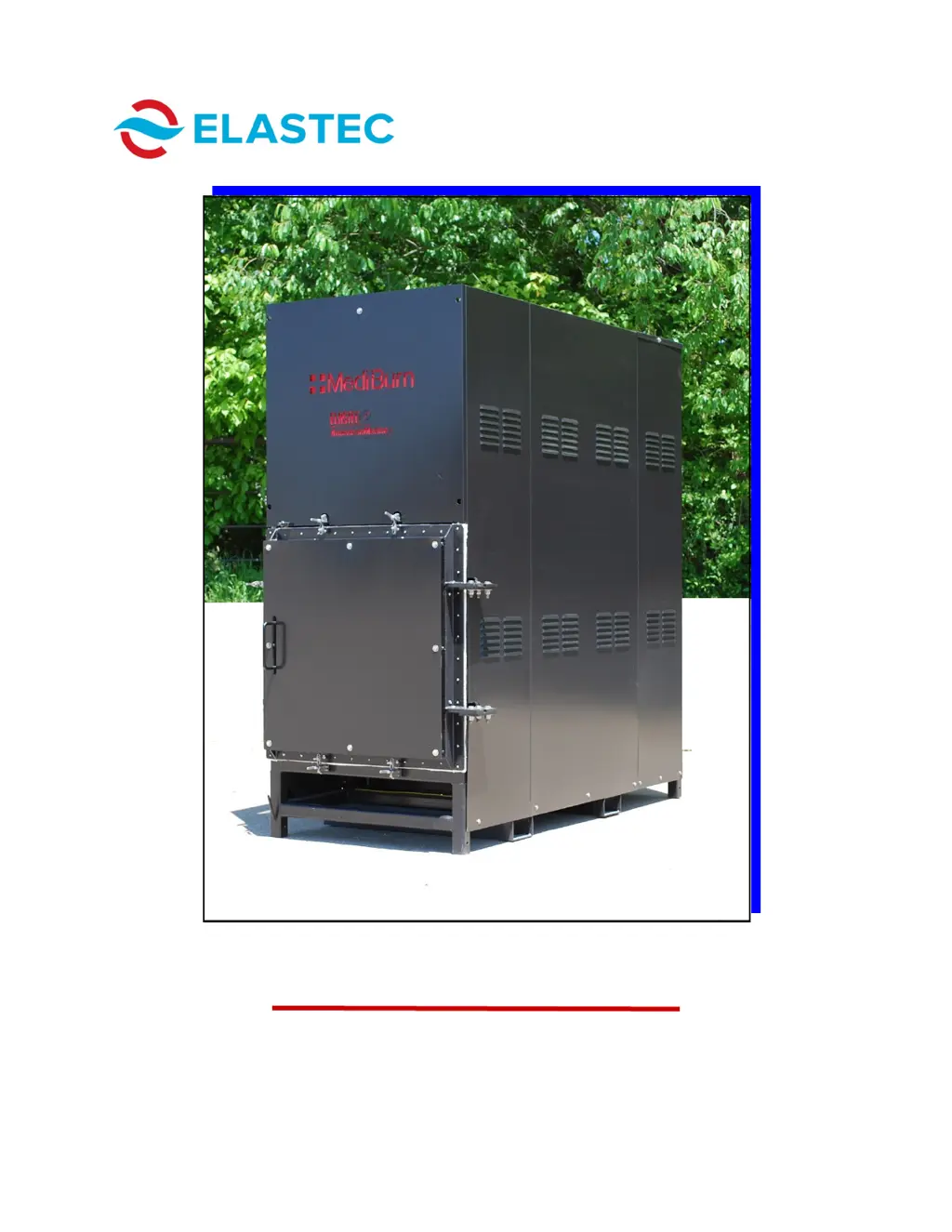
MEDIBURN30 D-115 Rev 010
www.elastec.com
OPERATION & SERVICE MANUAL
MEDIBURN30

Questions and Answers

  • M
    Mary MortonAug 17, 2025
    Why is my Elastec MediBurn30 Medical Equipment using so much fuel?
    • E
      erin36Aug 17, 2025
      If your Elastec Medical Equipment is using an excessive amount of fuel, it could be due to a few reasons. First, check the air shutters on the burners and adjust them properly. For the lower burner, look through the rear while adjusting the air to the brightest point, then adjust until smoke is gone from the smoke stack. Also, inspect the fuel bypass solenoids for damage and replace if needed. Finally, ensure the under-air fan or blower is functioning correctly; check and replace any blown fuses, and if that doesn't solve the problem, the motor may need replacement.
  • R
    Robert MillerAug 20, 2025
    How to stop dark smoke from coming out of my Elastec MediBurn30?
    • J
      Joshua Harrington Jr.Aug 21, 2025
      If dark smoke is coming from your Elastec Medical Equipment, adjust the airflow to the upper burner by rotating the air inflow bracket on the side of the motor. Factory settings are Top burner bulk air band at 1 and air shutter at 4; Lower burner bulk air band is set at 1 and air shutter is set at 3. Increase air to the top burner and decrease air to the lower burner until the smoke is eliminated. Larger numbers on the scale indicate more air intake; lower numbers indicate less air intake. Find the setting that best suits your typical load.
  • J
    john23Aug 25, 2025
    Why does my Elastec MediBurn30 burner ignite then shut down?
    • V
      Victor HubbardAug 25, 2025
      If the burner of your Elastec Medical Equipment ignites but shuts down quickly, it could be due to several reasons. Ensure the fuel supply isn't low; add fuel if necessary. Check the supply hose for kinks or obstructions and eliminate them. Replace the fuel filter if it's clogged. Lastly, the cad cell might be faulty or not reading the flame correctly; try cleaning the eye of the cad cell, and if that doesn't work, replace it.
  • M
    Melissa StarkAug 27, 2025
    What to do if the upper chamber of my Elastec Medical Equipment is not burning at 1000° Celsius?
    • B
      Barbara BanksAug 27, 2025
      If the upper chamber of your Elastec Medical Equipment isn't burning at 1000° Celsius, it could be due to too much air flowing through the upper chamber burner; try closing the air shutter on the burner in small increments until the problem stops. Also, ensure there's enough burn material in the load chamber and that the lower burner is functioning properly.
  • J
    jennifer28Aug 30, 2025
    How to fix excess material not burned near the loading door of my Elastec MediBurn30 Medical Equipment?
    • S
      Steven EstradaAug 31, 2025
      If excess material near the loading door of your Elastec Medical Equipment isn't being burned, try increasing the burn time. Also, increase the airflow through the lower burner in small increments until the problem is resolved.
  • T
    Timothy StanleySep 3, 2025
    How to stop smoke from the door gasket on my Elastec MediBurn30 Medical Equipment?
    • J
      Jennifer Turner MDSep 3, 2025
      If smoke is coming from the door gasket of your Elastec Medical Equipment, adjust the door clamps and/or door hinges.
  • J
    James AdamsSep 6, 2025
    What to do if my Elastec Medical Equipment says the door is open when it's closed?
    • C
      Catherine TaylorSep 6, 2025
      If the control box of your Elastec Medical Equipment incorrectly indicates that the door is open, the switch is likely faulty and needs replacement. To access the door sensor switch and junction box, first, remove the three bolts securing the doghouse roof to the doghouse panels and remove the doghouse roof. Remove the panel on the right side of the unit (as you face the door) by unbolting it. Unbolt the Z-channel. Remove the side shield. The door switch and junction box will then be visible. Use a Phillips screwdriver, slotted (flat) screwdriver, 3/8” wrench and 7/16” wrench (not included) to remove the switch and junction box.
  • M
    Melissa LopezSep 9, 2025
    Why does my Elastec Medical Equipment operate erratically?
    • V
      Valerie MontgomerySep 9, 2025
      If your Elastec Medical Equipment operates erratically and doesn't complete burn cycles properly, the thermocouple may be worn out or damaged. Follow the provided steps to remove and reinstall the thermocouple.
  • G
    gdixonNov 13, 2025
    What to do if the burner will not ignite on my Elastec Medical Equipment?
    • J
      Jacob RamosNov 13, 2025
      If the burner of your Elastec Medical Equipment won't ignite, several factors could be at play. Start by checking and adjusting the electrodes to ensure a spark. Make sure the unit is receiving power. Inspect and clean the cad cell. Adjust the airflow, noting the factory settings (Top burner bulk air band at 1, air shutter at 4; Lower burner bulk air band at 1, air shutter at 3). If there's air in the fuel system, press the RESET button and tighten all fuel line connections, repeating a couple of times. A damaged fuel pump coupler should be replaced. Check the fuel pressure, and set or replace the fuel pump if it's faulty. Finally, if there's a possible air lock in the fuel line, with tight lines, plenty of fuel, and a good fuel filter, try unscrewing the filter cap, filling it halfway wit...

Summary

Introduction

Contact Information

Provides company name, address, telephone, fax, email, and website for Elastec.

Product Description

General Information

Unit Capacity

Describes the waste disposal capacity per load and ash reduction percentage.

Hook-Up Procedures

Details electrical and fuel hook-up options, including gravity-fed and mounted tank systems.

Control Panel Operation

Explains how to adjust burn times and start/stop the unit using the control panel buttons.

Complete Cycle Description

Outlines the steps involved in a complete incineration cycle, including pre-heat and cool-down.

Operating Temperatures

Details preheat and exhaust temperatures, and how they are controlled during operation.

Control Panel Details

How It Works

Butterfly Assembly

Door Lock Motor Assembly

Surge Protector Assembly

Burnables and Loading

Initial Burn Instructions

Provides instructions for the initial burn cycle, including removing packing and expected smoke.

Safety Instructions

Preparing for Use

Cycle Completion and Ash Removal

Ash Removal Procedure

Details when and how to remove ash from the lower chamber using the supplied rake.

Error Codes

Troubleshooting Guide

Installing Gauge and Setting Fuel Pressure

Maintenance and Storage

Storage Guidelines

Provides guidance on proper storage procedures for the unit, including cooling and disconnection.

Fuse Identification

Controller Parts List

Chamber Parts List #1

Chamber Parts List #2

Chamber Brick Assemblies

Chamber Brick Assembly Parts List

Burner Parts List

Parts Lists (Under-Air & Spare)

Warranty Information

Items Not Covered by Warranty

Elastec MediBurn30 Specifications

General IconGeneral
ModelMediBurn30
TypeMedical Waste Incinerator
Fuel TypeDiesel
Burn RateUp to 30 kg/hour
Power Supply220V, 50Hz
Emission StandardsMeets WHO standards