ELASTEL TECHNOLOGY CO., LTD.
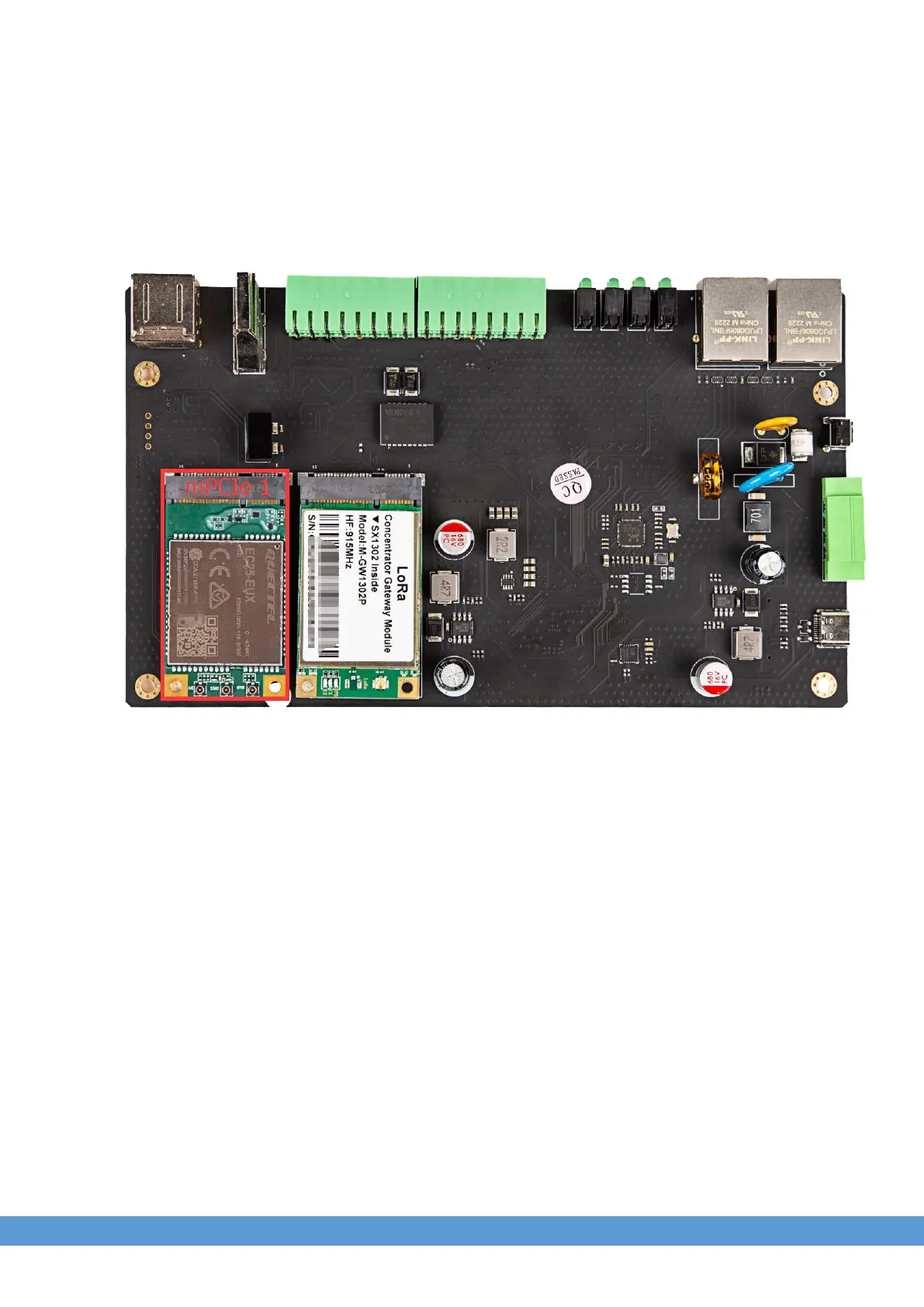
6. Cellular Module over Mini-PCIe 1
6.1 Module Installation
Use Quectel EC25 as an example and following the steps :
1. Insert the EC25 into Mini-PCIe socket 1 and micro SIM card in related slot, connect the
LET antenna (Please check the user guide for more installation instruction).
2. Log in the system via console use admin/admin.
3. Turn on the power of Mini-PCIe socket and release the reset signal.
$ sudo -i #enable root account privileges
$ cd /sys/class/gpio
$ echo 5 > export #GPIO5 which is reset signal
$ cd gpio5
$ echo out > direction
$ echo 1 > value # release the reset signal of Mini PCIe


 To Next Page