ELASTEL TECHNOLOGY CO., LTD.
(4) Other methods please refer to https://github.com/oblique/create_ap
4. Initially start up the hotspot after system boot up
Add the hotspot enabling commands in /etc/rc.local
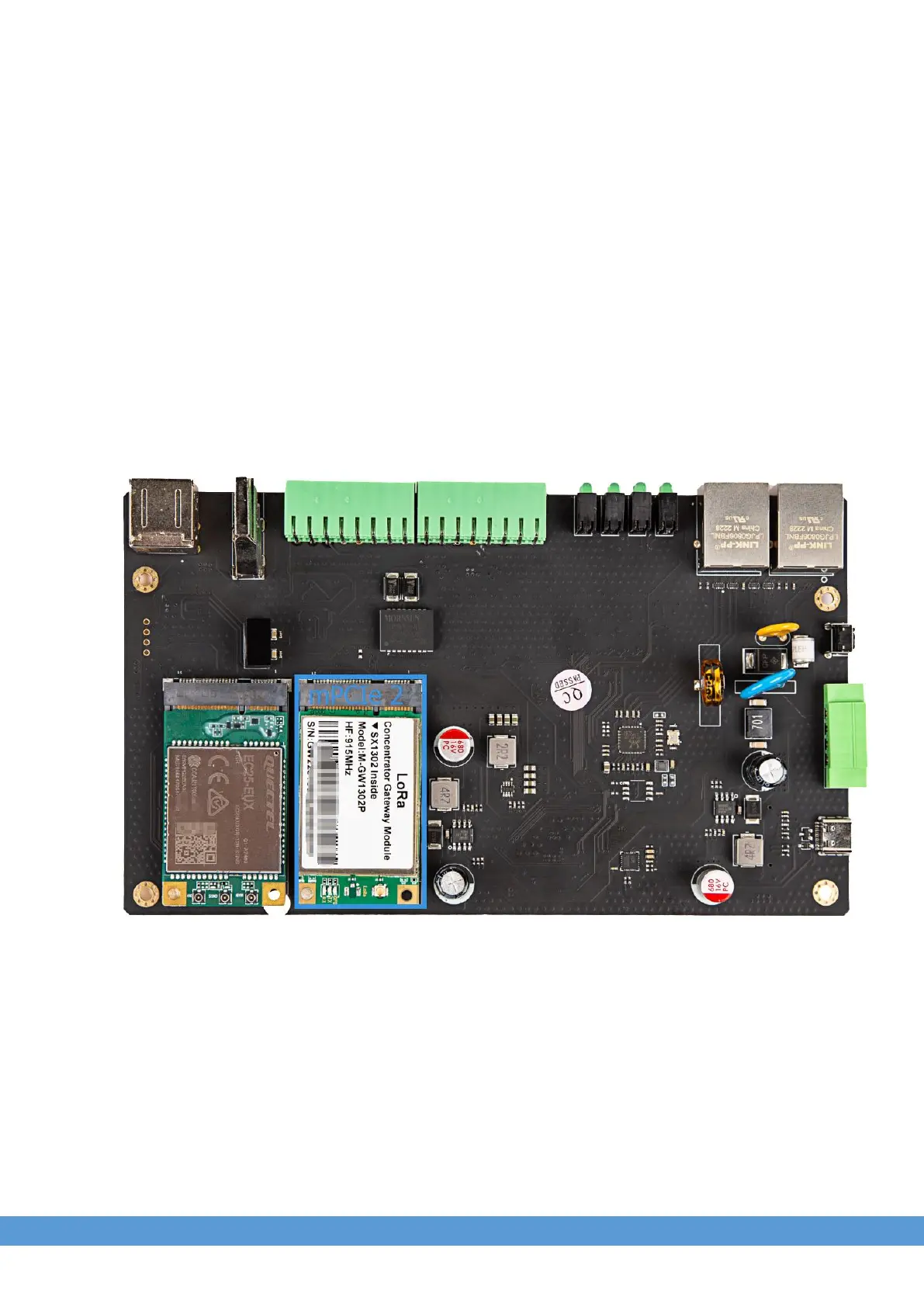
8. LoRaWAN Module over Mini-PCIe 2
8.1 Module Installation
EG500 reserved another mini-PCIe socket for LoRaWAN module which develop from Semtech SX1301,
SX1302 solution. Users are allowed to install a LoRaWAN module into mini-PCIe socket 2 as drawing
blue area add-on module position, only one M2x5 screw is needed.
1. Insert the LoRaWAN module into Mini-PCIe socket 2 and, connect the antenna for getting
better signal.
2. Log in the system via console use admin/admin.


 To Next Page