ELASTEL TECHNOLOGY CO., LTD.
3.2 Programming
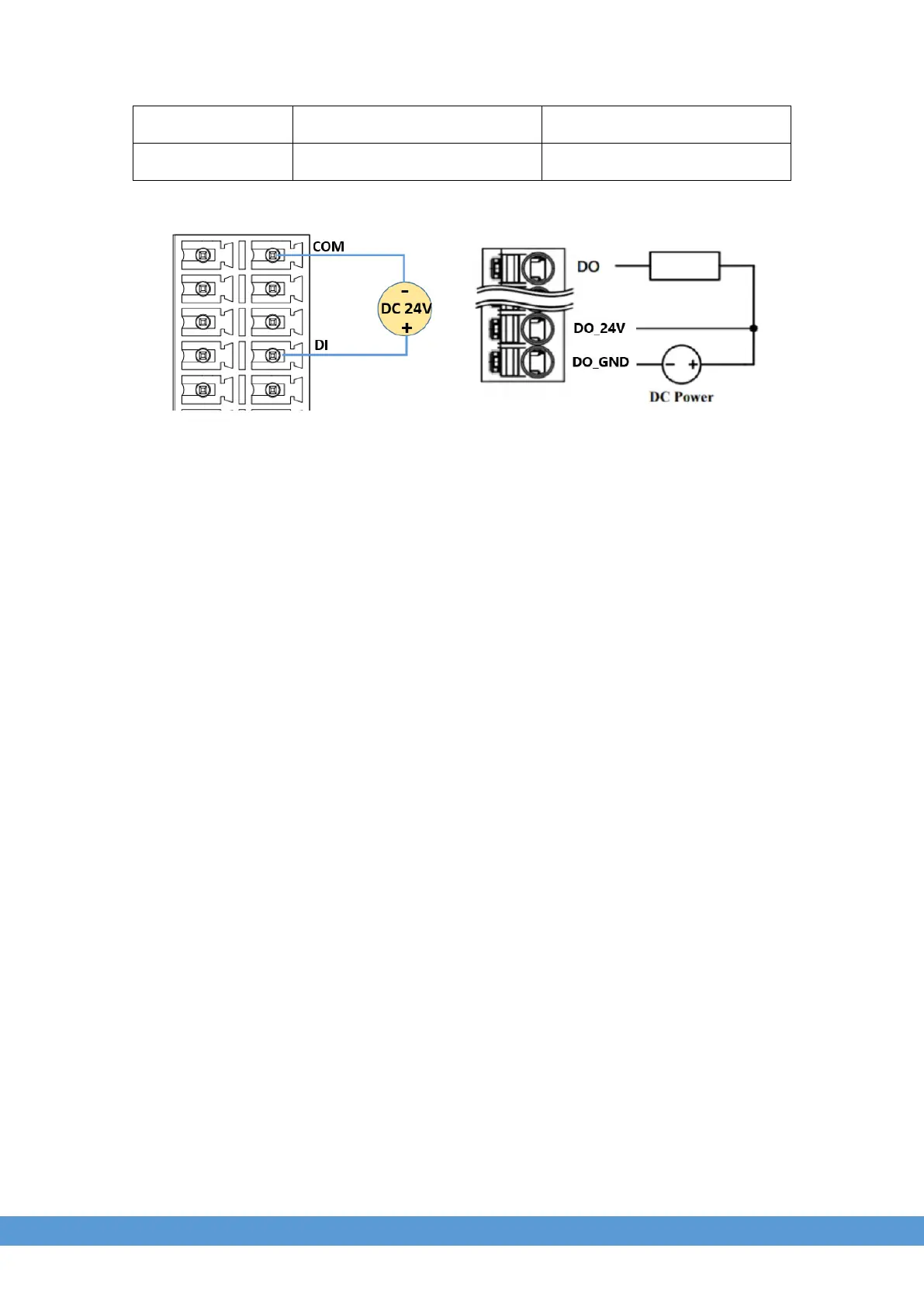
Use DI0 as an example to test the DI function.
$ sudo -i #enable root account privileges
$ cd /sys/class/gpio
$ echo 4 > export #GPIO4 which is user of DO0
$ cd gpio4
$ echo in > direction
$ cat value # View the value of DI
Use DO0 as an example to test the DO function.
$ sudo -i #enable root account privileges
$ cd /sys/class/gpio
$ echo 22 > export #GPIO22 which is user of DO0
$ cd gpio22
$ echo out > direction
$ echo 1 > value # turn on the DO0, HIGH active
OR
$ echo 0 > value # turn off the DO0


 To Next Page