EasyManua.ls Logo

ELBE 909 - Obstacle Detection System; Description of Main Components; DIP Switch Programmable Functions

ELBE 909
17 pages
Print Icon
To Next Page IconTo Next Page
To Previous Page IconTo Previous Page
Loading...
ϯ
Obstacle detection system (anti crushing)
The 909 control board is equipped with obstacle detection and the sensitivity can be adjusted by using the trimmer marked
SENS . This trimmer controls the level set that the gate will stop and reverse away if an obstacle is met during the normal run
time. Turning the trimmer further to the – makes it more sensitive to obstacles. Turning the trimmer further to the + makes it
less sensitive to obstacles. Turning the SENS trimmer completely to the + will disable this feature and the system will then rely
solely on the POWER trimmer. The second level of safety is the power sent to the motors set by the trimmer marked POWER
Turning this trimmer further to the sends less power to the motors and turning the trimmer further to the + sends more power
to the motors. During the slowing down period the system only uses the POWER setting trimmer.
tŚĞŶƚŚĞƐLJƐƚĞŵŝƐŝŶŽƉĞƌĂƚŝŽŶĂŶĚthe gate meets an obstacle during the opening cycle, it will reverse the stroke for about
10 centimetres and it will then auto re-close after 30 seconds. If the obstacle remains, the system will try again 3 times and
then finally remain open. If the automatic closing is set, it will follow the set time before closing again. If the gate is at the
deceleration stage
(usually around 500mm before fully open or close) it will stop and not move again until given another command. If the
gate meets an obstacle while closing, it will reverse completely and it will auto re-close after 30 seconds. If the automatic
closing is set, it will follow the set time. If it is at the deceleration stage, it will stop and not move again until given another
command.
Full obstacle detection control throughout the full cycle of opening and closing (including the slowdown stage) can be achieved
by using a safety edge, (Rib edge) through the ‘F. AP with, SW2-2 OFF = NC safety edge, ON = 8K2 safety edge. Input on
terminal 9. The wired safety edge system can be used with normally closed circuits and resistor 8k2 ohm circuits. Safety edges
are used on gates in all areas where a specific risk of trapping may occur, especially where there is less than a 50cm gap
behind a gate when fully open. Resistor 8k2 ohm circuits are used where CAT3 safety edges are needed. The 8k2 ohm circuit
when installed correctly will always fail to safe if damaged shorted or open circuited.
.
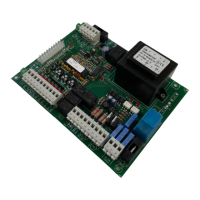
DESCRIPTION OF THE MAIN COMPONENTS
LED’S INDICATING STATUS
F1
2A fuse protecting Low voltage accessories
PED
Always off, lights up with pedestrian control
F2
5A fuse protecting the mains power input
START
Always off, lights up with start control
BREAK
Trimmer for adjusting the open pause time before automatically closing
STOP
Always on, triggered off by stop
SENS
Trimmer for adjusting the obstacle detection.+ harder, -softer, full + =off
FOTO
Always on, triggered off by gate closing photocell
POWER
Trimmer for adjusting the power sent to the motors
FOTO AP
Always on, triggered off by opening photocell
SET
Button for setting remotes and automatic work time parameters
F.AP
COSTA
Always off unless connected NC limit switch, always
off when used with 8K2 limit switch
P1
Button for setting working time
FINE CH
Always off unless connected to open limit switch
P2
Button for clearing codes with (SET) and changing START/PED logic The LED's status of board input can be checked after powering
the control panel.
If the lights above do not correspond, check the connections and
make sure the various connected devices are working properly.
SW1/2
DIP switch for programming the control panel
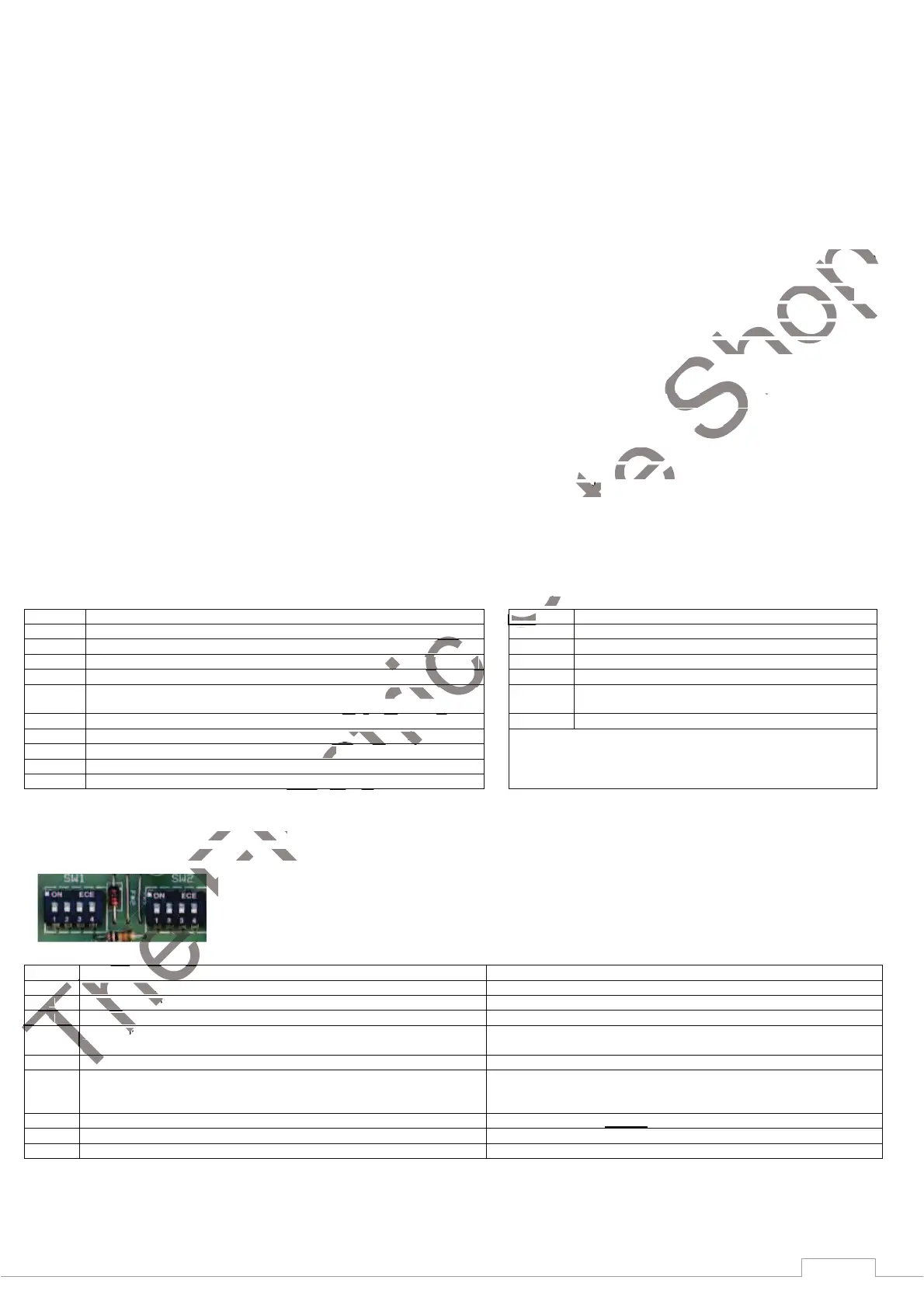
DIP SWITCH PROGRAMMABLE FUNCTIONS
DIP SWITCH must always be programmed with the control panel switched off (not powered)
SW1 ON OFF
1
Operation with one motor (motor 1 output enabled) Operation with two motors
2
With faster slowdown period With slower slowdown period
3
Disables the slowing down function Enables the slowing down function
4
Condominium/Residential feature (while opening the control panel does
not accept any other Start impulse).
Condominium/Residential feature disabled
SW2 ON OFF
1
Enables the take off during starting 2sec. Not normally needed, but used
where some gates may need this to overcome the initial inertia on start
up.
Disables take off during starting
2
Enables safety edge 8K2 function Enables safety edge without 8K2 function. NC switch type
3 Reverse push to unlock the electro-lock enable . (Not normally needed)
Reverse push disabled
4 Additional push at the end of the stroke enable. (Not normally needed)
Additional push at the end of the stroke disabled

The
The
The
Operation with one motor (motor 1 output enabled) Operation with one motor (motor 1 output enabled)
The
The
The
The
22
With faster slowdown period With faster slowdown period
The
The
The
The
3
3
Disables the slowing down function Disables the slowing down function
The
The
The
The
The
4
Condominium/Residential feature (while opening the control panel does Condominium/Residential feature (while opening the control panel does
not accept any other Start impulse).not accept any other Start impulse).
The
The
The
The
The
The
SW2
The
The
The
The
Enables the take off during starting 2sec. Not normally needed, but used
The
The
The
The
The
Electric
Electric
Trimmer for adjusting the open pause time before automatically closingTrimmer for adjusting the open pause time before automatically closing
Electric
Trimmer for adjusting the obstacle detection.+ harder, -softer, full + =offTrimmer for adjusting the obstacle detection.+ harder, -softer, full + =off
Electric
Electric
Trimmer for adjusting the power sent to the motors
Electric
Electric
Electric
Button for setting remotes and automatic work time parameters Button for setting remotes and automatic work time parameters
Electric
Electric
Button for clearing codes with (SET) and changing START/PED logic The LED's status of board input can be checked after powerinButton for clearing codes with (SET) and changing START/PED logic The LED's status of board input can be checked after powerin
Electric
DIP switch for programming the control panel DIP switch for programming the control panel
Electric
Electric
Electric
Electric
DIP SWITCH PROGRAMMABLE FUNCTIONS DIP SWITCH PROGRAMMABLE FUNCTIONS
DIP SWITCH must always be programmed with the control panel switched off (not powered) DIP SWITCH must always be programmed with the control panel switched off (not powered)
Electric
Gate
SW2-2 OFF = NC safety edge, ON = 8K2 safety edge.
terminal 9. The wired safety edge system can be used with normally closed circuits and resistor 8k2 ohm circuits. Safety edges
are used on gates in all areas where a specific risk of trapping may occur, especially where there is less than a 50cm gap are used on gates in all areas where a specific risk of trapping may occur, especially where there is less than a 50cm gap
behind a gate when fully open. Resistor 8k2 ohm circuits are used where CAT3 safety edges are needed. The 8k2 ohm circuit
when installed correctly will always fail to safe if damaged shorted or open circuited. when installed correctly will always fail to safe if damaged shorted or open circuited.
LED’S INDICATING STATUSLED’S INDICATING STATUS
PED
PED
Gate
Gate
Gate
Gate
START
Gate
Gate
Gate
Gate
Shop
the gate meets an obstacle during the opening cycle, it will reverse the stroke for about
imetres and it will then auto re-close after 30 seconds. If the obstacle remains, the system will try again 3 times and imetres and it will then auto re-close after 30 seconds. If the obstacle remains, the system will try again 3 times and
then finally remain open. If the automatic closing is set, it will follow the set time before closing again. If the gate is at the then finally remain open. If the automatic closing is set, it will follow the set time before closing again. If the gate is at the
it will stop and not move again until given another command. If the
obstacle while closing, it will reverse completely and it will auto re-close after 30 seconds. If the automatic obstacle while closing, it will reverse completely and it will auto re-close after 30 seconds. If the automatic
closing is set, it will follow the set time. If it is at the deceleration stage, it will stop and not move again until given another closing is set, it will follow the set time. If it is at the deceleration stage, it will stop and not move again until given another
Full obstacle detection control throughout the full cycle of opening and closing (including the slowdown stage) can be achieved
SW2-2 OFF = NC safety edge, ON = 8K2 safety edge. SW2-2 OFF = NC safety edge, ON = 8K2 safety edge.
terminal 9. The wired safety edge system can be used with normally closed circuits and resistor 8k2 ohm circuits. Safety edges
are used on gates in all areas where a specific risk of trapping may occur, especially where there is less than a 50cm gap

Related product manuals