Ÿ Do not drop the meter.
Ÿ Do not exert undue force on the sensor.
Ÿ Never apply undue force when opening the meter (to change the batteries or sensor).
Ÿ Do not subject the meter to high temperature or humidity.
Ÿ Although the product is waterproof, avoid immersing it completely. If the meter is accidentally
dropped in water, take it out and remove the moisture.
Ÿ Do not allow utensils (tweezers, pipette, etc) to touch sensor cell.
Ÿ Do not measure samples hotter than 40°C (105°F)
Ÿ Do not allow contact with solvents.
A1: CAUTION
Battery
Battery
Clip
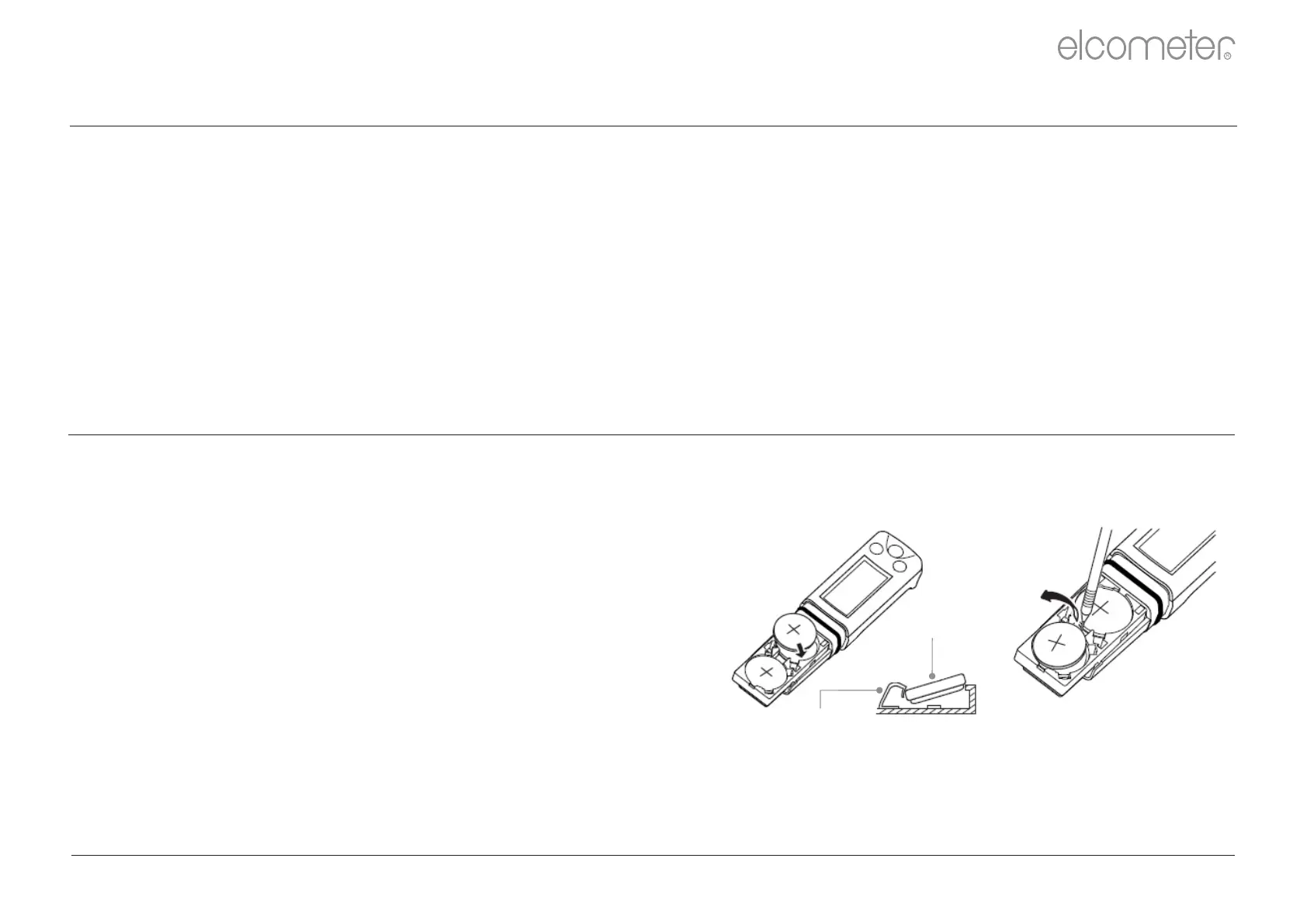
A2: FITTING AND REPLACING THE BATTERIES
The Elcometer 138 Meters use dry cell batteries only and are supplied with two CR2032 lithium batteries
fitted with an isolation strip. Remove the isolation strip before first use.
1 Place batteries in battery clips ensuring correct polarity.
To fit or replace the batteries:
When the battery voltage becomes low, the low battery
warning indicator will flash. Replace both batteries
immediately.
Note: Lithium batteries must be disposed of carefully to avoid environmental contamination. Please consult your local
Environmental Authority for information on disposal in your region. Do not dispose of any batteries in fire.
2 To reassemble the meter, slide the sensor onto the body
of the meter and push the body and sensor together
gently until sensor retaining clip engages.
www.elcometer.com
R
en-16



 To Next Page