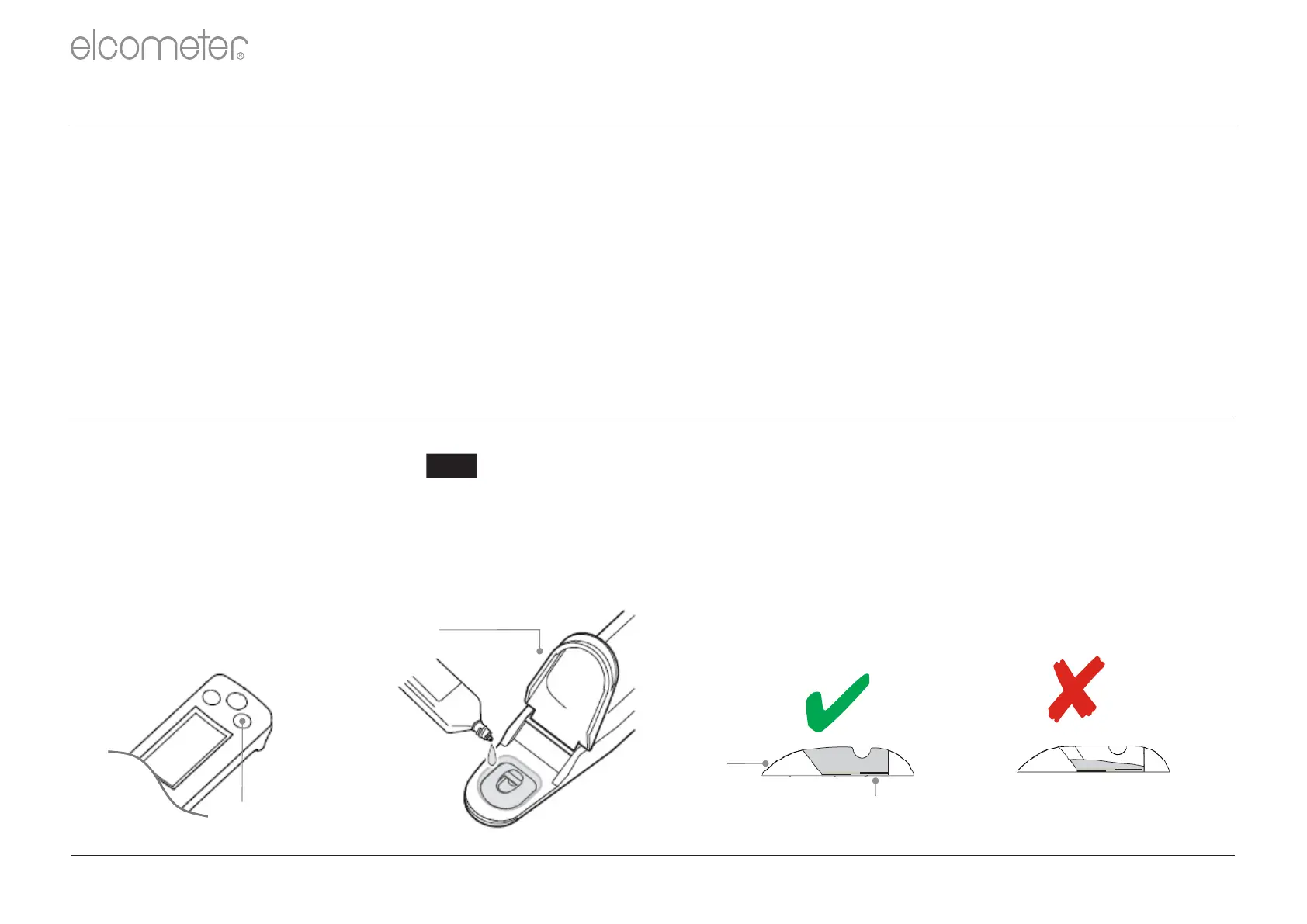
1 Put some drops of the conditioning solution into the measurement cell.
2 Leave for approximately 10 minutes.
3 Clean the measurement cell with running water.
4 Wash the measurement cell with standard solution.
When using the sensor for the first time or again after several weeks of disuse, perform the electrode
surface treatment procedure as follows:
5 Perform the calibration procedure, see Section A5 below.
A4: ELECTRODE SURFACE TREATMENT PROCEDURE
CAL
CAL
Button
Cover
Protection
Cell
Electrode
Appropriate
Too Little
A5: CALIBRATION PROCEDURE
1 Press the ON/OFF button to switch the meter on.
2 Press the CAL button until appears on the display.
3 Open the protection cover and place some drops of the 84µS/cm standard solution supplied into the
measurement cell avoiding the inclusion of bubbles. Washing the sensor with standard solution
beforehand may provide more accurate calibration.
4 Bubbles in the solution may cause the measurement to be inaccurate.
R
en-19 www.elcometer.com



 To Next Page